A SmartThings-Connected Home Is Simpler Than You Think
July 30, 2026
What can a connected smart home actually do?
That’s a question many people still ask when they hear about smart home technology. Samsung’s SmartThings platform now connects millions of users around the world and supports products from thousands of partner brands. Yet for many people, the idea of a connected home can still feel a little abstract.
Maybe you’re not sure whether your devices are compatible. Maybe setting everything up sounds complicated. Or perhaps you’re wondering whether connecting your appliances will make any meaningful difference in everyday life.
The answer may be simpler than you think.
For many Samsung products, getting started begins with a QR code. If a Samsung appliance includes a SmartThings QR code, simply scan it and follow the on-screen instructions to quickly connect the product to the SmartThings ecosystem.[1]
And once connected, a whole new side of the home opens up.

The Virtual Home: Try Before You Connect
For people who are still unsure whether a connected home is worth it, Samsung offers a way to experience SmartThings before setting up a single device.
The Virtual Home website is an interactive online experience that lets visitors explore a SmartThings-connected home without downloading an app or connecting any products. Accessible through web browsers, Virtual Home offers a glimpse into how SmartThings can help simplify daily life.
Upon entering Virtual Home, visitors are greeted by a SmartThings dashboard featuring Home, Devices, Life, and Routines tabs.
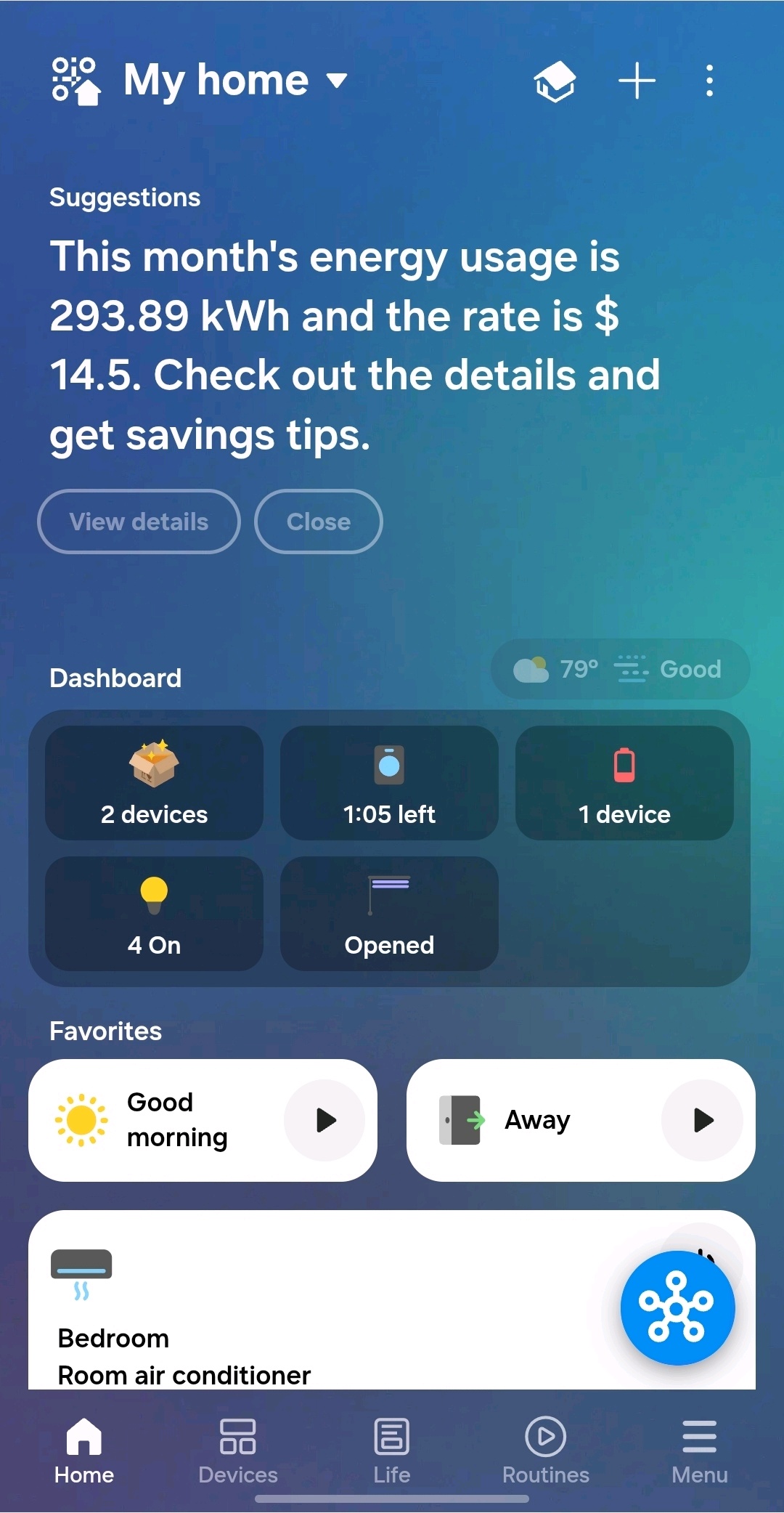
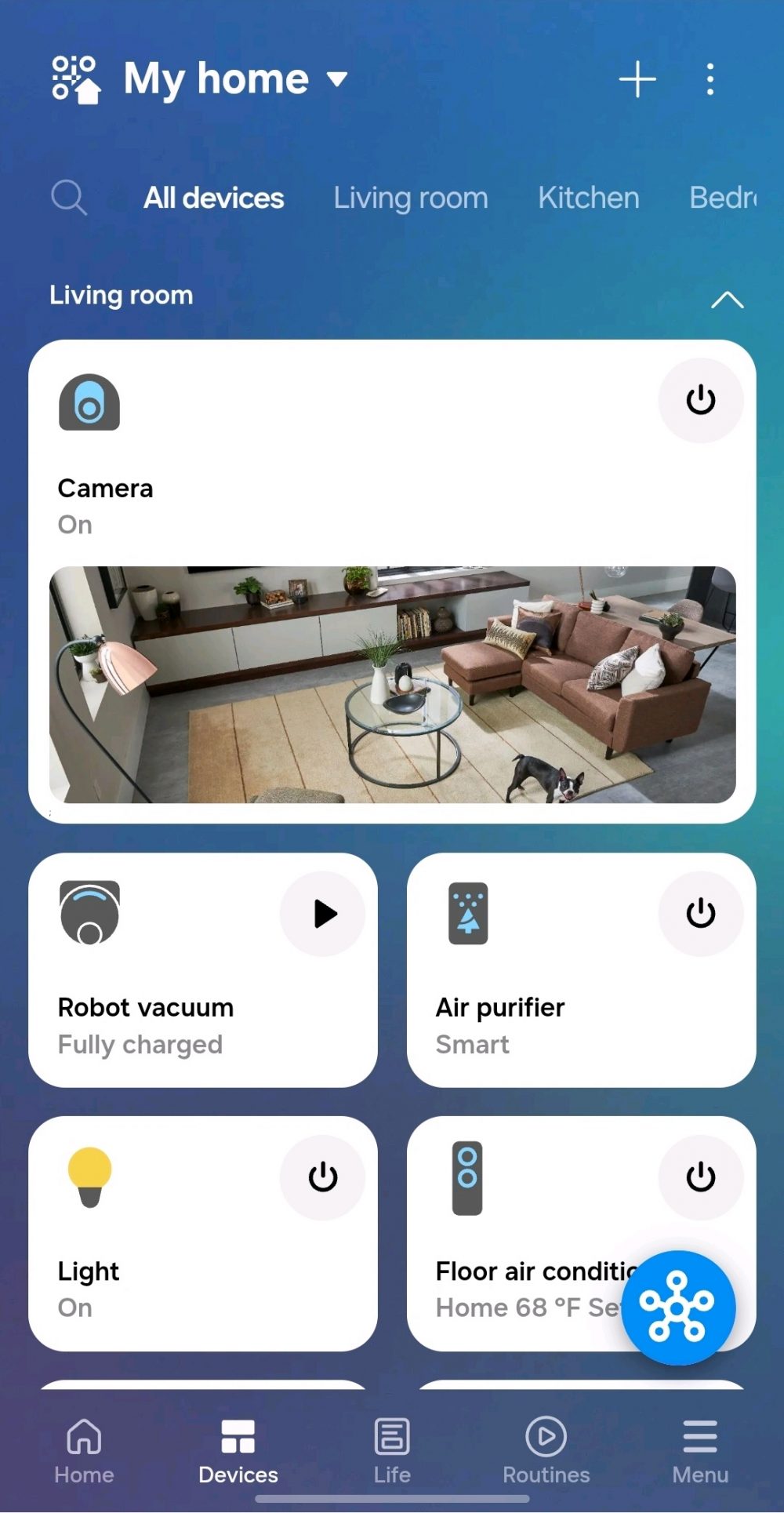
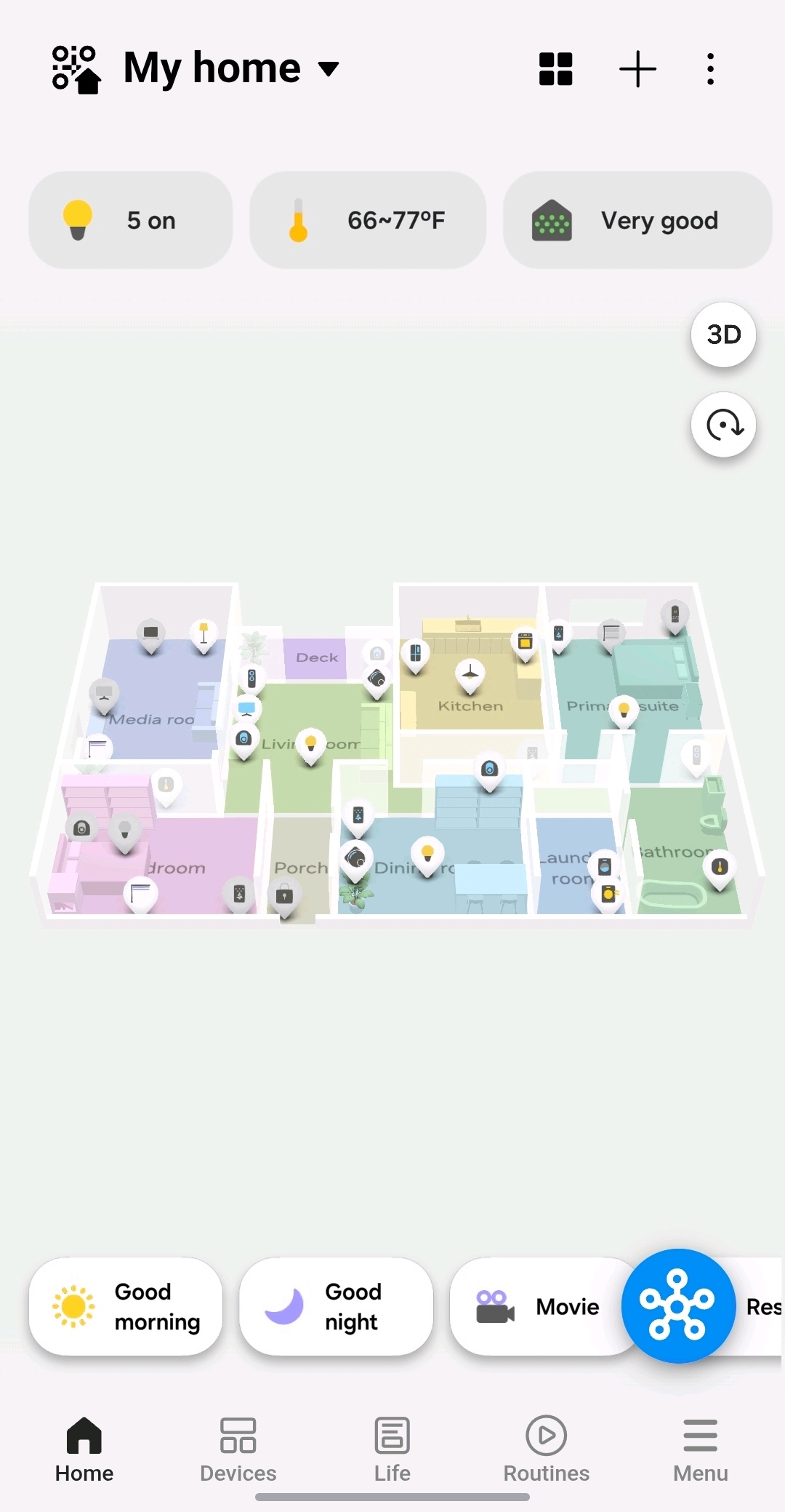
The Home screen provides an overview of a connected household. Users can check the status of devices connected to SmartThings throughout the home, from the air conditioner in the bedroom to the curtains in the living room. Then, 3D Map View allows users to navigate the virtual home and explore devices room by room.[2]
It’s a simple way to understand not just what SmartThings is but what it feels like to use.
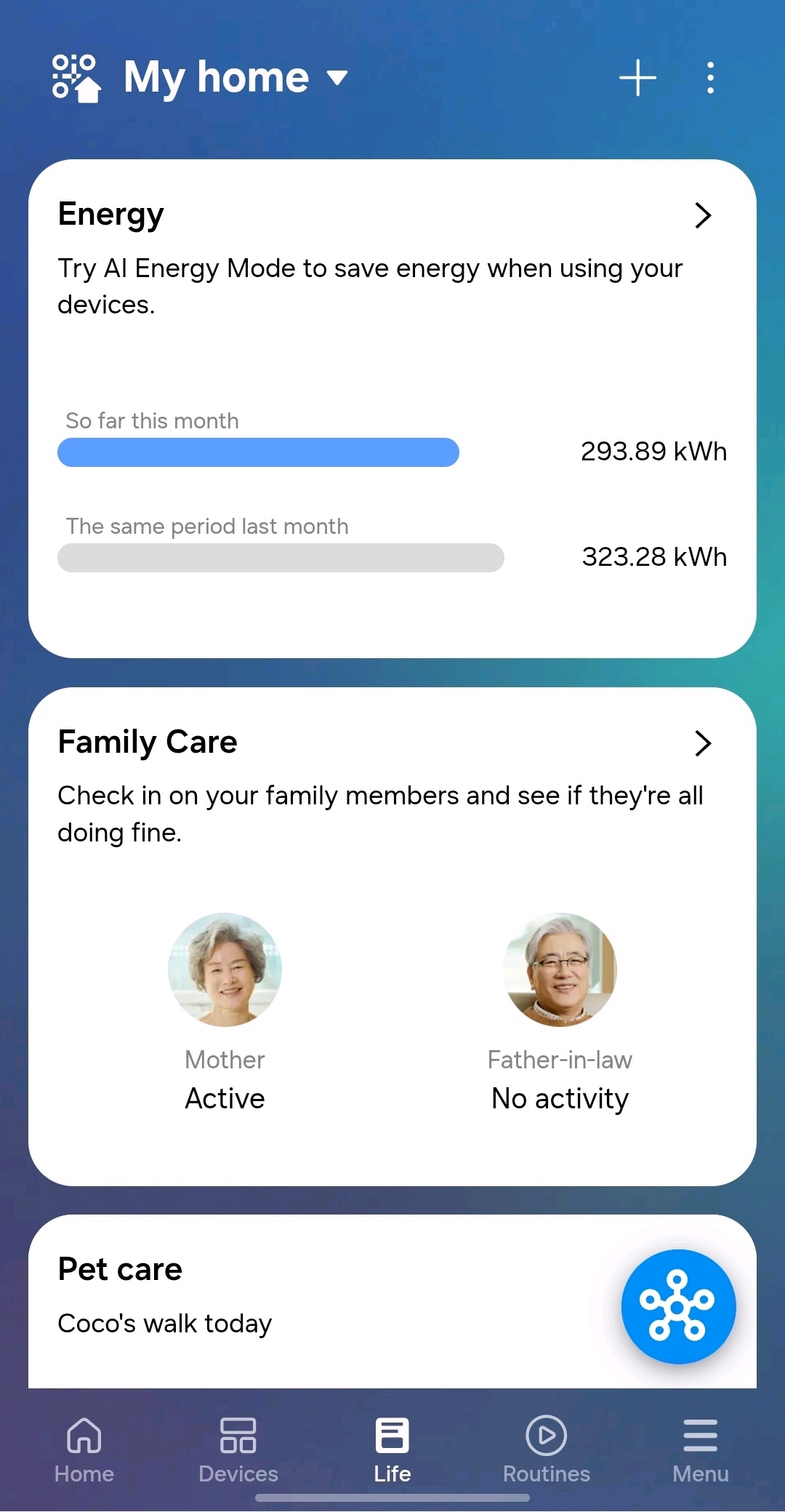
The Life tab is designed around these kinds of practical benefits. The tab provides easy access to features and services like Energy, and Pet Care. For example, right at the top is SmartThings Energy, which helps users monitor energy consumption across connected devices, providing visibility into power usage, estimated utility costs and savings generated through AI Energy Mode.
Sometimes, a connected home isn’t about controlling devices. It’s about staying connected to the people who matter most. Family Care in the Life tab, can help users keep an eye on loved ones from afar by using activity data from connected Samsung appliances and mobile devices.[3]
Within Virtual Home, for example, users can see that “Mum” has started her day normally, while “Father-in-law” has not shown expected activity patterns. In this way, the feature can provide additional peace of mind and encourage users to check in when something seems unusual.
SmartThings: A Home That Helps Out Behind the Scenes

The real value of a connected home often comes from the small conveniences that add up throughout the day.
Imagine relaxing on the sofa on a warm afternoon. Sunlight is streaming through the windows and the room is beginning to heat up. You’d like to close the blinds or lower the air conditioner temperature, but you’re comfortable exactly where you are.
Instead of getting up, SmartThings lets you manage connected devices directly from your phone. With a few taps, the blinds can be adjusted and the room temperature can be changed without leaving your seat. These may seem like small moments, but they are exactly where connected experiences can make everyday living feel easier.
Connected convenience is just a QR code away
Smart home technology is often discussed in terms of ecosystems, connectivity and platforms. But for most people, the question is much simpler: Will it make my life easier?
SmartThings is built to answer that question with an emphatic “yes”, through practical user experiences that help save time, reduce everyday hassles, and provide greater visibility into the home.
Whether it’s adjusting the temperature from the sofa, checking in on a loved one, or monitoring energy use, the benefits become easier to understand once they’re experienced firsthand.
The washing machine still washes clothes. The dishwasher still cleans dishes. But now, SmartThings simply helps those appliances do more, and do it better. To get started simply scan the QR code on your device and away you go, so you spend less time managing your home and more time living in it.
[1]Available on Android and iOS devices. A Wi-Fi connection and a Samsung account are required.
[2] A Wi-Fi connection and a Samsung account are required. Third-party devices must be SmartThings compatible.
[3]Remote control is available when the caregiver has been set up to remotely control the care recipient’s devices. Availability may vary depending on product, model and region.


