Galaxy Book5 Pro: A Laptop That Helps You Level-Up Your Uni Experience
August 5, 2025
Between assignments, lectures and keeping up with a busy social calendar both online and offline, uni demands serious multitasking. Your smartphone and apps help, but the laptop you use can unlock an AI-powered upgrade to campus life.
What does the right laptop for uni look like? Samsung Newsroom explores the features and capabilities students should consider when choosing a new computer.
Q: As a uni student, what are the top three features to look for when buying a new laptop?
The first and most important factor is to consider how well the laptop can work with all the other devices you already have. Another key consideration is how a touchscreen could increase your productivity. Finally, battery life — how long the battery lasts during a busy day — is also crucial.
Q: What kind of laptop integrates best with your Android phone?
A good uni laptop should integrate seamlessly with your smartphone and your tablet, serving as the hub of your digital life. It should let you access all your notifications, send and receive text messages, and even run your favourite mobile apps right from your PC. No matter where that photo you need is stored, a good laptop will be able to find it for you. You should be able to connect to all your mobile devices to help you keep track of your digital materials. With a laptop that is connected to your entire device ecosystem, you’ll finish your thesis in no time.
Q: Do students really need a touchscreen on their laptop?
Touchscreens are a popular option for some of the latest models, and having one on your laptop can streamline your process when working on your assignments. Using touchscreens feels more natural, since we now interact with them almost every single day, from our smartphones to the self-ordering kiosks at cafés. A touchscreen can save you time when you need to multitask intuitively with what is on your screen — without having to open another window or switch between tools. You can easily highlight the important parts of documents and jot down handwritten notes directly onto PDFs. Additionally, the latest AI tools work efficiently with touchscreen-based interactions, like circling items on the screen to instantly search for information about them.
Q: Bottom line, what’s the best Samsung laptop for students?
The Galaxy Book5 Pro 16” is the optimal choice for uni students. It seamlessly integrates with your other Galaxy devices to help you keep track of all your data and stay organised; the laptop’s expansive touchscreen display helps you multitask faster and work with all your assignments; and the powerful performance of its battery lets it stay active with you from morning until night.
Under the laptop’s hood are powerful AI capabilities, based on its own AI Boost neural processing unit (NPU). This is a new type of processor, different from a CPU or GPU, that is specifically for AI computing. With the power of this NPU, your laptop can understand you on a deeper level, almost like your own personal assistant.
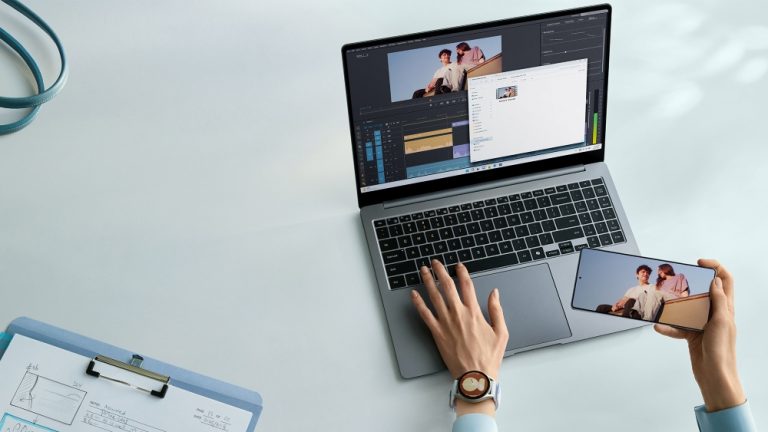
In addition, Storage Share[1] connects your laptop to your Galaxy smartphone and tablet. Introduced with One UI 7, this feature lets your Galaxy smartphone and tablet operate as a wireless USB drive or storage space for your Galaxy Book5 Pro. After authorisation, you can effortlessly access files on any of your devices, so you always have your data available to you on your hub — your laptop. Thanks to this, when you record lectures or meetings on your phone, your laptop can transcribe or summarise them.
This all happens on an anti-reflective screen, a crystal-clear AMOLED display featuring Samsung’s Dynamic AMOLED 2x technology that offers 3K resolution and a 120Hz adaptive refresh rate. It gives you ultra-smooth scrolling and responsiveness, so the only possible thing you might have to wait on is your own thoughts. It also automatically adjusts its brightness and enhances its visibility with tone mapping in a bright environment, so it is clearly visible even if you are studying outside on a sunny day. And since it’s a touchscreen, you can use AI Select[2] to circle what you want to search for right on the screen.
And all of this is built on the dependable foundation of the Galaxy Book5 Pro’s high-capacity battery, which can give up to 25 hours of video playback.[1] But despite all that battery power, the laptop itself is still thin and light. Thanks to that slim and lightweight design, carrying it around with you to the library, a coffee shop, your friend’s house and then back home is never a burden.
To learn more about Galaxy Book5 Pro, visit Samsung.com.
[1]Usage requires all devices to be on the same Samsung account, connected via Wi-Fi and Bluetooth, running One UI 7 or later, and have Storage Share enabled..
[2]Requires internet connection and Samsung Account login. Results may vary by uniqueness, clarity and framing of circled image and related factors.


