Samsung UK’s Wearables Expert Reveals the Galaxy Watch Features you Might Not Be Making the Most Of
August 14, 2026
From tracking workouts and understanding sleep to managing everyday tasks from your wrist, Brits are becoming increasingly tuned into what their health data can tell them.
New research commissioned by Samsung reveals that more than six in ten Brits (62%) now track some aspect of their health or wellbeing, while 55% say they are more proactive about monitoring their health than they were five years ago[1] .
But Galaxy Watch can do much more than keep tabs on your health. Outside of Samsung Health, the new Galaxy Watch Series is packed with features designed to make everyday life that little bit simpler – from hands-free shortcuts and staying connected on the move to accessing Google Gemini straight from your wrist.
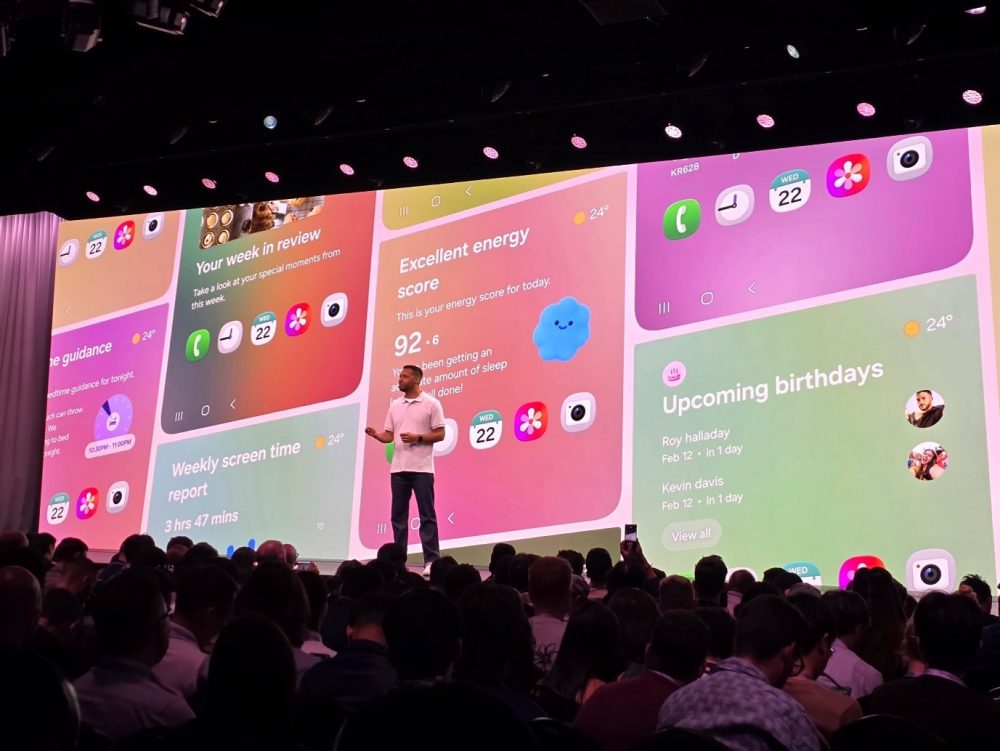
So, which ones are actually worth knowing about? Fresh from presenting at Galaxy Unpacked in London, Samsung UK Product Specialist Lee Dinham shares some of his favourite – and lesser-known – features on the new Galaxy Watch Ultra2 and Galaxy Watch9 – including a few you might be missing out on.
Talk to Gemini without reaching for your phone
Lee’s favourite new Galaxy Watch feature is also one of the easiest to overlook.
With Raise to Talk, simply lift your Galaxy Watch towards your mouth and Google Gemini[2] is ready to listen – no tapping through menus required.
“My favourite new feature on the Galaxy Watch Ultra2 and Watch9 is Raise to Talk to activate Google Gemini,” says Lee. “I’ve found this really useful to get quick answers to questions on the go, especially without having to reach for my smartphone.”
Google Gemini2 also allows you to use natural voice instructions, making it particularly useful when you’re on the move or have your hands full. Rather than stopping what you’re doing to navigate your Galaxy Watch, you can simply ask for what you need.
Lee’s tip: Try Raise to Talk in those moments when your hands are full or you’d normally instinctively reach for your phone.
Master the ‘knock knock’
If talking to your Galaxy Watch isn’t convenient, there’s another hands-free shortcut worth knowing about.
Gestures allow you to control certain Galaxy Watch functions using movements of your hand, meaning you can trigger an action without navigating the touchscreen. One of Lee’s favourites is the “knock knock” gesture.
“You can perform a ‘knock knock’ gesture with your fist that can be used for all sorts of actions, like activating an exercise, turning on the torch function or launching your favourite app,” Lee explains.
That means a simple movement can get you straight to a function you regularly use – particularly handy when you’re exercising, commuting or have your other hand occupied.
Lee’s tip: Set the gesture to an action you use regularly, whether that’s quickly starting a workout, switching on the torch or opening your favourite app.
Leave more to your Watch
Sometimes, getting more from your Galaxy Watch isn’t about discovering one new feature, but realising how many everyday tasks you can already manage from your wrist.
“Our Galaxy Watches have so many features,” says Lee. “They’re also a great lifestyle companion – you can manage all of your messages and notifications, make and receive calls, make payments on the go with Samsung Wallet[3] and download your favourite apps like Spotify, WhatsApp and hundreds more via the Google Play Store[4] .”
That means everything from checking a message to changing your music or paying for your morning coffee can be handled straight from your wrist.
Lee’s tip: Spend a few minutes setting up the apps and shortcuts you use most. The more you personalise your Galaxy Watch around your routine, the more you can leave your smartphone in your pocket.
And when it comes to health…
Of course, health and fitness remain at the heart of Galaxy Watch – whether you’re taking the first steps on your wellbeing journey or training towards your next big goal. Samsung research found 65% of Brits have changed their lifestyle after reviewing health data or insights about themselves, while two-thirds (66%) say they pay close attention to the quality of their sleep.
Here are three features Lee recommends exploring:
- Know when to push – and when to recover: Daily Cardio Load[5] , can help provide a better picture of whether your current level of activity is right for you. “I think we’re all guilty of not getting enough rest and recovery time, especially when we’re training for a specific fitness goal,” says Lee. “The Daily Cardio Load feature gives a great indication of if I’m doing too much – or not enough – in the gym and will give me a nudge to take it easy every so often.”#
- Turn fitness into a friendly competition: Fitness Index[5] , compares your metrics with other Samsung Health users in your age range. “I love to be competitive,” says Lee. “It’s a great motivator to focus on specific areas so I can improve my score. I definitely need to up my cardio!”
- Look at the bigger picture: Alongside activity and heart-rate tracking, Galaxy Watch offers features spanning body composition measurement[6] , ECG and blood pressure monitoring[7] , nutritional guidance and mindfulness, as well as personalised insights including Sleep and Energy Scores[8]. “Whether you’re just getting started in your health and wellness journey, or someone who does frequent trail runs and ultra-marathons, there is something for everyone no matter what your level,” says Lee.
Whether you’re training for your next big fitness goal or simply looking for a smarter way to manage everyday life, there’s plenty more to discover on your wrist. With a few simple features and personal insights, Galaxy Watch Ultra2 and Galaxy Watch9 are designed to be more than just a way to track your stats – they’re a smart companion that can help you make the most of every day.
Discover the latest Galaxy Watch offers
Ready to put Lee’s tips to the test? Galaxy Watch Ultra2 and Galaxy Watch9 are available now, with a range of offers available for customers looking to upgrade: https://www.samsung.com/uk/watches/?product1=sm-l715fzsaeub&product2=sm-l340nzeaeub&product3=sm-l705fdaaeua
- Get £27 – £132 off when you trade in your smartwatch
Galaxy Watch owners can also make the move to Samsung’s latest smartwatches with enhanced Trade In values.
Customers purchasing a Galaxy Watch Ultra2 or Galaxy Watch9 from Samsung.com or a Samsung Experience Store can receive between £27 – £132 off when trading in a qualifying smartwatch.[9]
- Try Galaxy Watch Ultra2 and Watch9 for 100 days
You can also discover Samsung’s latest smartwatches with confidence through the 100-Day Buy & Try programme.
Customers who purchase any SIM-free Galaxy Watch Ultra2 or Galaxy Watch9 from a participating retailer before Sep 8, 2026 and register for the promotion can take advantage of a 100-day return window if they decide the device is not for them.[10]
- Save 15% on Galaxy Watch when you build your Galaxy ecosystem
Customers purchasing a Galaxy Watch Ultra2 or Galaxy Watch9 alongside any eligible smartphone, tablet, laptop or XR device from Samsung.com or a Samsung Experience Store by Aug 18, 2026 can receive 15% off their watch at checkout.[11]
[1] Research conducted by OnePoll on behalf of Samsung in June with 2,000 UK adults.
[2] Requires compatible Wear OS watch to be connected to a compatible device. Check responses for accuracy. Internet connection and set up may be required. Google and Gemini are trademarks of Google LLC.
[3] Samsung Wallet/Pay is available with participating payment networks, banks and merchants and is only compatible with selected cards and Samsung devices on NFC terminals.
[4] Google account required. Subscriptions sold separately.
[5] Not intended for use in detection, diagnosis, treatment of any medical condition or sleep disorder. The measurements are for your personal reference only. Please consult a medical professional for advice.
[6] Body Composition should not be used if you have an implanted pacemaker or other implanted medical devices, or if you are pregnant. The measurements are for your personal reference only. Please consult a medical professional for advice.
[7] Requires a Galaxy smartphone running Android 12 or above. Not intended for users by people under 22 years old. Users should not interpret or take clinical action based on the device output without consultation of a qualified healthcare professional.
[8]Not intended for use in detection, diagnosis, treatment of any medical condition or sleep disorder. The measurements are for your personal reference only. Please consult a medical professional for advice.
[9] Purchase from Samsung.com or Samsung Experience Stores by 18.08.26. £27 value based on any Approach Garmin Smartwatch. £132 value based on any Samsung Galaxy Watch Ultra. Values can vary by model and condition of Trade In device, and on purchases of exclusive colour devices. Limited to one Trade In Watch per transaction. Charges apply if you don’t send us your Trade In device. T&Cs apply.
[10] Promoter: Samsung Electronics (UK) Limited. Purchase any SIM free Samsung Galaxy Z Fold8 Ultra, Z Fold8, Z Flip8, Watch Ultra2 or Watch9 from a participating retailer before 08/09/2026 and register for the promotion using the link below within 30 days. If dissatisfied, Participant may claim within 45-100 days after purchase (or delivery in the case of pre-orders) and return the product in good condition to Samsung within 30 days of provisional claim approval and Samsung will pay the purchase price (capped at RRP) by bank transfer. SIM Free purchases only. Maximum one claim per product and four per household and ten per business. For full terms and more information see www.samsungoffers.claims/buyandtry2026.
[11] Purchase from Samsung.com or Samsung Experience Stores by 18.08.26. Discount applies automatically at checkout when eligible products are added to the basket. Only two discounted Galaxy Watches per full-priced product. Discount applies to the two lowest-priced items. Discounts can’t be used in combination with Trade In.


