‘Warranty and Care’ Menu Simplifies Device Care for New Foldables
August 18, 2026
Samsung users may have noticed something new on their Galaxy Z foldables — the Warranty and care menu.
Managing warranties and coverage for a Galaxy mobile phone, Galaxy Watch, Galaxy Buds, and Galaxy Tab can be a hassle. That’s where Warranty and care comes in. Introduced with One UI 9, it brings essential device management features together in one place, letting users check warranty status, run diagnostics, book repairs, and get support in just a few taps — all without leaving Settings.
Here’s a closer look at what Warranty and care, available with One UI 9 on Galaxy Z Fold8 Ultra, Galaxy Z Fold8, and Galaxy Z Flip8 offers.
Check Warranty Status Across Galaxy Devices
Keeping track of warranty periods and expiration dates across Galaxy devices isn’t always easy. Warranty and care consolidates this information in a single hub.
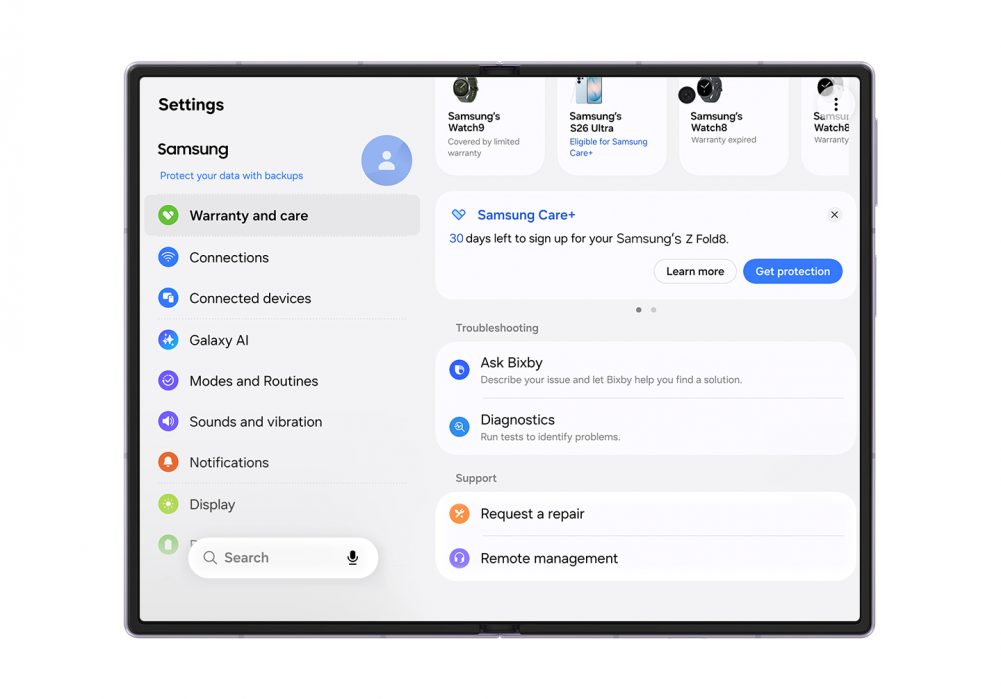
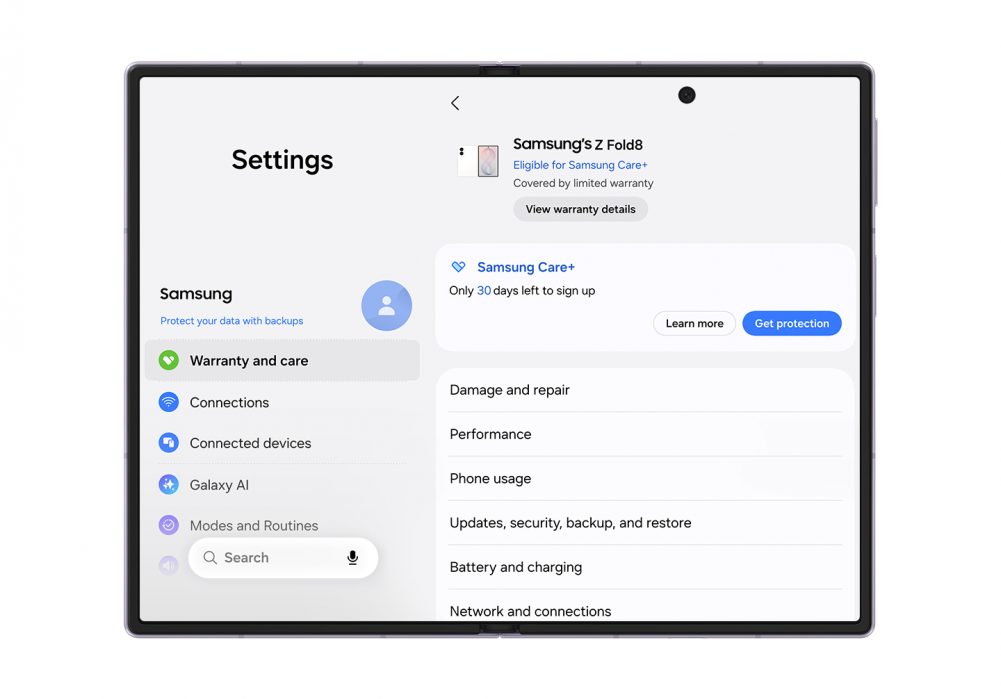
▲ Access Warranty and care instantly from Settings.
Available in Settings, Warranty and care displays information about the device in use at the top of the screen — including remaining warranty period and eligibility for Samsung Care+ enrollment.[1] Below, users can find the same details for other Galaxy devices linked to their Samsung account, making it easy to check warranty and coverage status across their Galaxy ecosystem.
For added protection beyond the standard warranty, users can easily explore and enroll in a Samsung Care+ plan that matches their needs.
Resolve Device Issues With Diagnostics and Bixby
When something doesn’t feel quite right, quickly finding out what’s wrong can make all the difference. The built-in Diagnostics feature checks the device — including its battery, charging, sensors, touch response, and connectivity — to help pinpoint the issue and guide users to the next step, whether that’s a suggested solution or a repair request.
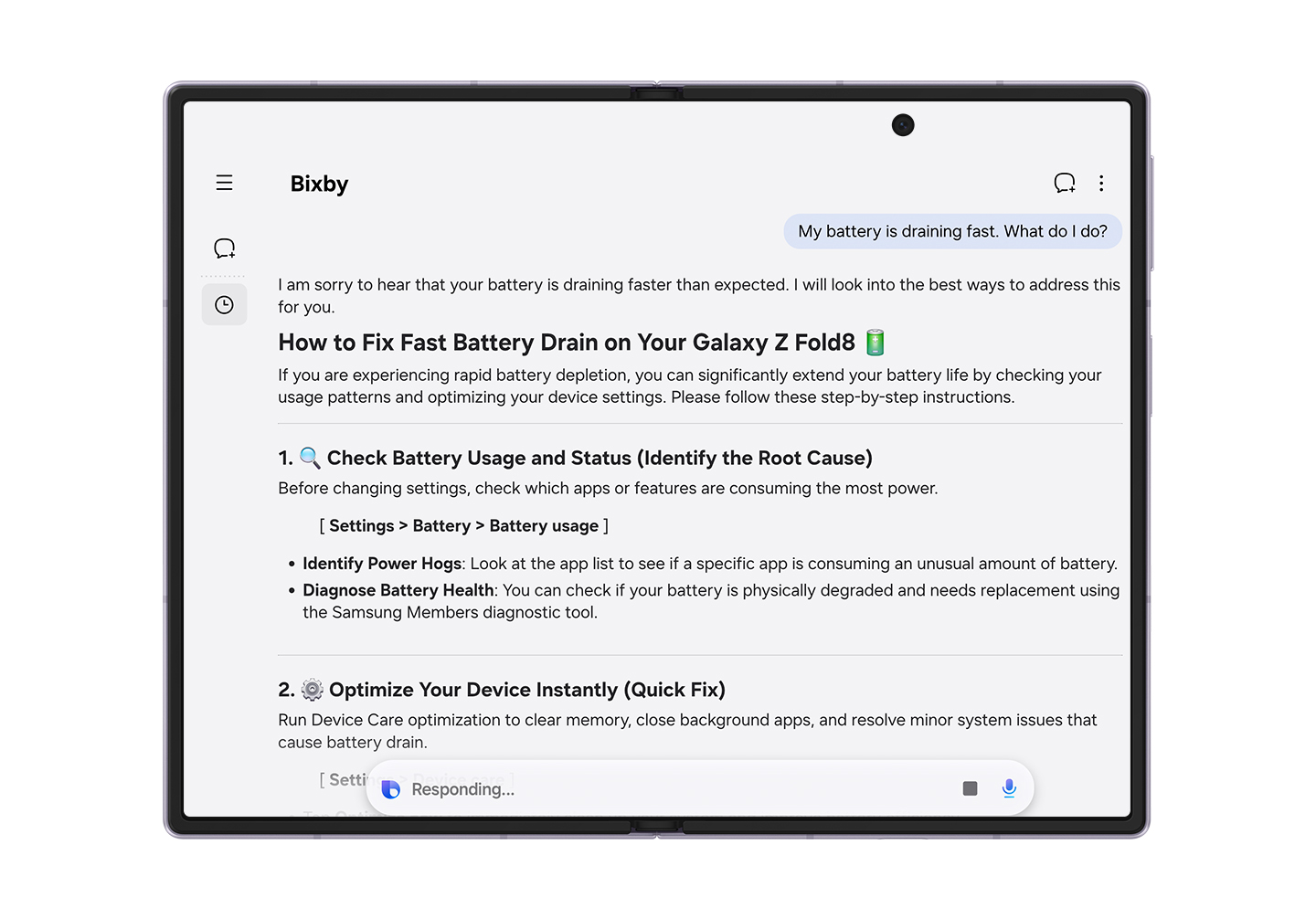
▲ Bixby offers customized responses to your inquiries.
Users can also access Bixby[2] from Warranty and care to ask about an issue and get help on the spot. For example, if a user asks, “My battery is draining too fast. What should I do?” Bixby can walk them through possible solutions step by step. It’s a convenient way to get answers to everyday questions without switching screens.
Book Repairs and Check Estimated Costs in One Place
When professional help is needed, users can tap “Request a repair” to book a repair at a Samsung-authorised service center without having to make phone calls. All repairs are carried out by Samsung-certified technicians using genuine parts. If users are unable to visit a service center, they can start remote support from the same screen and get help directly on their device.
Warranty and care also makes device care service information easy to check. After selecting an issue, users can view estimated repair costs[3] for major parts alongside the cost of the same repair with Samsung Care+. This helps users see cost information in one place and helps them understand the available service and protection options at the moment they need them.
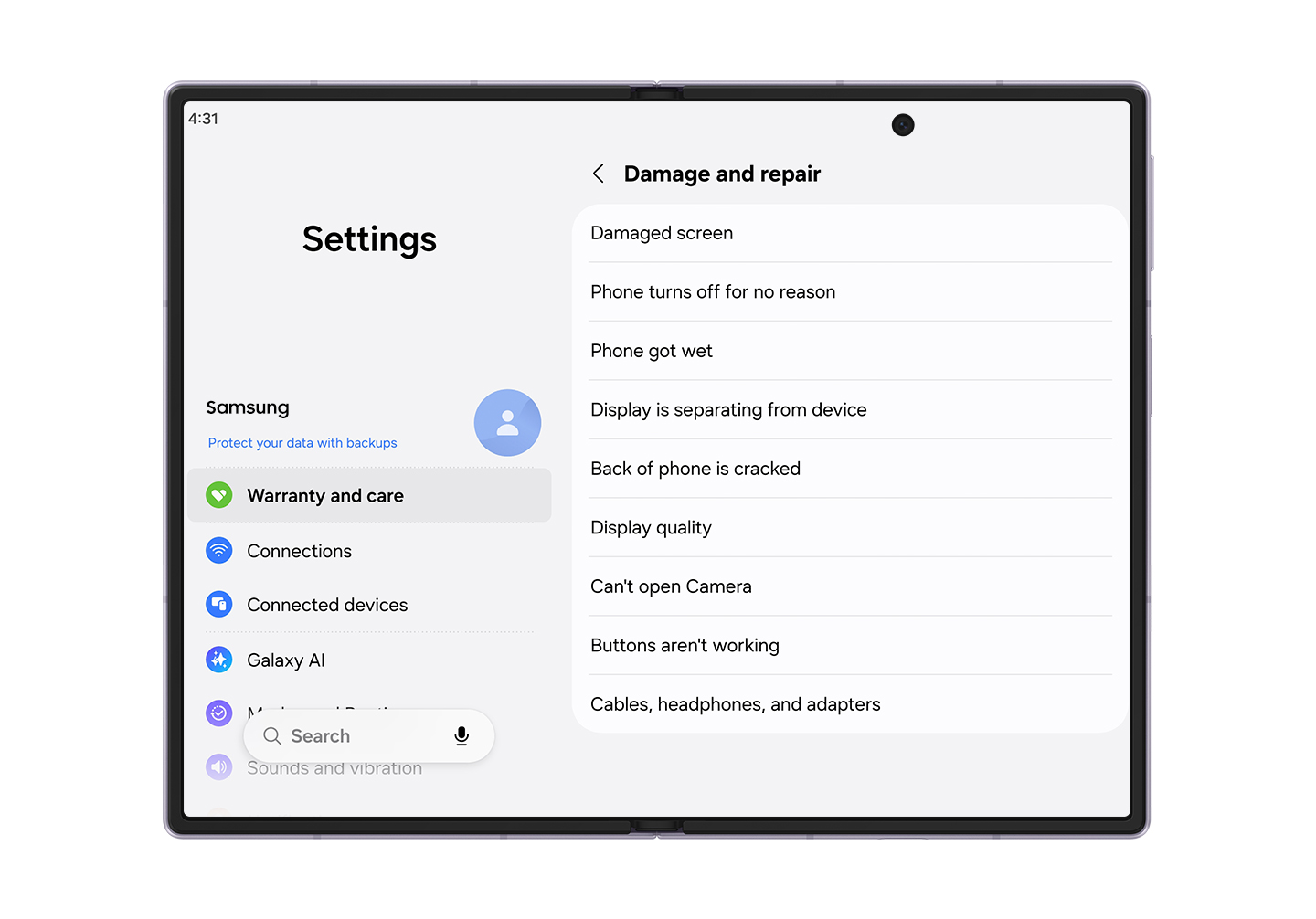
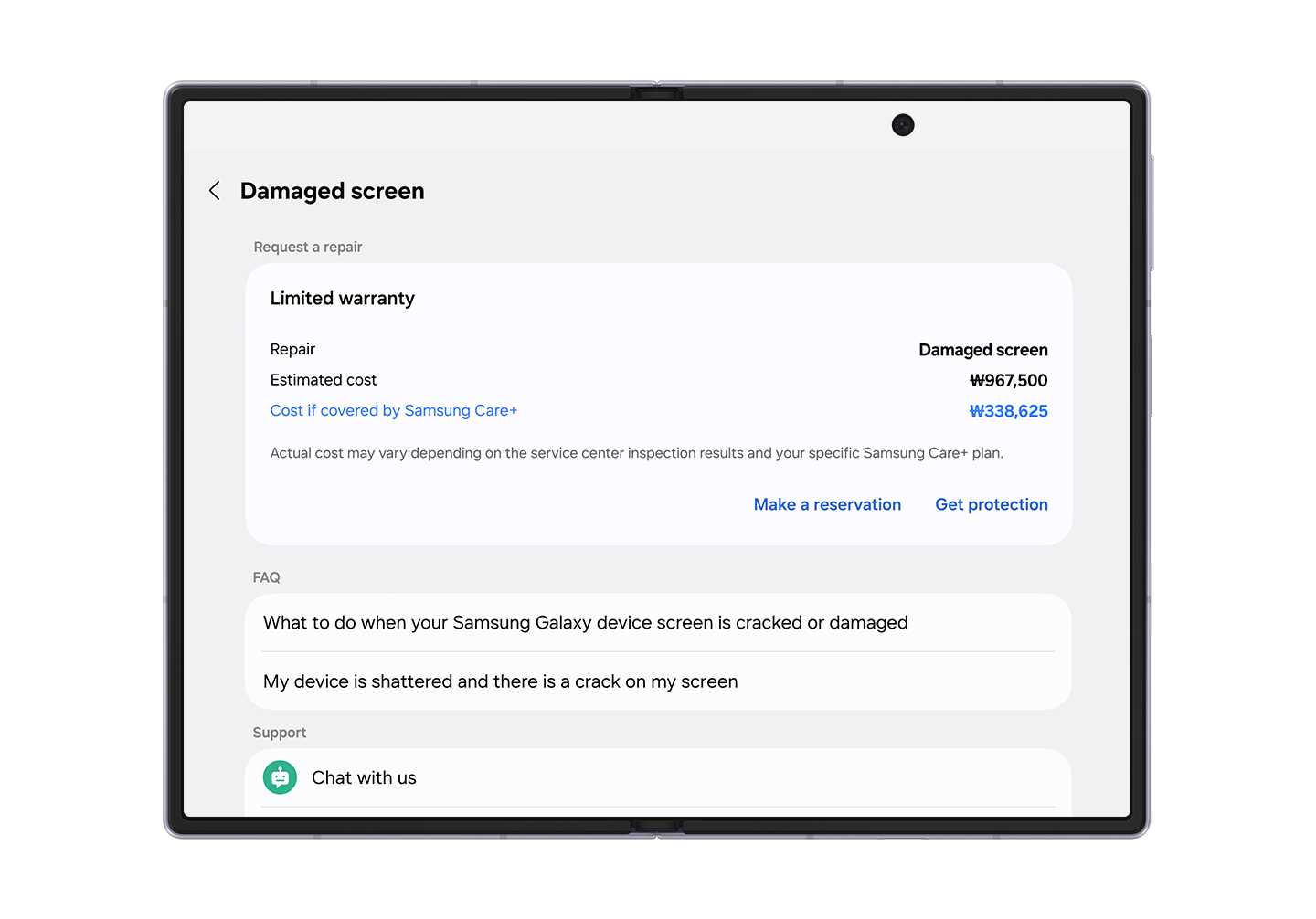
▲ Repair estimates on main parts can also be verified.
Protect Device Value for the Long Term
By bringing warranty information, diagnostics, support and repair services together, Warranty and care gives Galaxy users a simpler way to manage their devices for greater peace of mind. Checking the feature during setup makes it easier to know where to turn if an issue comes up later — from running diagnostics and asking Bixby or a chatbot for help to requesting a repair. With these essential services close at hand, users can keep their devices in good condition for longer and help preserve their value.
For peace of mind today and lasting value tomorrow, Galaxy devices are supported by professional care at nearby Samsung-authorised service centers, both at home and abroad.
Samsung Care+ is brought to you by bolttech Insurance Services (UK) limited, which is authorised and regulated by the Financial Conduct Authority (FRN 832644). Claims are administered by bolttech Device Protection (Ireland) Limited registered in Ireland and underwritten by AmTrust Specialty Limited, authorised and regulated by the Prudential Regulation Authority and the Financial Conduct Authority (FRN 202189).
[1] Samsung Care+ is available within 60 days of device purchase. Excludes repairs for cosmetic damage. Walk in repair subject to local availability. Excess payable. Terms and conditions apply. UK residents aged 18+.
[2] Samsung account login and network connection required.
[3] Availability of estimated repair costs may vary by device model or region.


