Brand New World: Samsung Helps Canadian Graduates Navigate Work, Wellness, and Independence with Connected Galaxy Technology


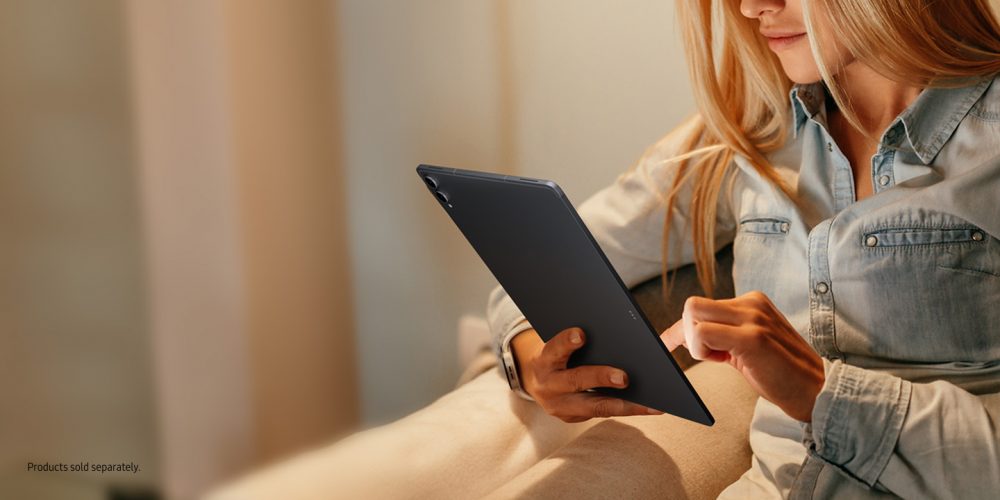
From first jobs and packed schedules to shared apartments and long commutes, graduation marks the beginning of a major life transition for many young Canadians. As graduates navigate new routines and responsibilities, Samsung’s connected Galaxy ecosystem is designed to help make everyday life more manageable, productive, and balanced through seamless connectivity and AI-powered experiences.
Whether preparing for interviews, managing work on the go, or staying connected with friends and family, Galaxy devices help graduates confidently take on what’s next.
Helping Graduates Build Careers and Stay Productive
Starting university, college, or a new career often means balancing interviews, networking, hybrid work, and learning new skills while constantly on the move. Samsung’s Galaxy Book6 Series, Galaxy Tab S11 Series, and the Galaxy S26 Ultra help graduates stay productive wherever opportunity takes them.
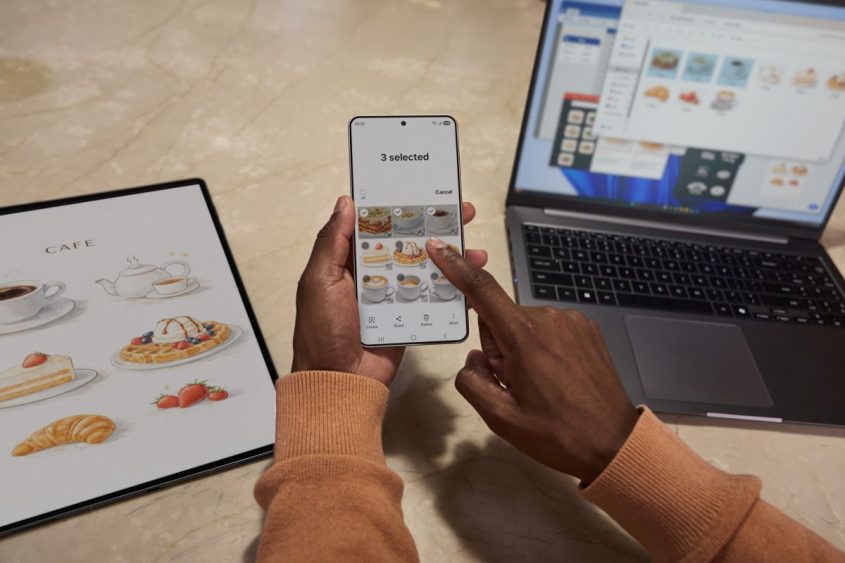
The Galaxy Book6 Series delivers powerful performance for multitasking, productivity, and creativity. From preparing presentations, attending virtual interviews, or managing busy schedules throughout the day, consider your new grad covered. AI Select[1] allows you to easily select any on-screen image or object in simple steps. Then use AI Cut to remove unwanted background visuals and instantly get clean, ready-to-use images you can copy and paste straight into your slides. Lightweight and portable, these laptops are designed to support flexible work from virtually anywhere.
For graduates looking for premium AI-powered productivity and performance, the Galaxy Book6 Ultra offers ultra-fast processing and immersive visuals ideal for demanding workflows and content creation. Meanwhile, the Galaxy Book6 Pro combines portability and performance for professionals balancing office days and remote work, while the Galaxy Book6 supports everyday productivity tasks with ease.
For those constantly moving between meetings, coworking spaces, and cafes, the Galaxy Tab S11 and Galaxy Tab S11 Ultra help users stay productive on the go. Crafted to seamlessly adapt to how Canadians work and create today, the Galaxy Tab S11 Series combines intelligent multitasking, “Second Screen”[2] functionality, and a redesigned S Pen experience to help users do more.
The Galaxy S26 Ultra helps graduates stay productive and connected, from drafting emails and managing schedules and more. For added peace of mind, the Galaxy S26 Ultra also features Privacy Display[3], which can be customized for individual apps to help keep sensitive information protected. When paired with other Galaxy devices, the Galaxy ecosystem enables seamless continuity.
Supporting Wellness, Routine, and Everyday Balance
The Galaxy Watch8 Series and Galaxy Watch Ultra keep users on top of routines, while supporting overall wellness and productivity. From calendar reminders and alarms to fitness tracking and sleep insights, Galaxy Watch devices help with busy schedules and build healthy habits throughout the day.
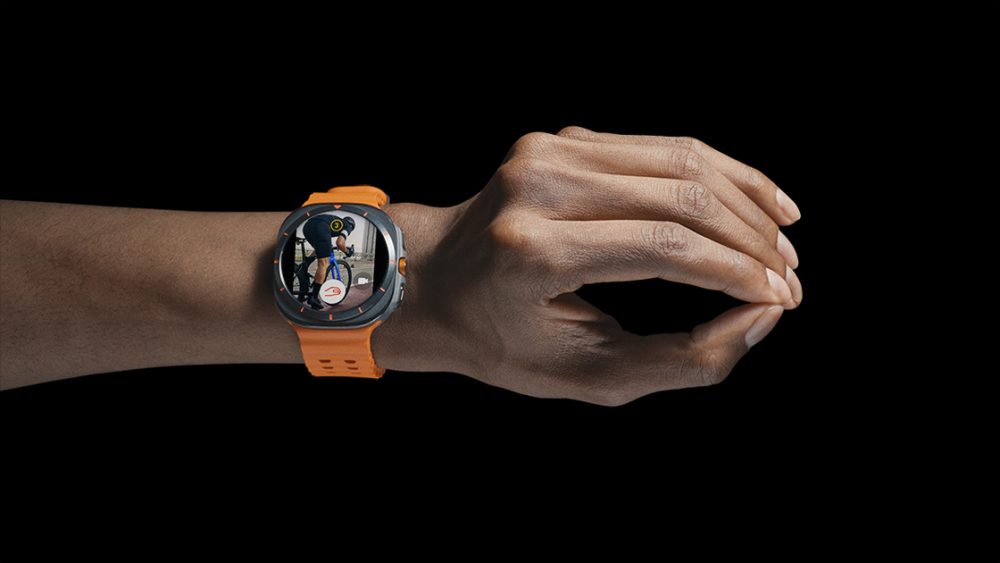
Galaxy Watch devices work with users’ everyday routines with tasks such as navigating commutes, tracking workouts, or receiving hands-free notifications. The tough Galaxy Watch Ultra is especially ideal for graduates interested in outdoor activities or extreme sports, while the sleek Galaxy Watch8 offers practical wellness and productivity tools designed for daily life.
Help Graduates Stay Focused and Connected
The Galaxy Buds4 and Galaxy Buds4 Pro allow graduates to stay immersed in what matters most, whether preparing for interviews, taking calls, listening to podcasts, or unwinding after long days. With intelligent sound experiences and premium audio quality, Buds support productivity and entertainment throughout the day. The Galaxy Buds4 and Galaxy Buds4 Pro both deliver premium experiences, with the choice coming down to personal fit preferences: Galaxy Buds4 Pro features an in-ear design with ear tips for a more secure fit, while Galaxy Buds4 offers an open-ear design for a lighter, more natural feel.
Featuring [4], the Galaxy Buds4 Pro intelligently adjusts to your surroundings, helping users stay immersed when they want to focus while remaining aware of important sounds, whereas the Galaxy Buds4 offers comfort and convenience for everyday listening on-the-go.
Combined with Galaxy smartphones, tablets and laptops, these Buds create a comprehensive audio experience that allows users to move seamlessly between work, communication, and entertainment.
Helping Young Canadians Take on What’s Next
As graduates step into new routines and responsibilities, Samsung’s Galaxy devices are designed to simplify everyday life through connected experiences, intelligent productivity tools, and premium mobile innovation.
Want to try the Galaxy experience first? Samsung also provides a “try before you switch” option through the [5], giving non-Galaxy users a chance to see how intuitive and customizable the Galaxy ecosystem can be. After making the switch to Galaxy, use [6] to bring your data over seamlessly, then try [7] to stay connected with friends and family.
For more on gift ideas for new graduates, please visit Samsung.com/ca. For exciting new offers, please see the chart below.
| Offer | Active Dates | Promo Code |
| Galaxy Tab S11 Series: Up to $580 off
Galaxy Tab S11 Ultra 256GB: $430 off Galaxy Tab S11 Ultra 512GB: $580 off Galaxy Tab S11 128GB: $380 off Galaxy Tab S11 512GB: $580 off |
Until June 25, 2026 | N/A
|
| Galaxy S26 Series: Up to $230 off
Galaxy 26 Ultra: $230 off Galaxy S26+: $200 off Galaxy S26: $170 off |
Until June 26, 2026 | N/A |
| Galaxy Watch8/Watch Ultra: $100 Enhanced Trade-In on Galaxy Watch8, Galaxy Watch8 Classic, Galaxy Watch Ultra when you trade in Samsung Watches. | Until July 21, 2026 | N/A
|
| Galaxy Buds4 Pro: 10% or $33 off MSRP with purchase of Final Fantasy VII , S25 FE/Edge or S26 Series. | Until July 2, 2026 | N/A |
| Galaxy Buds4: $30 off with purchase of FF7, S25 FE/Edge or S26 Series. | Until July 2, 2026 | N/A |
| Galaxy A37: Up to $150 off | Until June 22, 2026 | N/A
|
| Galaxy S25 FE: Up to $170 off | Until June 26, 2026 | GALAXYS25FE
|
[1] Requires internet connection and Samsung Account login. Service availability may vary by country, language or device model. Availability of supported languages may vary. Certain languages may require language pack download. Galaxy AI select download and installation may be required when launching the app for the first time. Galaxy AI features may not be available at launch. Availability may vary.
[2] For a better experience, both devices must be signed in to the same Samsung account. Available on select Samsung Galaxy Tab models only, including but not limited to Galaxy Tab S11, Tab S11 Ultra, Tab S10+, Tab S10 Ultra, Tab S9, Tab S9+, Tab S9 Ultra, Tab S9 FE, Tab S9 FE+, Tab S8, Tab S8+, Tab S8 Ultra and Tab Active4 Pro with One UI 5.1.1 or later versions installed. Available on Samsung Galaxy Book series devices with Windows 11 OS or later version installed. Some additional functions are supported only on Samsung Galaxy Book series devices. Some apps may not support this feature for content protection purposes.
[3] Privacy Display feature controls the screen’s viewing angle to limit peripheral vision and can be activated in Settings. Activation for specific apps also available in Settings. PIN, password or Pattern entry activation only available from Settings, Lock Screen or Secure Folder. Some changes in image quality may occur outside the viewing angle. Some information may still be visible to others depending on the viewing environment, such as angle or brightness. Caution is advised when exposing sensitive information.
[4] Adaptive Noise Control, Voice Detect and Siren Detect are off by default, and can be configured directly in the phone settings for devices running One UI 8.0 and later. For devices running on earlier versions of One UI, configurations can be found in the Galaxy Wearable app.
[5] “Try Galaxy” is available on any Android OS smartphones with the latest version of Chrome browser, but may not be perfectly optimized depending on device model, setting, screen sizes and etc. “Try Galaxy” operates with Safari on iOS device launched on and after September 16, 2016.. Simulation app to experience Samsung’s One UI 6.1. Does not provide actual access to apps nor device hardware such as camera.
[6] Wired transfers from Android™ devices require the receiving device to have Android™ 5.0 or later and the sending device to have Android™ 5.0 or later. Transfers can be completed without a cable through a wireless connection. For wireless connections, the receiving device must have Android™ 5.0 or later and the sending device must have Android™ 5.0 or later. Open Smart Switch Mobile in “Settings” on the receiving Galaxy device or download the Smart Switch Mobile app from the Galaxy Store. Data, content and apps available for transfer may vary by transmission method. Wired transfers from iOS require the receiving device to have Android™ 5.0 or later and the sending device to have iOS 5 or later. Transfers can be completed without a cable through a wireless connection or iCloud. For wireless connections, the receiving device must have Android™ 5.0 or later and the sending device must have iOS 12 or later. iCloud transfers require the receiving device to have Android™ 5.0 or later and the sending device to have iOS 5 or later. Open Smart Switch Mobile in “Settings” on the receiving Galaxy device or download the Smart Switch Mobile app from the Galaxy Store. For wireless transfers, download Smart Switch for iOS from the App Store on your iPhone or iPad. Data, content and apps available for transfer may vary by transmission method. Contacts, gallery, videos, calendars and reminders can be transferred wirelessly from an iOS device.
[7] Quick Share feature between Galaxy devices available with the following OS: smartphones and tablets with Android OS version 10.0 (Q) and One UI 2.1 or above, Galaxy Books released in 2020 or later. Requires Samsung Account and Wi-Fi and Bluetooth connection. To share with Apple devices, a Galaxy device with Quick Share app version 13.8.51.27 or later and Google Play services version 26.11.xx or later is required. As of March 2026, “Share with Apple devices” is supported only on Galaxy S26 Series and will be expanded to select flagship models in the future
TAGSGalaxyGift Guide
Products > Mobile
Press Resources > Press Releases
For any issues related to customer service, please go to samsung.com/ca/support for assistance.
For media inquiries, please contact canadanewsroom@samsung.com.


