Samsung Introduces the Connected AI Workspace with the New Galaxy Book6 Edge


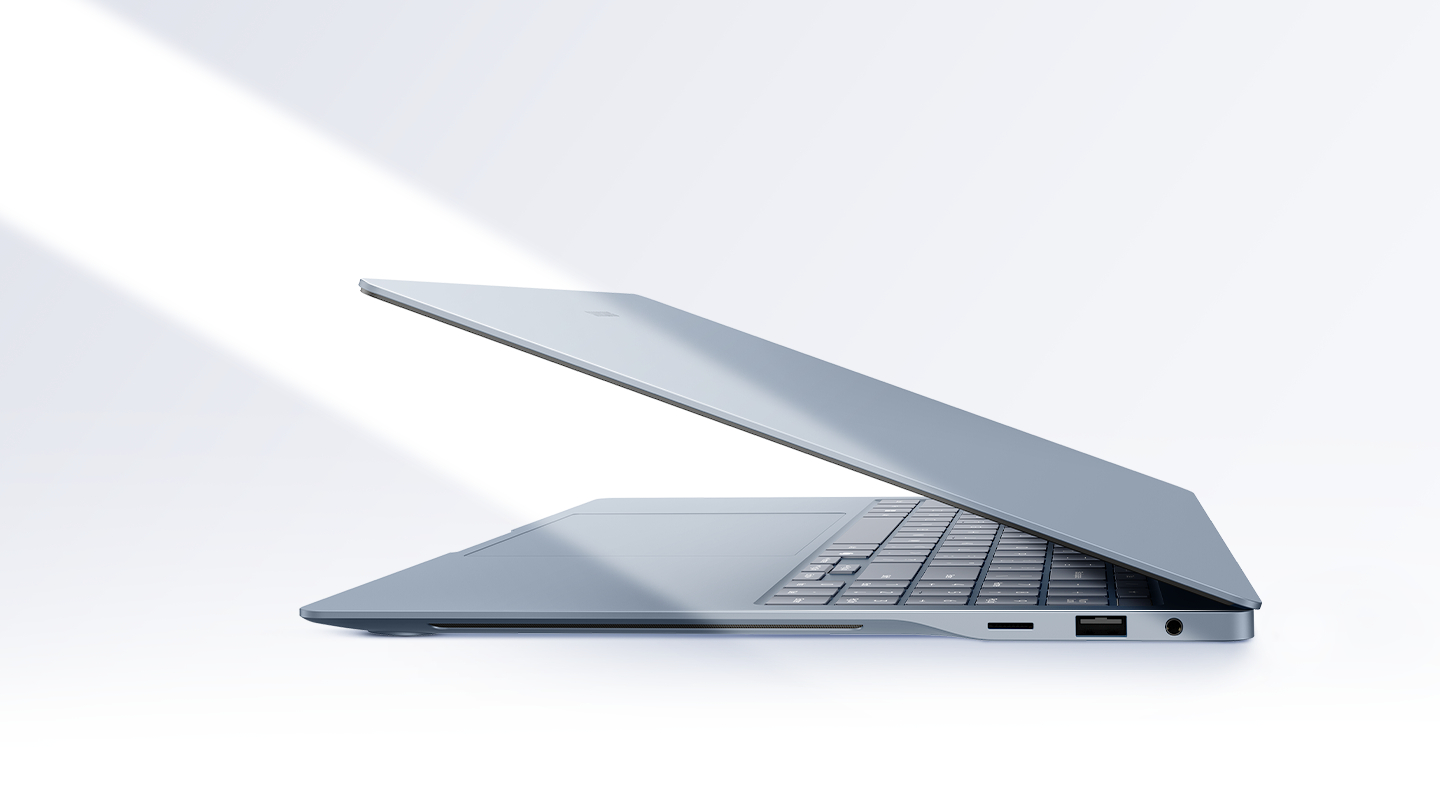
Samsung Electronics Canada announced today the launch of the new Galaxy Book6 Edge, an AI-powered PC designed to help Canadians work, create and stay connected more effortlessly. Combining powerful on-device AI experiences, all-day battery life and seamless integration across Galaxy smartphones, tablets and PCs, the Galaxy Book6 Edge transforms how users get things done across their connected devices.
Today’s professionals increasingly move between devices throughout the day, starting a project on a laptop, reviewing documents on a smartphone and collaborating on a tablet. The Galaxy Book6 Edge is built to simplify that experience, helping users stay productive without interruptions.
Built for the AI Era
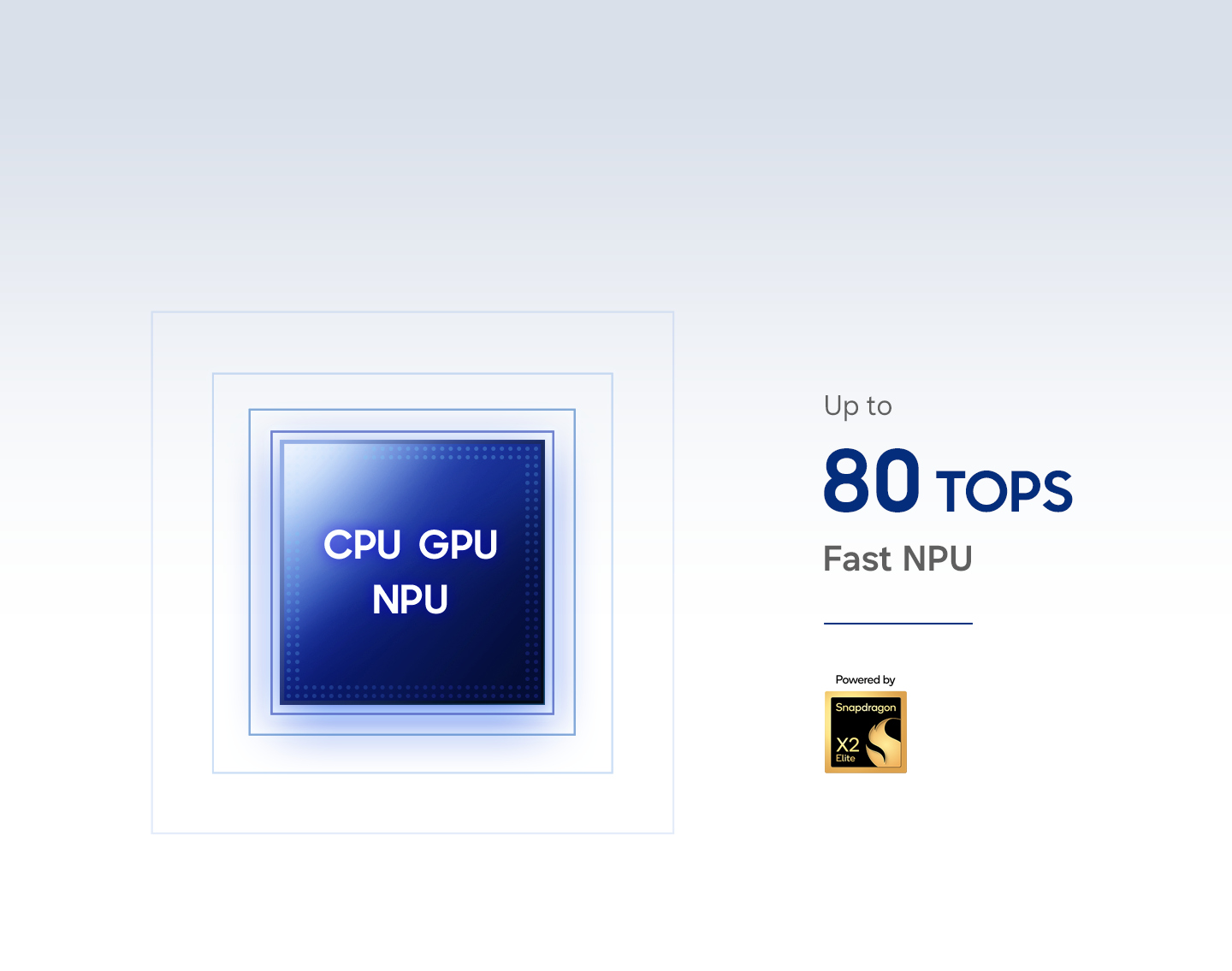
Powered by the Snapdragon®[1] X2 Elite Platform and an advanced NPU capable of up to 80 TOPS, the Galaxy Book6 Edge delivers fast, intelligent AI performance for everyday productivity, creativity and multitasking.
Galaxy AI [2][3] introduces practical features designed to save time and simplify workflows, including:
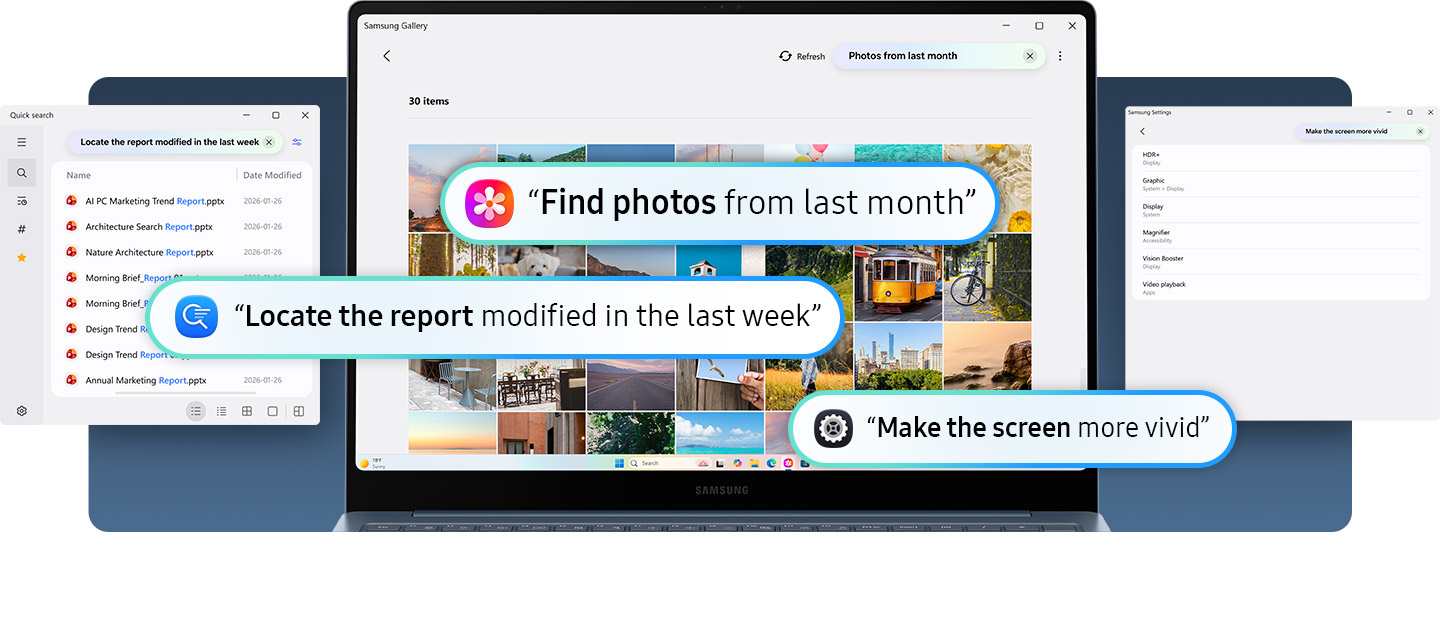
- Natural Language Search[4][5]: Users can find files, photos and settings simply by describing what they’re looking for, eliminating the need to remember exact file names or locations.
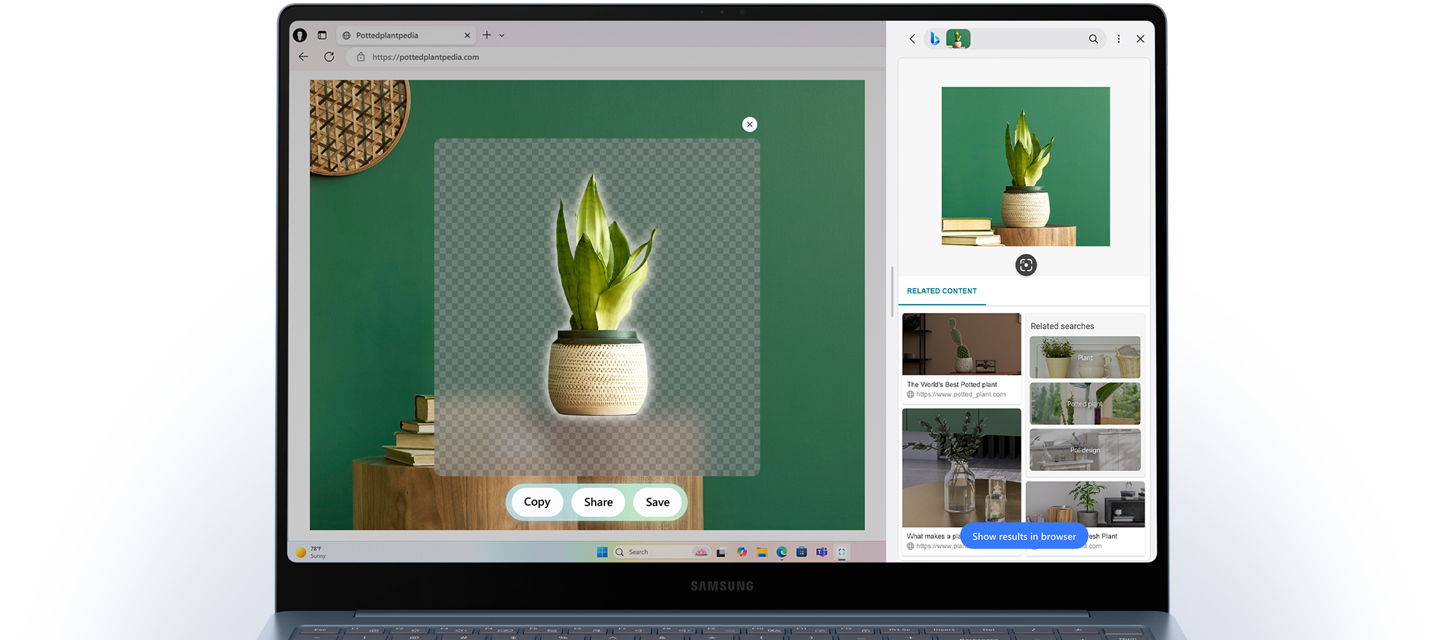
- AI Select and AI Cut Out[6]: Instantly isolate objects from images and create ready-to-use visuals for presentations, documents and creative projects in just a few clicks.
- Translate[7][8]: Translate selected text instantly across supported languages without interrupting workflow or switching between applications.
- Quick Actions: Open websites or compose emails directly from highlighted text, helping reduce repetitive steps throughout the workday.
One Connected Galaxy Experience
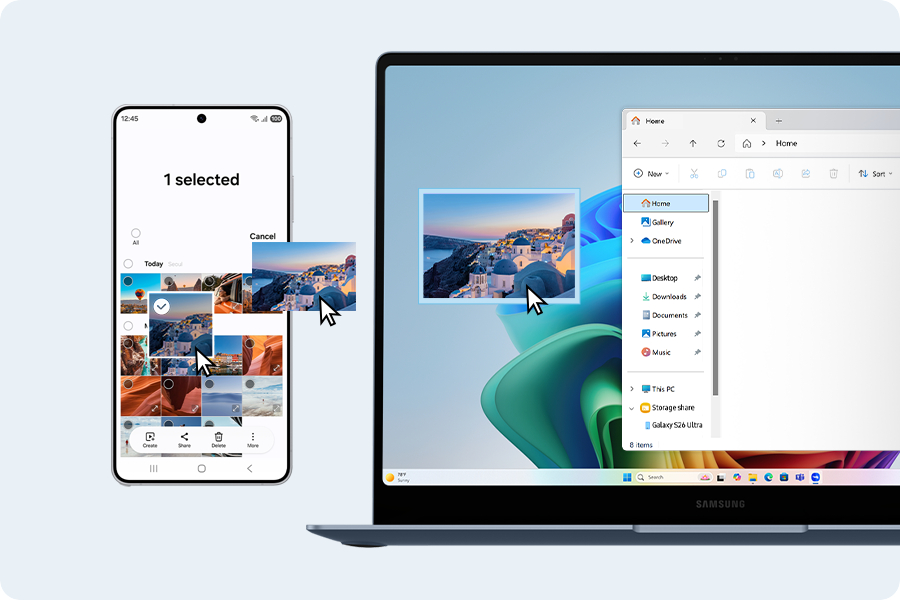
The Galaxy Book6 Edge extends the power of the Galaxy ecosystem, helping users move seamlessly between devices.
With Storage Share[9][10], users can access files stored on compatible Galaxy devices without cables or cloud uploads. Multi Control [11][12][13][14] allows a single keyboard and mouse to control multiple Galaxy devices, making it easy to move content, copy and paste text, and manage workflows across screens. Quick Share[15][16][17][18] enables fast file transfers between compatible devices, Second Screen while transforms a compatible Galaxy tablet into an extended workspace.
Together, these experiences help turn multiple devices into one connected workspace.
Designed for Productivity Anywhere
The Galaxy Book6 Edge combines powerful performance with a slim and lightweight design built for life on the move, whether commuting between meetings, working remotely, studying on campus or travelling.
The 16-inch device weighs just 1.55 kg and measures 12.3 mm thin, making it easy to carry between meetings, campuses, workspaces and travel destinations. Its Dynamic AMOLED 2X display delivers vivid visuals with 3K resolution and up to a 120Hz refresh rate for work, entertainment and creative projects.
With up to 22 hours of video playback on a single charge and Super Fast Charging[19][20][21][22] capabilities that can charge the device to up to 40% in approximately 30 minutes, the Galaxy Book6 Edge is designed to keep pace with busy schedules throughout the day.
Availability
The Galaxy Book6 Edge is available in Canada beginning June 23, 2026 through Samsung.com/ca.
For more information, visit samsung.com/ca.
[1] Snapdragon is a product of Qualcomm Technologies, Inc. and/or its subsidiaries.
[2] Galaxy AI features may not be available at launch. Availability may vary.
[3] Requires internet connection and Samsung Account login.
[4] Supported languages of Quick Search, Samsung Gallery are Korean and English. Service availability may vary by country, region or language. Certain languages may not be available.
[5] Supported languages of Samsung Settings are Korean, English, German, French, Italian, Spanish, Chinese and Portuguese. Service availability may vary by country, region or language. Certain languages may not be available.
[6] Galaxy AI Select download and installation may be required when launching the app for the first time.
[7] Supported languages: English, Arabic, German, Spanish, Spanish (Mexico), Spanish (USA), French, French (Canada), Hindi, Indonesian, Italian, Korean, Dutch, Polish, Portuguese, Portuguese (Brazil), Romanian, Russian, Swedish, Thai, Turkish, Simplified Chinese, Chinese (Hong Kong), Chinese (Taiwan), Japanese, Vietnamese.
[8] Availability of supported languages and services may vary by country, region or language. Certain languages may not be available for translation.
[9] Each device must be signed in to the same Samsung account and must have both Wi-Fi and Bluetooth turned on. Requires updated Galaxy smartphones and tablets with One UI 7 or higher and kernel version 5.15 or higher and Galaxy Book2 or later (Intel) and Galaxy Book4 or later (Arm). Feature availability may vary by region and device model.
[10] Feature availability may vary by region and device model.
[11] Each device must be registered with a single Samsung Account and connected to the same Wi-Fi network.
[12] Multi Control requires updated Galaxy phones and tablets with One UI 5.1.1 or above and Galaxy Book series devices released in 2021 or later with Samsung Settings v1.5 (Intel) or Samsung Settings v3.3 (ARM) and Samsung TVs or Smart monitors released in 2024 or later.
[13] Some functions (such as Copy & Paste or Drag & Drop) may not be available when using certain device models and apps.
[14] Feature availability may vary by region.
[15] For a better experience, both devices must be signed in to the same Samsung account.
[16] Available on select Samsung Galaxy Tab models only, including Galaxy Tab S11, Tab S11 Ultra, Tab S10+, Tab S10 Ultra, Tab S9, Tab S9+, Tab S9 Ultra, Tab S9 FE, Tab S9 FE+, Tab S8, Tab S8+, Tab S8 Ultra and Tab Active4 Pro with One UI 5.1.1 or later versions installed.
[17] Available on Samsung Galaxy Book series devices with Windows 11 OS or later version installed. Some additional functions are supported only on Samsung Galaxy Book series devices.
[18] Some apps may not support this feature for content protection purposes.
[19] Typical value of battery capacity tested under third-party laboratory condition. Typical value is the estimated average value considering the deviation in battery capacity among the battery samples tested under IEC 61960 standard. Rated (minimum) capacity is 60.6 Wh.
[20] Based on results from internal lab tests for local video playback time conducted by Samsung. Tested with results from a pre-release version of the device using in-box 65 W charger under settings (1080p video playback from video files stored on the device’s local storage, player-Windows video players (Media Player, Movies & TV, Films & TV) with full screen, brightness-150 nits, wired earphone with default volume, airplane mode on, keyboard backlight off) without connection to Wi-Fi or mobile network, measuring the time until the device is discharged to 2 %. Battery life varies significantly depending on settings, network environment, usage patterns and other factors. Actual charging speed may also vary depending on the actual usage, charging conditions and other factors.
[21] Battery capacity, video runtime on a full charge and amount of charge that can be charged in 30 minutes vary by model and configuration. Galaxy Book6 Edge features a 61.8 Wh (typical) battery, supports up to 22 hours of video runtime on a full charge and can be charged with up to 40% charge in 30 minutes.
[22] The in-box charger and data cable are USB Type-C.
https://www.samsung.com/ca/computers/galaxy-book/galaxy-book6-edge-x2-elite-16gb-512gb-np960xrd-kb1ca/
*Snapdragon is a product of Qualcomm
Products > Mobile
Press Resources > Press Releases
For any issues related to customer service, please go to samsung.com/ca/support for assistance.
For media inquiries, please contact canadanewsroom@samsung.com.


