A New Phone Without the Growing Pains: Inside the Smart Switch to Galaxy
16-10-2026
Switching to a new phone should be exciting, not a hassle. For the Galaxy Z Fold8 Ultra giveaway winners at TRX, that journey started with a prize and continued with a
seamless move to Galaxy.
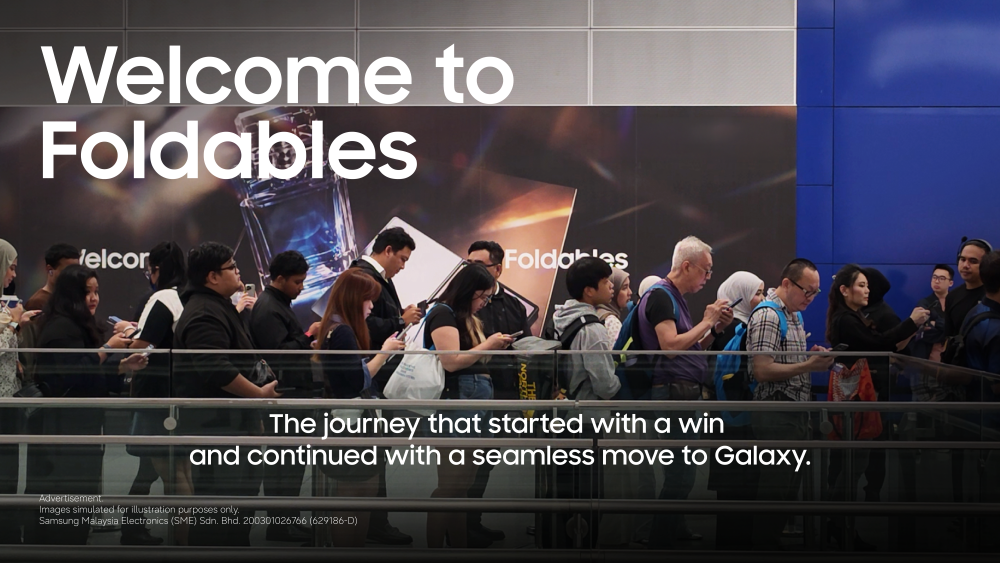
Winning a new smartphone is one thing. Getting it ready for everyday life is another.
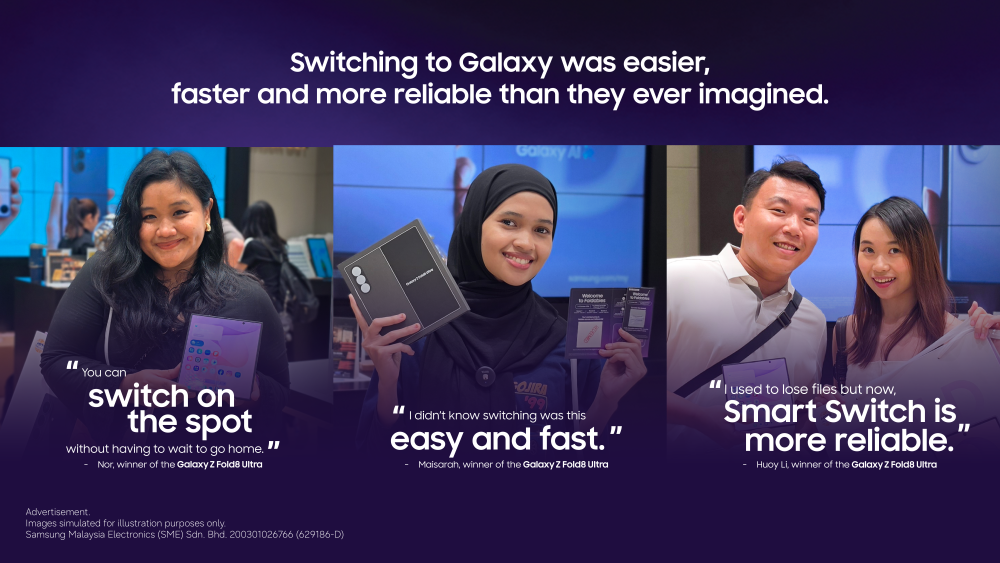
For some of the 10 lucky grand prize winners of Samsung’s 3-day activation at Tun Razak Exchange (TRX) recently, the excitement continued at the Samsung Experience Store, where they collected their brand-new Galaxy Z Fold8 Ultra and immediately began setting up their new devices using Smart Switch.
Beyond the excitement of winning, their experience highlights something that matters to anyone considering a new phone: making the switch should be just as straightforward as using the device itself.
With Samsung Smart Switch1, moving to a new Galaxy device does not have to mean starting from scratch. Users can transfer much of their important content, including contacts, call history, passkeys, passwords, photos, videos and other data from their previous phone, helping them settle into their new device without the hassle of manually moving everything over.
For those coming from another smartphone brand, this convenience can make the decision to switch feel less daunting. Rather than worrying about leaving familiar content behind, users can focus on discovering what their new Galaxy device can do.
And switching to Galaxy does not mean having to rethink how you share moments with friends and family, either.
In a world where group chats, photos and videos are exchanged throughout the day, compatibility with friends’ devices remains an important part of the smartphone experience. Quick Share2, which is now open to AirDrop, makes it easy for Galaxy users to share photos, videos and files with compatible devices, including supported Apple devices, helping them stay connected with friends regardless of the smartphone brands they use.
Whether it is sending photos from a recent holiday, sharing a video from a night out or passing along files for a group project, users can continue sharing the moments that matter without making their choice of smartphone a barrier.
As more consumers consider their next smartphone, the conversation is no longer just about what a device can do. It is also about how easily it fits into the way people already live, work and connect with others.
And with the Galaxy Z Fold8 Ultra, the best part is what comes next. Built on Samsung’s eight generations of foldable innovation since 2019, it brings together a spacious 8-inch3 main display and multitasking tools that let users work across multiple apps side by side, making it easier to move between tasks without losing their flow. Its 200MP Ultra camera system, enhanced by Samsung’s ProVisual Engine, gives users the flexibility to capture detailed photos and videos, while Gemini Notebook4 and Galaxy AI features such as Now Nudge5 and Photo Assist6 help turn everyday tasks and creative ideas into action.
It is this combination of productivity, powerful imaging and intelligent experiences that makes the Galaxy Z Fold8 Ultra more than a new phone — it is a new way to get things done, with Samsung continuing to push the boundaries of what a foldable can offer.
- Transferable data may vary depending on the device OS (Android or iOS), OS version and connection method. Data transfer from an iOS device to a Galaxy device using the upgraded method is available on devices running Android 17 or later and iOS 26.6 or later in regions outside mainland China. ↩︎
- The “Share with iOS devices” feature is currently supported first on select flagship models running on One UI 9 and One UI 8.5, including the Galaxy Z Fold8 Ultra, Galaxy Z Fold8, Galaxy Z Flip8, and Galaxy S26, with support planned to expand to more models in the future. ↩︎
- When unfolded. ↩︎
- Gemini is a trademark of Google LLC. Terms apply. By subscribing, you agree to terms for Google One, YouTube and offers. Offer ends Aug 1, 2027 at 11:59pm PT. Unless canceled earlier, Google One will charge RM97.99/mo after the trial ends. Cancel anytime. Return of purchased device may result in cancellation of subscription. See full terms at https://one.google.com/offer/terms-and-conditions/SamsungAIPro. ↩︎
- Now Nudge feature requires a Samsung Account login. Available functions and features may vary by country, region and language. Text message prompts available with Samsung Messages and certain third-party messaging apps including Google Messages, Google Chat. Split view supported apps may vary. Share photos in Now Nudge works by analysing available image content. Accuracy of results is not guaranteed. ↩︎
- Photo Assist may require a network connection and Samsung Account login. Service availability may vary by country, language or device model. Photo Assist may result in a resized photo. A visible watermark is overlaid on the image output upon saving in order to indicate that the image is generated by AI. The accuracy and reliability of the generated output is not guaranteed. ↩︎


