From Thought to Action: A Seamless Day with Galaxy AI on the Samsung Galaxy Z8 Series
26-08-2026
• Across the latest Galaxy foldables, automation through Gemini Intelligence works across more than 40 supported apps and services.
• Gemini Notebook can turn notes, images, recordings and files into audio overviews, reports, meeting recaps and visual summaries.
• With the updated Smart Switch, iOS users can transfer data wirelessly — including passwords, passkeys, call history and eSIM data — and Quick Share is now compatible with AirDrop in both directions.
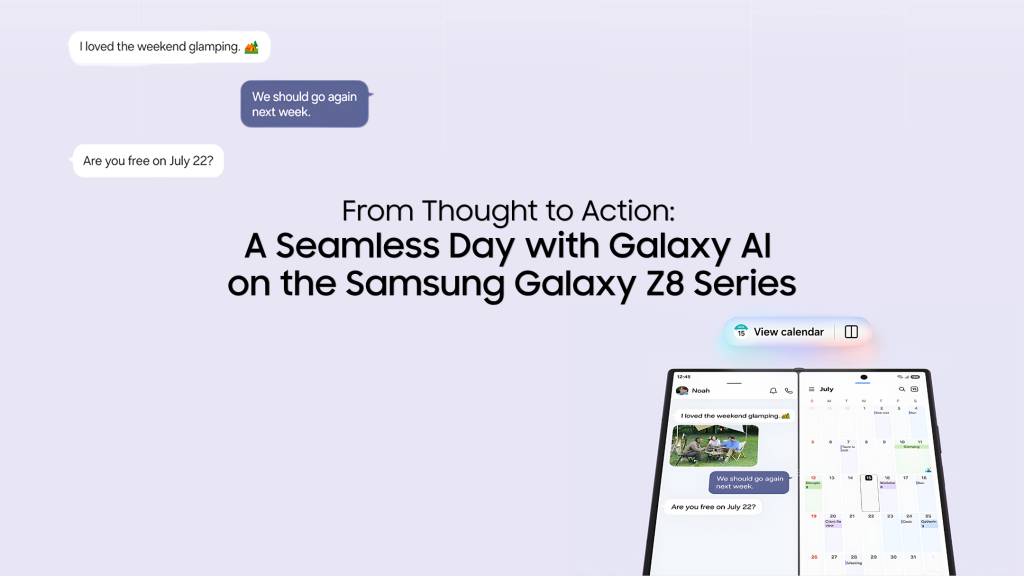
You’re probably familiar with the gaps that happen every day – the half-made dinner plan in a group chat, meeting notes scattered across three apps, and that one tiny thing you meant to sort out three hours ago. But stress no more – with Galaxy AI on the Samsung Galaxy Z Fold8 Ultra, Galaxy Z Fold8, and Galaxy Z Flip8, get ready to transform your thoughts into action.
You heard that right – Galaxy AI on the new Z8 series has been optimized to each of the foldable form factors, with intuitive helpful features that make it easier to stay in control of your day, even when life gets busy.
And what’s great is that all this intelligence happens on a screen that unfolds into an expansive display — so the conversation you’re having and the task you’re working on can sit side by side if you wish, providing helpful reference when needed, while reducing the hassle of toggling between apps. Another good part? If you’re reading this on a mobile that’s not Galaxy, getting here might be even easier than you think.
Start the Day Knowing What Matters
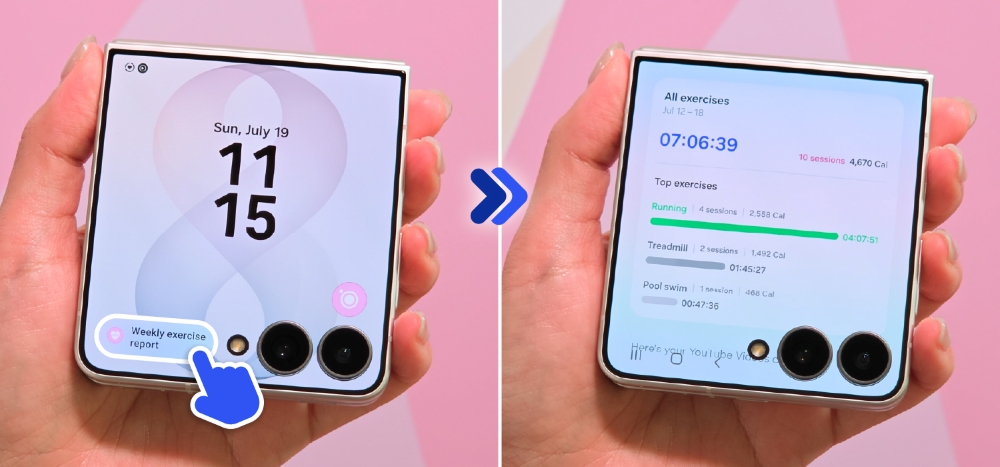
Can my phone provide a daily summary of my to-do list and important things I should take note of?
For many people, the morning usually begins with a dozen things half-loaded in mind — an upcoming work deadline, a reply you owe a friend, a dinner plan with family for tonight — and keeping them straight has been your job alone. Now Brief1 takes on that job, surfacing personalized insights tailored to your routines, interests and daily needs. Without unfolding your Galaxy Z Flip8, the FlexWindow also offers a view of the day’s weather, schedule and important notifications at a glance.
In 2026, Now Brief also keeps an eye out for you, by surfacing security and privacy insights, as well as flagging potential risks alongside the day’s priorities. By the time your first coffee is done, you already have everything you need to know for the day ahead.
Anticipating the Next Step
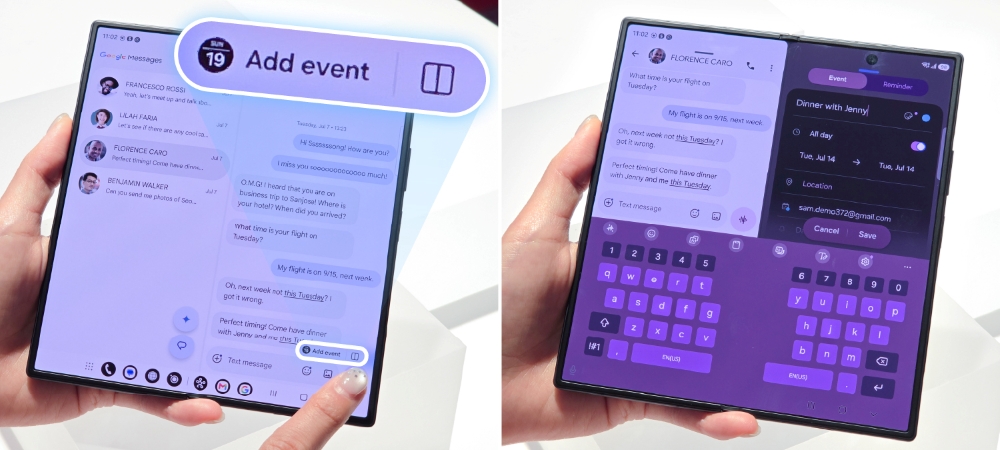
How can the Galaxy Z8 series help me coordinate and manage my schedule?
Late morning, a dinner plan starts to take shape in your group chat. Everyone’s keen, but no one’s checked a schedule or picked a place — and this is exactly where plans usually stall. Now Nudge2 catches them: when plans begin brewing in a conversation, it surfaces relevant next steps like checking calendars for a suitable date and time to keep things moving.
On the Galaxy Z Fold8’s unfolded main display, those suggestions sit right beside the conversation, so the chat can continue while your plan comes together – less manual effort but more progress.
Getting Things Done
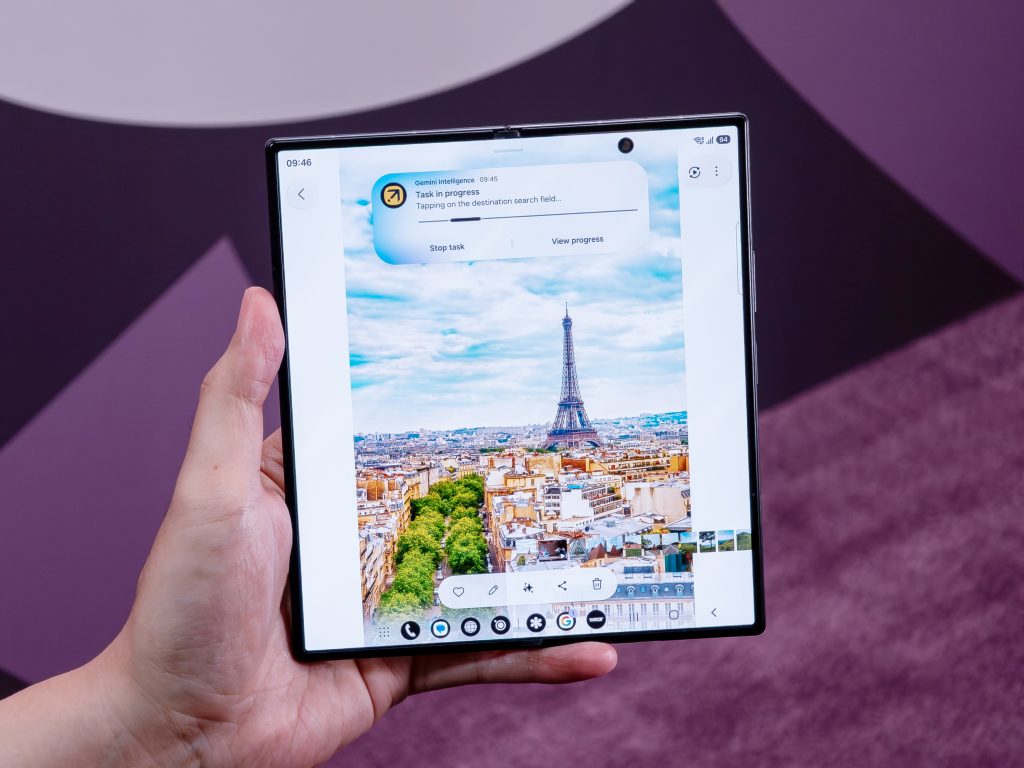
How can my mobile phone help me finish tasks with less effort?
Knowing what you need to do is the first step. But having to toggle between three different apps can be a big obstacle. With the hassle of tab-switching and copy-pasting, it’s no wonder tasks get abandoned halfway. But with Galaxy AI on Samsung’s latest Galaxy Z8 Series, when you need something, all you have to do is simply ask.
Gemini Intelligence can help you move from request to result in fewer steps: simply describe what you need in a natural voice or through text, or add screen or image context. App automation3 works across more than 40 supported apps and services — whether it’s looking up tickets, finding a nearby restaurant and making the reservation.
On the Galaxy Z Flip8, such automation4 is even easier to access: the AI-ready FlexWindow lets you cue connected actions with a side-key press or a natural voice request. You don’t even have to open the device for Automation – you can cue and monitor progress directly on the cover screen. The dinner plan that began in your group chat an hour ago? That’s now a confirmed table.
Turning Scattered Information into Useful Outputs
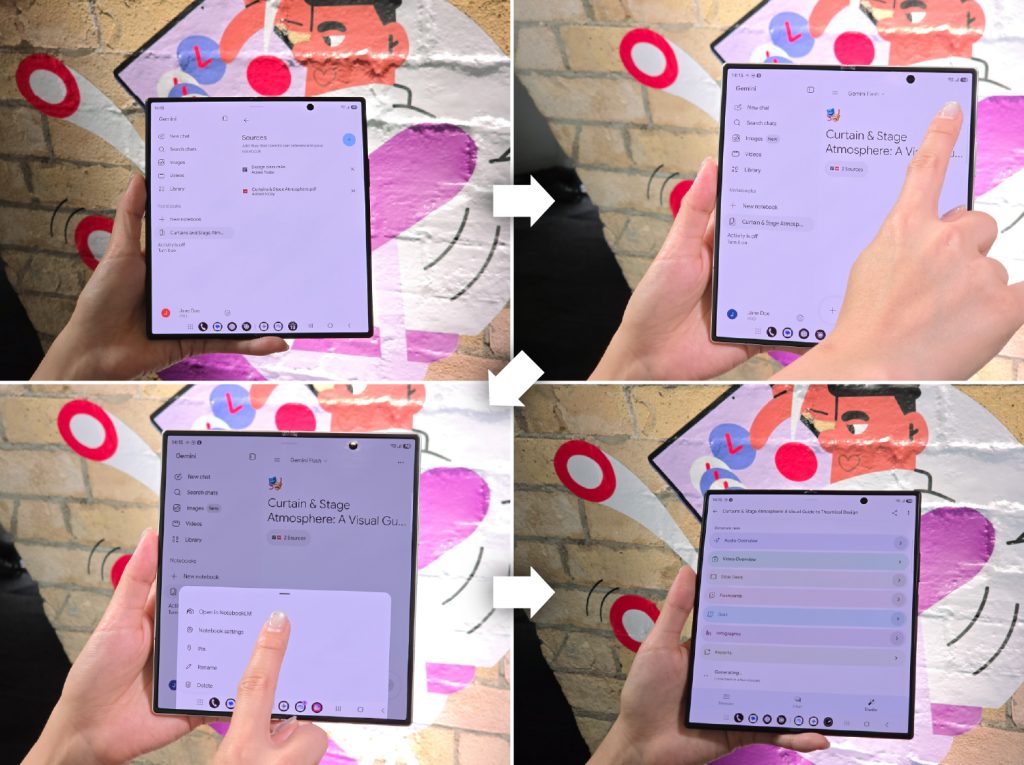
Can my mobile phone help me quickly organize my meeting notes?
By afternoon, a long meeting has just ended, and the recap you owe your team lives everywhere at once — a voice memo, photos of a whiteboard, half-typed notes in two languages.
Gemini Notebook is that one, consistent workplace where you can collect, organize and develop your ideas. Whether your content is in notes, images, recordings, files, or document format, use Gemini Notebook to transform that content into meeting recaps, reports, visual summaries, infographics or audio overviews.
On the Galaxy Z Fold8 Ultra, drag-and-drop in Split view makes your workflow even more direct and simple: retain your source material on one side of the 8.0-inch main display5, and see the finished recap taking shape on the other. Getting organized – even on the go – then becomes one shareable document with minimal time and effort.
Ending the Day a Step Ahead
Usually the day just ends — whatever didn’t get done rolls quietly into tomorrow, unexamined. This evening looks different. Dinner’s booked and the recap’s sent so you can wind down today and calmly look forward to tomorrow.
Frequently Asked Questions
Q. How is Galaxy AI different on a foldable?
On the new Galaxy Z8 series, Galaxy AI adapts to each form factor. With the wider display of the Galaxy ZFold8 and Galaxy ZFold8 Ultra, users can enjoy deeper multi-tasking with Split View that lets you run multiple apps side by side and shift between windows with a single tap. Meanwhile, the AI-native Galaxy Z Flip8’s FlexWindow keeps relevant information and shortcuts conveniently within reach so users can access apps, insights, and actions directly from the cover screen.
Q. Is the Galaxy Z8 Series covered if it’s damaged or needs repair?
Samsung Care+ offers protection – free for the first three months – for your Galaxy Z8 Series with fast repairs for accidental damage, extended warranty coverage and certified expert support at home and abroad. With One UI 9.0, the new Warranty and care settings hub lets you enroll in, access and manage Samsung Care+ directly from your device, alongside warranty information, self-diagnostics, repair requests and remote support.
Q. Can I transfer my data from another phone to a Galaxy Z8 series device?
Yes. With the updated Smart Switch, iOS users scan a QR code and transfer data wirelessly — including passwords, passkeys, call history, accessibility settings and eSIM data — without downloading additional apps.
Q. When is the Galaxy Z8 Series available in Malaysia?
The Galaxy Z series is now available in Malaysia. From 14 August to 4 October 2026, save up to RM1909.90 when you purchase the new Galaxy Z Fold8 Ultra, Galaxy Z Fold8, Galaxy Z Flip8.
To learn more about the Galaxy Z series, click the links below:
Samsung Galaxy Z Fold8 Ultra
Samsung Galaxy Z Fold8
Samsung Galaxy Z Flip8
- Now Brief feature requires Samsung Account login. Available functions and features may vary by country, region, language, device model and apps. Some features may require a network connection. Customized briefing content provided is based only on the personal information to which the user has consented. Accuracy of generated results is not guaranteed. ↩︎
- Now Nudge feature requires a Samsung Account login. Available functions and features may vary by country, region and language. Text message prompts available with Samsung Messages and certain third-party messaging apps including Google Messages, Google Chat. Split view supported apps may vary. Share photos in Now Nudge works by analyzing available image content. Accuracy of results is not guaranteed. ↩︎
- Availability may vary by country, region and language. ↩︎
- Availability may vary by country, region and language. ↩︎
- Measured diagonally, Galaxy Z Fold8 Ultra’s Main Screen size is 8.0-inch in the full rectangle and 8.0-inch accounting for the rounded corners; actual viewable area is less due to the rounded corners. ↩︎


