Do More, Worry Less with the Galaxy S26 Series


In 2026, the Galaxy S26 Series is here to help you do more and worry less with AI-powered productivity tools to support everyday workflows.
This exciting line-up of AI phones introduces advanced Galaxy AI features that can help smoothen your productivity journey – Now Nudge, Now Brief, Call Screening and Document Scan – are all designed to work seamlessly and effortlessly so you never miss a beat no matter how busy you get.
Always prepared for complete ease of mind
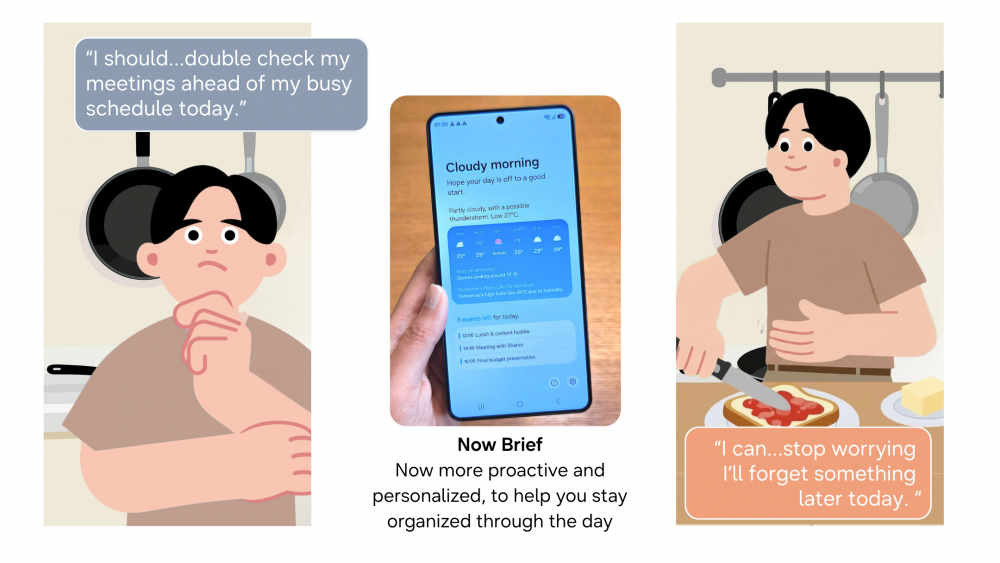
The Galaxy S26 Series provides you with timely reminders before you realise you need them. Feeling uneasy before the start of a new week is common, especially when important meetings await. More proactive and personalised than ever, Now Brief[1], quietly supports users by surfacing timely reminders and key information—helping to ensure that nothing slips through the cracks.
Effortless schedule management with Your AI Companion
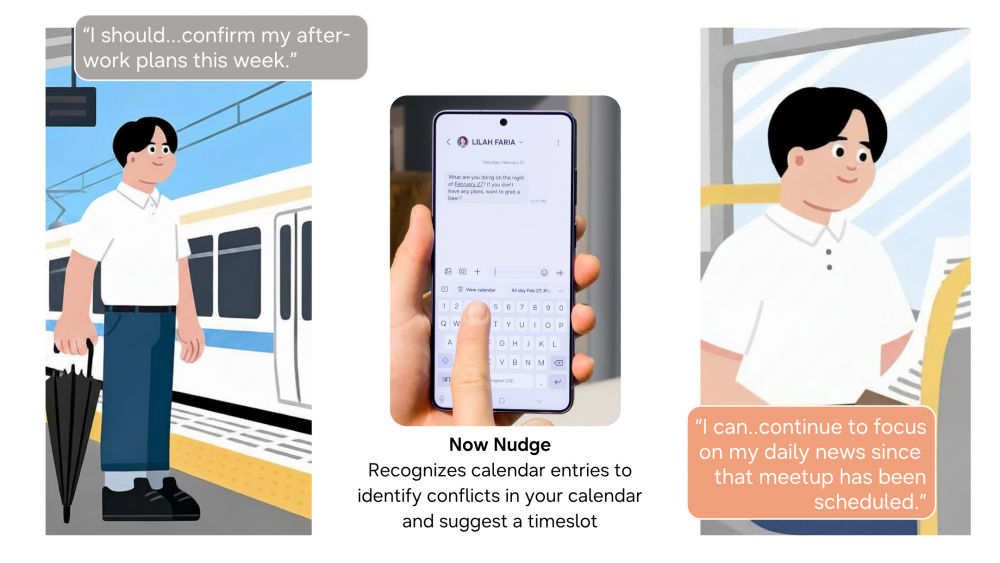
The Galaxy S26 Series finds for you the simplest way to stay organised. Heading to work, it’s common to be juggling emails, the day’s news and even that message from a close friend asking when you’re free to catch up.
Now Nudge[2] effectively minimises manual input on your end. Timely and relevant suggestions help you stay in the flow without being distracted. Received a message about your evening plans? This exciting AI-powered feature which can be turned on or off from Settings, reads the context of the conversation, checks your calendar for conflicts, and surfaces relevant suggestion, without you ever opening a separate app.
This seamless productivity carries on across tasks with the Galaxy S26 Series. If another friend asks for photos from a recent trip, the Galaxy S26 Series can quickly and automatically suggest photos from the Gallery, removing the need to search through albums or switch between apps.
Check out how to use this advanced Galaxy AI feature, Now Nudge, here.
Stay focused with intelligent call screening
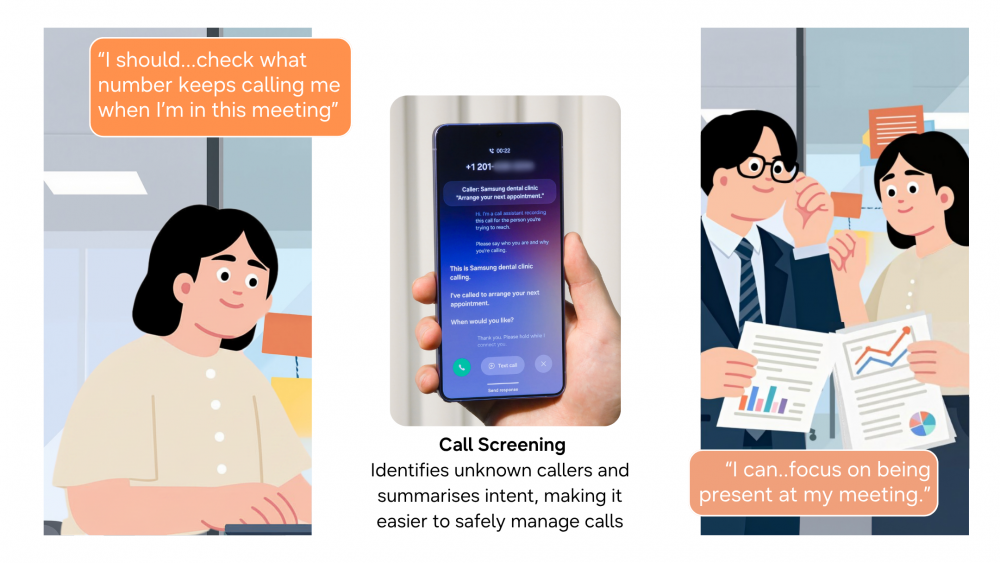
The Galaxy S26 Series helps you screen out distractions with smarter safeguards. In fast‑paced workdays, unexpected calls can easily disrupt concentration, especially when you’re in important meetings.
The Galaxy S26 Series introduces intelligent, AI‑powered Call Screening[3] for a safer way to handle calls instead of ignoring them. It helps you check unknown callers and summarises intent, so you can decide if it is an important call to take.
Here’s how effortless Call Screening works on your Galaxy S26 Series:
The ultimate, distraction-free workday with easier document capture
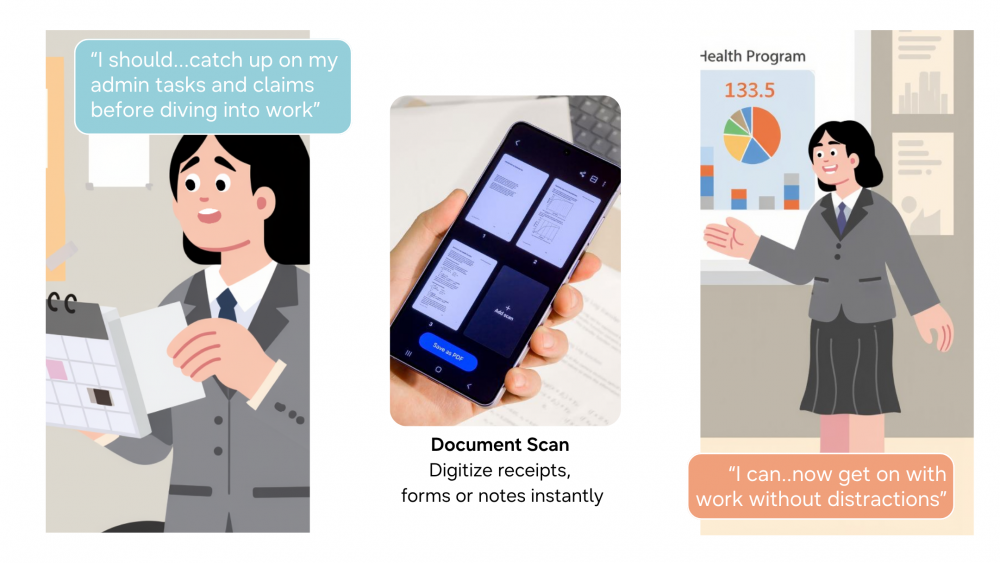
The Galaxy S26 Series enables you to get things done easily and quickly. From receipts and forms to handwritten notes, paperwork can pile up quickly—especially during busy workdays.
The AI-powered Document Scan instantly delivers clean digital copies of your receipts, forms, and notes, easily removing distortions and distractions like creases or fingers in the shot. This smart feature can remove the hassle of tiresome admin tasks – with the ability to automatically organise multiple images into a single PDF file, ready for whatever submissions you need to make.
The camera app on the Galaxy S26 Series can also help you quickly scan text and QR codes, here’s how: https://news.samsung.com/sg/everyday-moments-made-easier-with-galaxy-ai.
The Galaxy S26 Series represents the evolution of Galaxy AI in 2026. It is not simply a faster phone with upgraded specifications but a shift in what an AI phone is supposed to do: to be a steady companion that meets your needs – always helping you do more and worry less.
[1] Now Brief feature requires Samsung Account login. Service availability may vary by country, language, device model, apps. Some features may require a network connection. The description of photos provided by moments may not align with the user’s intent. Notifications must be switched on to be used as the recalled data. Recalled data available from supported app notifications, Messages, Gmail and Samsung Wallet and data collected from Gmail is only applicable if the user consents to Personal Data Intelligence’s Gmail read permission. Recalled data for reservation details only available from reservation confirmation messages.
[2] Now Nudge feature requires a Samsung Account login. Available functions and features may vary by country, region, and language. Text message prompts currently available with Samsung Messages and certain third-party messaging apps including Google Messages and Google Chat. Based on availability at the time of product launch. May change without notice. Share photos in Now Nudge works by analysing available image content. Accuracy of results is not guaranteed.
[3] Call Screening feature for Call Assist may vary by country, region and language. Feature needs to be manually activated.
Products > Mobile
For any issues related to customer service, please go to samsung.com/support for assistance.
For media inquiries, please contact samsungsg@infom.asia.


