Here’s How to Get the Most Out of the New Samsung Galaxy S26 FE


|
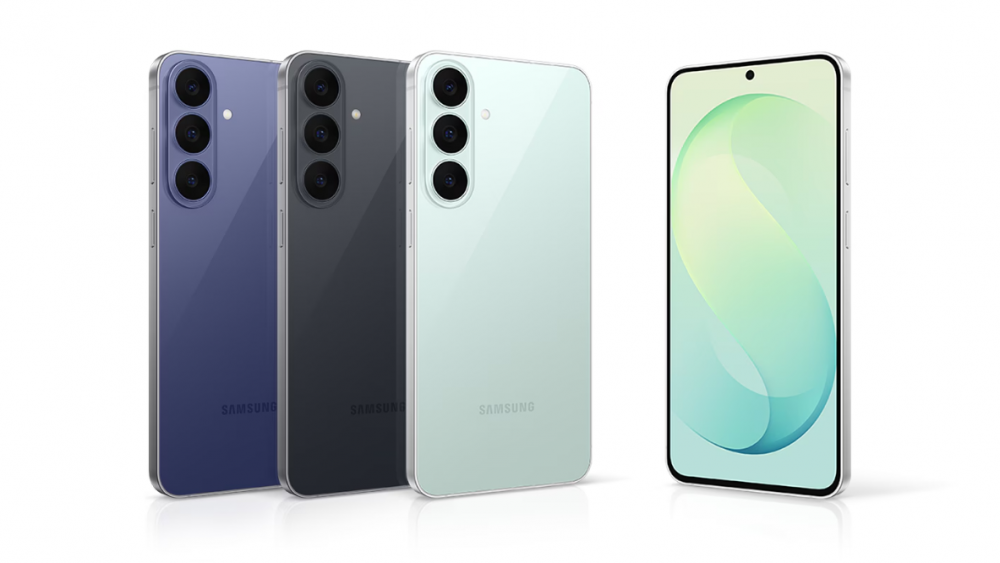
Today, the mobile phone is more than just a communication device. They are companions that help you focus on what matters most – from capturing fleeting moments, quickly retrieving information, keeping track of schedules, and so much more.
Equipped with One UI 9, the new Samsung Galaxy S26 FE brings the latest premium Galaxy experiences to more users. Offering enhanced camera and editing capabilities, with more context-aware Galaxy AI features, the Galaxy S26 FE carries the iconic Galaxy S experience forward in a thin and light design. Here’s how to get more out of it.
From capture to edit: How to create content that stands out
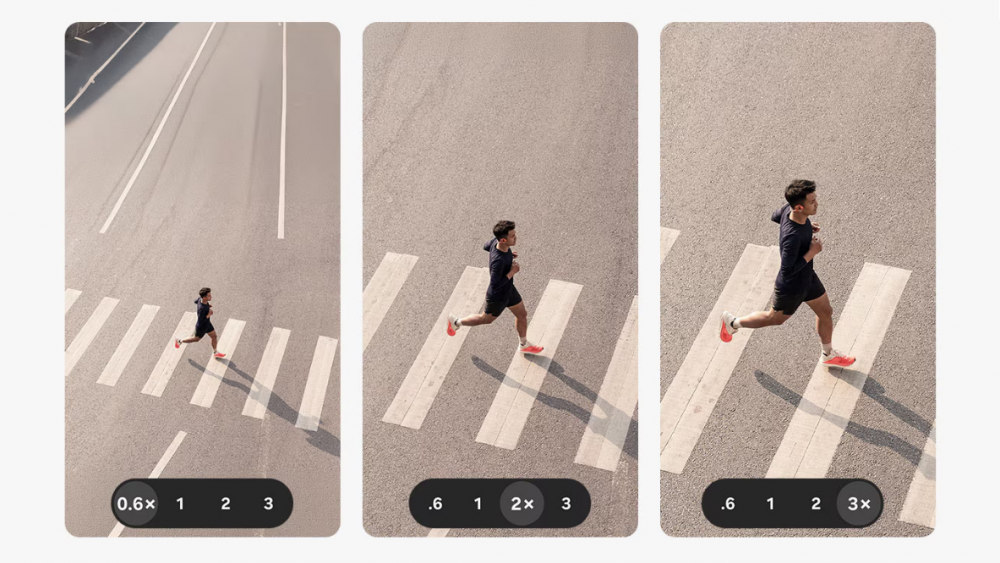
The Galaxy S26 FE combines an enhanced camera system with intelligent editing tools to help you capture and refine the moments that matter.
Whether you are attending a concert, travelling to a new destination, or simply spending quality time with your loved ones and pets, staying present and living in the moment matters. Yet, these are often the exact moments worth capturing to revisit and relive, long after the moment has passed.
How to capture every detail
With a triple rear camera and advanced image processing, the Galaxy S26 FE delivers capable camera experiences. The 50MP wide camera captures scenes in vivid detail, while 3x optical zoom gives you clear results, even when shooting from a distance. For group shots, the enhanced 12MP front camera[1] captures more in every frame, making it easier to fit friends and family into the picture.
How to get smooth, clear content wherever you are
If you’re shooting on the go, or trying to capture fast-moving dynamic scenes, Super Steady[2] with Horizontal Lock will help ensure that footage stays smooth and level so you never have to do a rerun.
Meanwhile, enhanced Nightography – a signature feature of the Galaxy S Series, allows you to capture brighter shots even after dark, preserving every detail despite challenging low-light conditions.
How to prep your shots for social media
Once the moment has been immortalised on camera, My FanCam[3] helps to spotlight the person of your choice by automatically tracking a selected subject in an existing video. By intelligently reframing the footage, My FanCam reduces the need for manual editing.
For photos, Photo Assist[4] enables you to refine images using natural language prompts – whether it’s to adjust lighting, add new elements, or restore missing parts. Additionally, with Gemini Omni[5], you can effortlessly create and edit video clips based on content stored in the Gallery – taking your social media game to the next level has never been easier.
How to supercharge your productivity
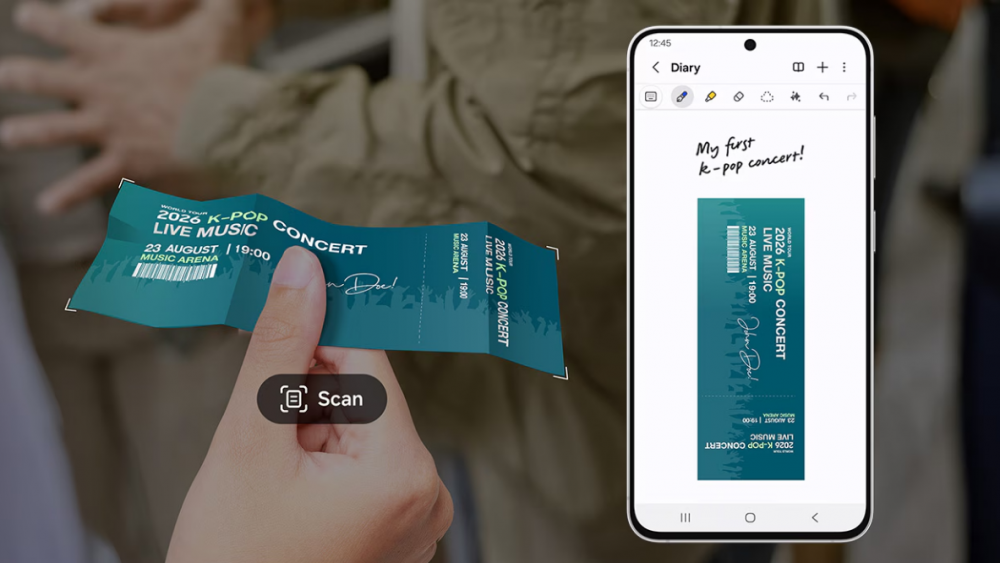
Document Scan makes it easier to digitise and organise physical documents
Juggling multiple tasks is common in our daily lives, from keeping track of schedules and finding information, to simply getting everyday things done. On top of that, navigating between different apps and sources of information can be an unnecessary hassle. With Galaxy AI, the Galaxy S26 FE brings relevant information and actions together, reducing effort for easier and more seamless days ahead.
How to always know what’s coming next
Now Brief[6] provides personalised information with customisable briefing cards, including weather and wellness insights. You can also create your own briefing cards with a simple prompt to receive even more relevant updates tailored to your needs.
Now Nudge[7] works across select third-party apps and notifications to proactively surface timely suggestions and next steps, effectively reducing manual effort and friction throughout your day.
How to get more done and find what you need faster
See something on screen you’d like more information on? Circle to Search with Google[8] lets you search for multiple items shown in a single image, making it easier to identify products, places, objects and more.
How to keep your Galaxy S26 FE going for the long term
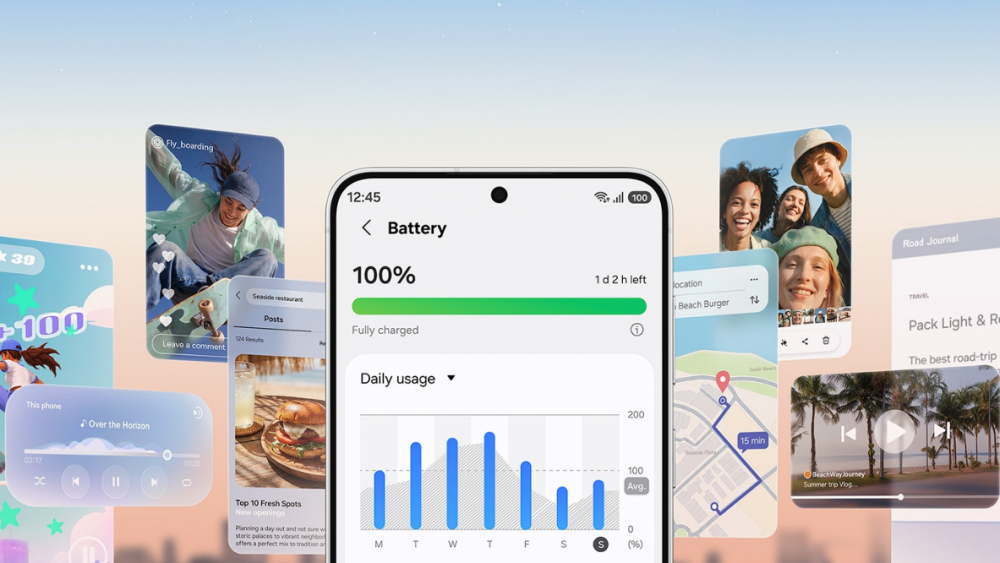
Galaxy S26 FE combines a 4,900mAh battery with long-term software support to help you stay powered today and supported over time.
Underpinning the Galaxy S26 FE’s camera capabilities and AI experiences is a dependable foundation designed to support you over a sustained period of time. Whether the device is used for productivity, content creation, or entertainment, it’s built to last.
How to stay powered throughout the day
Galaxy S26 FE comes with a 4,900mAh[9] battery to support everyday use. When it is time to recharge, you can get up to 69% battery life with around 30 minutes of charging with a compatible 45W adapter[10]. The Galaxy S26 FE also supports 15W wireless charging, providing another convenient way to power up your device.
How to future-proof your Galaxy S26 FE
With up to seven generations of OS upgrades and seven years of security updates[11], the Galaxy S26 FE is designed to stay current and secure for the long-term so you can enjoy the device for years to come.
A more seamless Galaxy experience from day one
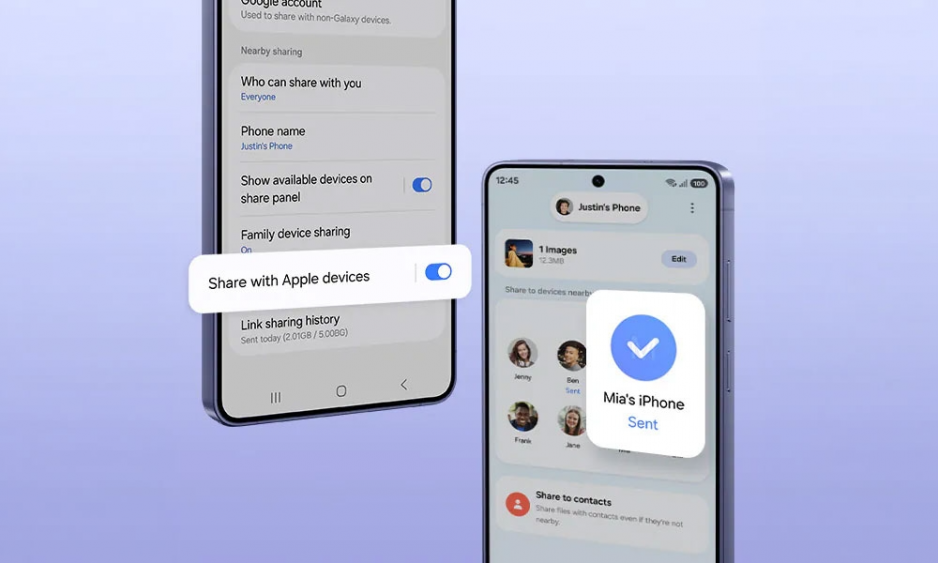
Upgraded Smart Switch makes it easier to move important data from Android or iOS, while Samsung Care+ provides added support throughout the Galaxy S26 FE ownership journey.
The Galaxy S26 FE offers you more from the very moment you make the switch. Simply use the upgraded Smart Switch[12] to move from Android or iOS – no cables or separate apps needed. Scan a QR code to start transferring important data including passwords, passkeys, call history, accessibility settings, eSIM details and more.
The Galaxy S26 FE is now available in Singapore. For more information, visit here.
| Frequently Asked Questions
Q. What Galaxy AI features are available on the Galaxy S26 FE? Powered by One UI 9, Galaxy S26 FE includes features such as Now Brief, Now Nudge, cross-app assistance, Circle to Search with Google and Gemini Live to help users stay informed and complete everyday tasks more efficiently.
Q. What is the difference between the Galaxy S26 FE and the Galaxy S26 and S26+? The Galaxy S26 FE offers many of the Galaxy S Series experiences available on the S26 and S26+ in a more affordable package. For instance, the Galaxy S26 FE features ProVisual Engine and Super Steady with Horizontal Lock as per the Galaxy S26 and S26+.
It also supports a range of Galaxy AI capabilities including the My FanCam feature. The device has a 6.7-inch display and a 4,900 mAh battery, matching the Galaxy S26+ in both screen size and battery capacity. Q. What support and protection are available for Galaxy S26 FE? Samsung Care+[13] offers comprehensive coverage optimised to users’ needs, including tailored benefits that help protect the value of the device. With One UI 9, the new ‘Warranty and care settings hub also makes it easier to enrol in, access and manage Samsung Care+, alongside other device care support. |
[1] Compared to Galaxy S25 FE. (FOV 80˚).
[2] Super Steady results may vary depending on editing method and/or shooting conditions.
[3] My FanCam feature requires a Samsung Account login. Availability may vary by video. Not supported if there is no person to track. Accuracy of results is not guaranteed.
[4] Photo Assist may require a network connection and Samsung Account login. Service availability may vary by country, language or device model. Photo Assist may result in a resized photo. A visible watermark is overlaid on the image output upon saving in order to indicate that the image is generated by AI. The accuracy and reliability of the generated output is not guaranteed.
[5] Gemini Omni requires an eligible Google AI Pro subscription. Galaxy S26 FE includes a 6-month Google AI Pro trial for eligible users. Offer availability, redemption period, supported features and subscription terms may vary by country, region, language, device model and account. Charges may apply after the trial period unless canceled. Google AI Pro and Gemini Omni are trademarks of Google LLC.
[6] Now Brief feature requires Samsung Account login. Available functions and features may vary by country, region, language, device model and apps. Some features may require a network connection. Customised briefing content provided is based only on the personal information to which the user has consented. Accuracy of generated results is not guaranteed.
[7] Now Nudge feature requires a Samsung Account login. Available functions and features may vary by country, region, or language. On-screen nudge currently available with Samsung Messages and certain third-party messaging apps including Google Messages, Google Chat, KakaoTalk, LINE, Signal, Tango, NTT Docomo Message, and KDDI Message. Based on availability at the time of product launch. May change without notice. Share photos in Now Nudge works by analysing available image content. Accuracy of results is not guaranteed.
[8] Circle to Search is a trademark of Google LLC. Available on select devices and internet connection required. Works on compatible apps and surfaces. Results may vary depending on visual matches. Check responses for accuracy.
[9] Typical value tested under third-party laboratory conditions. Typical value is the estimated average value considering the deviation in battery capacity among the battery samples tested under IEC 61960 standard. Rated capacity is 4,900 mAh for Galaxy S26 FE.
[10] Galaxy S26 FE supports up to 45W wired charging. 45W power adapter sold separately. Use only Samsung-approved chargers and cables.
[11] Galaxy S26 FE will support seven generations of OS upgrades and seven years of security updates from global launch date. Timing of OS upgrades and security updates may vary by device model, network provider, or market.
[12] Wired transfers from Android™ devices require the receiving device to have Android™ 6.0 or later and the sending device to have Android™ 6.0 or later. Transfers can be completed without a cable through a wireless connection. For wireless connections, the receiving device must have Android™ 6.0 or later and the sending device must have Android™ 6.0 or later. Open Smart Switch Mobile in “Settings” on the receiving Galaxy device or download the Smart Switch Mobile app from the Galaxy Store. Data, content and apps available for transfer may vary by transmission method. Wired transfers from iOS require the receiving device to have Android™ 17 or later and One UI 9 or later, and the sending device to have iOS 26.6 or later. Transfers can be completed without a cable through a wireless connection. For wireless connections, the receiving device must have Android™ 17 or later and the sending device must have iOS 26.6 or later. Availability of eSIM transfer may vary by carrier. A detailed list of available carriers can be found at https://samsung.com/esim-support.
[13] Terms and conditions apply. Samsung Care+ coverage, service type and promotion details may vary by country/region and deductible (service fee) may apply. To be eligible for Samsung Care+ promotion benefit, registration may be required. For detailed Samsung Care+ information, please visit https://www.samsung.com/sg/offer/samsung-care-plus/mobile/.
Products > Mobile
For any issues related to customer service, please go to samsung.com/support for assistance.
For media inquiries, please contact samsungsg@infom.asia.


