Samsung Launches Smart Monitor M9 with AI-Powered OLED Display in Singapore


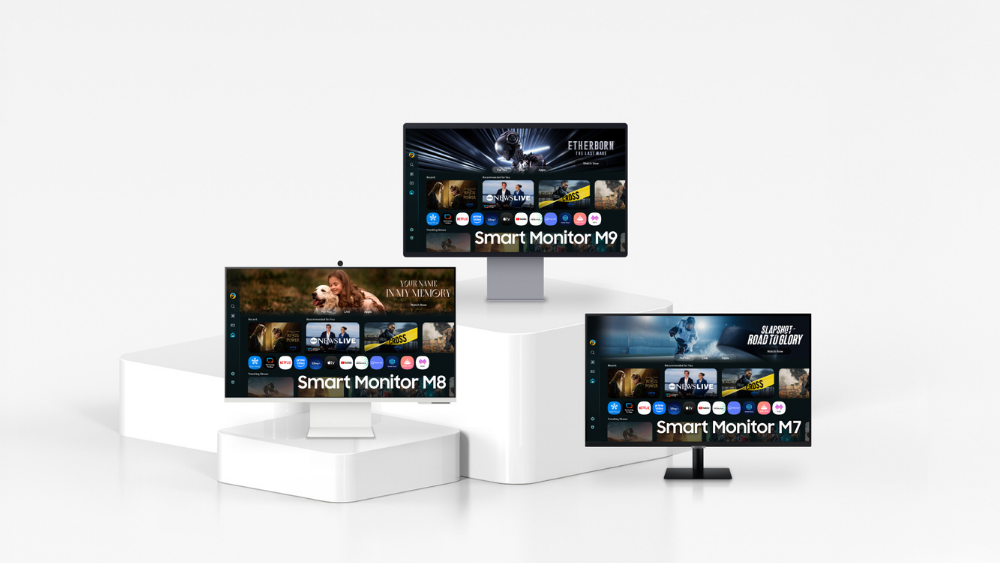
Samsung’s new Smart Monitor M8, M9 and M7 displays
Samsung Electronics Singapore has launched its latest Smart Monitor line-up in Singapore. Featuring the flagship Smart Monitor M9 (M90SF model) that uses OLED technology, the updated Smart Monitor M8 (M80F model) and M7 (M70F model), the latest line-up delivers AI-powered enhancements and elevated visuals for users to watch, play and work in style.
“The Smart Monitor series is designed to meet the diverse needs of users who use their screens to work, entertain and play. With rising demand for a more personalised and connected screen that enables users to multi-task effectively across all scenarios, our Smart Monitor M9 now comes with OLED technology and AI-powered enhancements, to help users do more using a single, versatile display,” said Timothy Tan, Director and Head of Integrated B2B, Samsung Electronics Singapore.
Smart Monitor M9: OLED Picture, Intelligent Performance
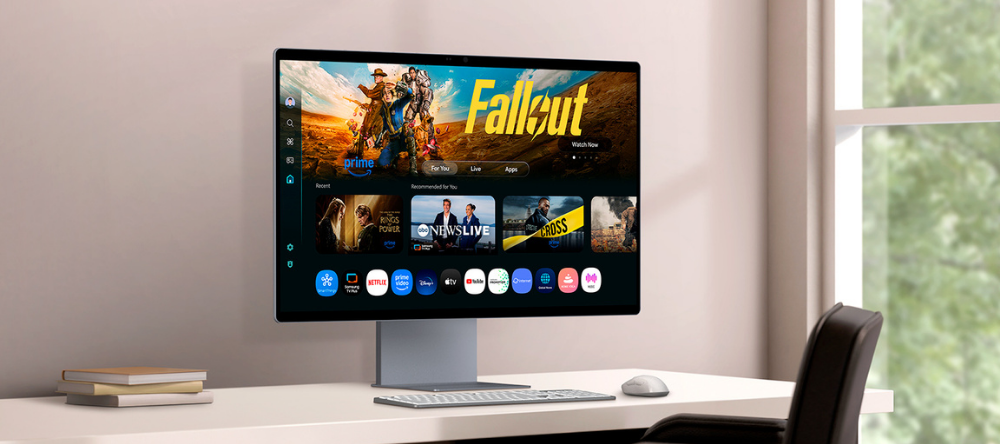
Smart Monitor M9 features a 32-inch 4K OLED panel, offering immersive visual experiences for work, entertainment and play
The Smart Monitor M9 introduces OLED technology to the Smart Monitor line-up for the first time. Its 32-inch 4K OLED panel delivers deep contrast and vibrant colour, offering a more immersive visual experience for productivity, video streaming and gaming. Samsung OLED Safeguard+ helps to maintain screen integrity over time with a proprietary cooling system designed to reduce the risk of burn-in. The M9 also features a Glare-Free display to minimise reflections and ensure consistent visibility and comfort — even in bright lighting conditions.
The M9 is powered by AI Picture Optimiser[1], 4K AI Upscaling Pro[2] and Active Voice Amplifier (AVA) Pro[2], which work together to enhance picture and sound quality in real-time based on content and surroundings. Whether users are watching, creating or multitasking, the display adapts automatically to deliver optimised performance.
The M9 also serves as a smart entertainment hub with access to popular streaming apps and Samsung TV Plus. With a 165Hz refresh rate, a 0.03ms response time[3] and NVIDIA G-SYNC compatibility, the M9 supports smooth, fast-moving visuals ideal for high-performance use. Its slim metal design blends premium aesthetics with functional form, creating a modern look that complements any workspace.
Recognising its precise and reliable colour performance, the Smart Monitor M9 has achieved Pantone Validated certification. This certification assures users that the M9 passed rigorous testing standards and can replicate over 2,100 colours and more than 110 SkinTone shades from Pantone’s library. Paired with its brilliant OLED display, the monitor ensures visuals appear just as content creators intended, providing confidence and clarity for any application.
Smart Monitor M8 and M7: Versatile Displays with AI Functionality and Enhanced Connectivity
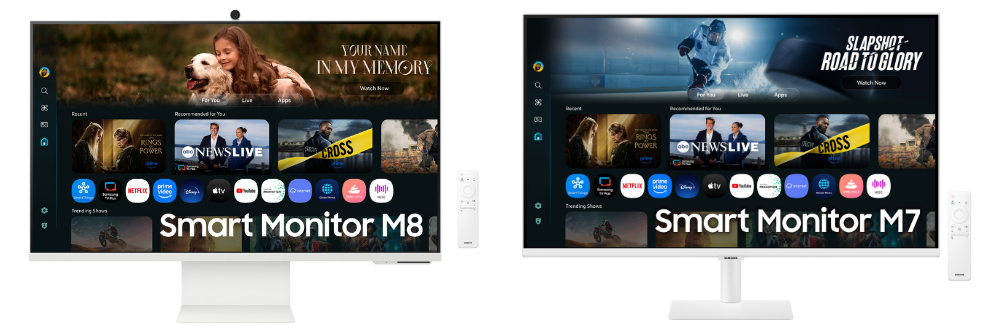
Smart Monitor M8 (left) and M7 (right) featuring AI-powered discovery tools
The new Smart Monitor M8 and Smart Monitor M7 extend Samsung’s smart monitor experience to a broader audience, offering 32-inch 4K UHD screens with vibrant picture quality and built-in AI features. Equipped with Samsung’s advanced VA panel technology, both models deliver sharp detail and rich contrast, making them ideal for everyday productivity, video streaming and more.
Both models support AI-powered discovery tools, including Click to Search[4], which help users explore content, retrieve information and engage with their screen more intuitively. Tizen OS Home[5] also personalises recommendations and makes it easier for users to access frequently used services and inputs. To ensure long-term usability and support, Samsung offers up to seven years of One UI Tizen[5] upgrades for the Smart Monitor line-up, allowing users to continue benefiting from the latest features and services over time.[1]
Designed for flexibility, all three Smart Monitor models are integrated with SmartThings[6], support Multi Control[7] between Samsung devices and offer Multi View for side-by-side working or entertainment. With Microsoft 365[8]access, users can create and edit documents directly from the monitor without a PC, making the line-up a practical solution for modern work setups.
Local Pricing and Availability
The Smart Monitor M9, M8 and M7 come in 32-inch versions while the M7 also comes in a 43-inch size. The monitors are now available at the Samsung Online Store, the Samsung Official Store on Lazada and Shopee, as well as major consumer electronics and IT retailers.
The recommended retail prices for the 2025 Smart Monitor lineup are as follows:
| No. | Model | Model | Product Name | RRP (w GST) |
| 1 | M70F | LS32FM700UEXXS | 32” Smart Monitor M70F (Black) 4K | S$698 |
| 2 | M70F | LS32FM701UEXXS | 32” Smart Monitor M70F (White) 4K | S$698 |
| 3 | M70F | LS43FM702UEXXS | 43” Smart Monitor M70F (Black) 4K | S$898 |
| 4 | M80F | LS32FM803UEXXS | 32” Smart Monitor M80F (White) 4K | S$1,188 |
| 5 | M90SF | LS32FM902SEXXS | 32” Smart Monitor M90SF (White) 4K OLED | S$2,488 |
For more information, visit our website.
[1] Only available when using a PC connection. The supported image quality may differ based on the type of content detected by the function.
[2] Viewing experience may vary according to types of content and format. Upscaling may not apply to PC connection and Game Mode.
[3] Based on GtG measured under internal test conditions. Results may vary by content and monitor settings. GtG (Grey to Grey) measures the time taken for a monitor pixel to change from one gray value to another. Refresh rate and response time may vary based on the performance of the input source.
[4] Feature available in certain regions and models only. Feature will be available on cable, and Samsung TV Plus. Actor details are provided based on the metadata associated with the content you’re watching. This information may not always be complete or correct, so please double-check the actor details.
[5] Content and services may vary by region and are subject to change without notice. Agreement to Smart Hub Terms and Conditions and Privacy Policy is required before use. Some content and services require registration and subscription. Requires Samsung account. Tizen OS upgrades will be supported for up to 7 years starting from 2025, for products released in the year 2025. Please note that the upgrade does not cover hardware-related performance, features or durability.
[6] Available technology, functions and features may vary by country, service provider, network environment or product, and are subject to change without notice. Requires Wi-Fi, Bluetooth or other wireless network connection and devices registered to SmartThings app. Connected devices are sold separately. For full compatible device list, please check https://www.samsung.com/sg/smartthings/compatible-devices/.
[7] Each device must be registered with a single Samsung Account and connected to the same Wi-Fi network. Multi control requires updated Galaxy phones and tablets with One UI 5.1.1 or above and Galaxy Book series devices released in 2021 or later with Samsung Settings v1.5 (Intel) or Samsung Settings v3.3(ARM). Some functions (such as Copy & Paste or Drag & Drop) may not be available when using certain device models and apps. Feature availability may vary by region (e.g., not provided in People’s Republic of China).
[8] Microsoft 365 requires Microsoft account. Some features of Microsoft 365 require subscription. Windows 10 Pro, Mac OS 10.5, or higher, and compatible network settings are required for this feature.
Press Resources > Press Releases
Products > TVs & Displays
For any issues related to customer service, please go to samsung.com/support for assistance.
For media inquiries, please contact samsungsg@infom.asia.


