What Is It Truly Like to Live in an AI Home?


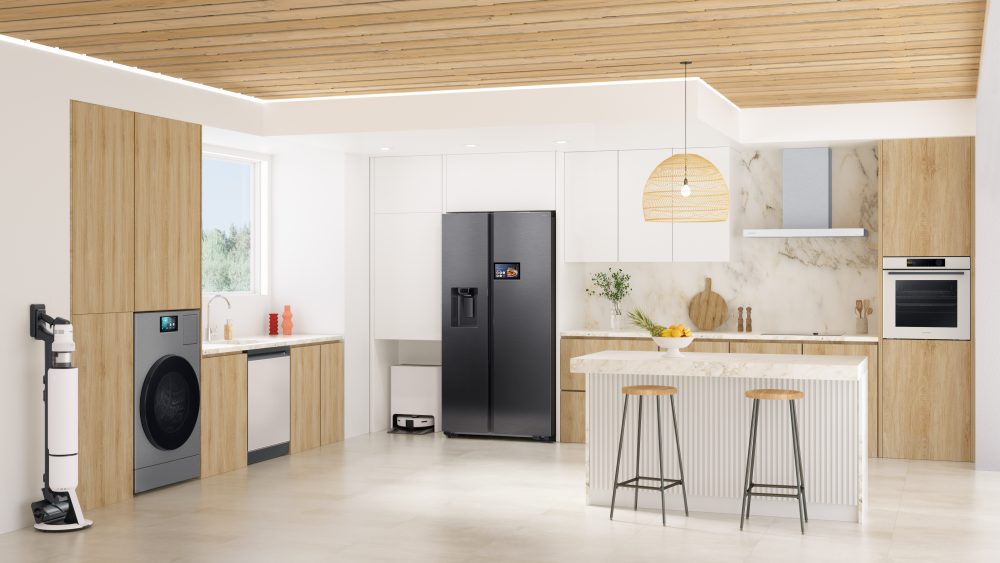
Imagine waking up to a home that anticipates your needs without you needing to lift a finger, with smart appliances learning your routines from day to night, and helping you flow through your tasks at home simply yet effectively.
Step into the future of an interconnected AI Home with Samsung’s Bespoke AI appliances that come complete with security solutions such as Samsung Knox and intelligent features to transform your home living for the better.
Undivided attention on every task
As you go about your daily routine in your AI Home, thoughts about upcoming tasks often surface before you’ve completed what’s in front of you. With Bixby[1], Samsung’s voice assistant that is fully integrated into the Bespoke AI appliances, you can capture these ideas instantly and set them in motion, without ever interrupting your workflow.
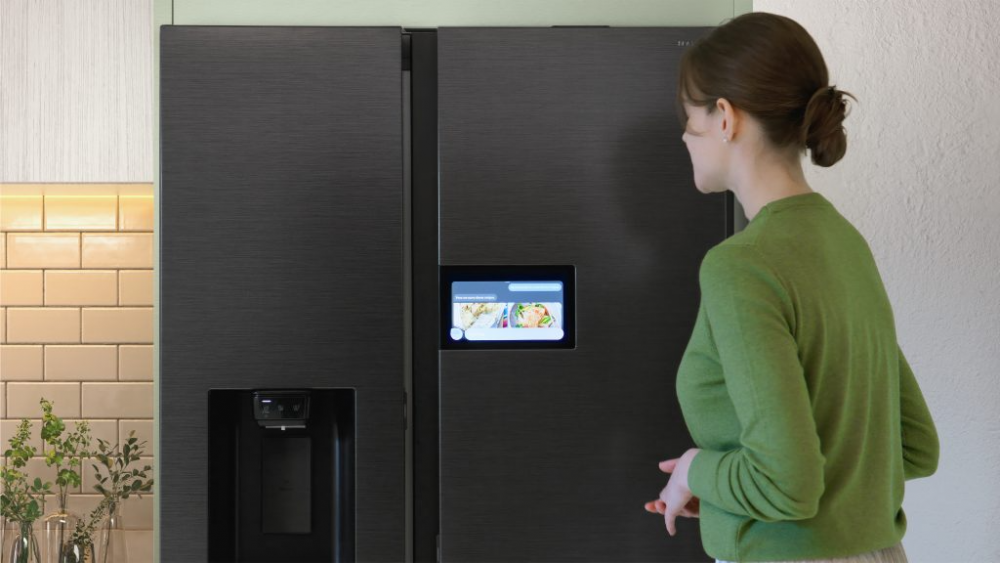
Simplified food management with the Bespoke AI Refrigerator’s 9” AI Home Screen
For instance, while you put together lunch, you might realise you’re running low on ingredients that you inputted the week before. Simply say[2], “Hi Bixby, can you recommend a vegan recipe?” and let the 9” AI Home[3] LCD screen on your Bespoke AI Refrigerator look up recipes. You can even send cooking instructions directly to connected cooking devices – like your Bespoke AI Oven – via SmartThings,[4] making meal preparation smooth and convenient.
Then cue, “Hi Bixby, tell me about my schedule for today.” and watch as Voice ID[5], a new feature of the upgraded Bixby, recognises your voice and shows you your calendar[6] on the AI Home screen[7], so you can start planning your next grocery run.
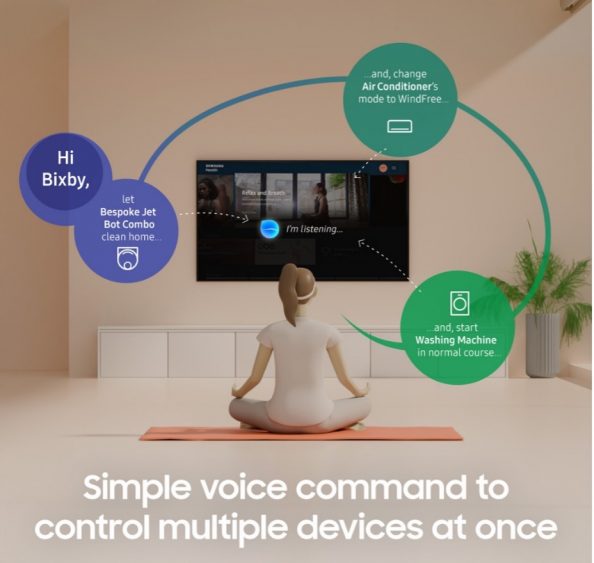
A simple voice command to Bixby controls multiple devices at once
Whilst keeping your attention on the meal in front of you, you can also control multiple other connected devices with a single voice command – “Bixby, clean the living room with the robot vacuum and start the washing machine with the ‘AI Wash’ cycle” so your AI Home kickstarts your other tasks ahead of time[8].
Peace of mind wherever you might be
An AI Home experience does not only simplify chores, but it also adapts seamlessly to every household’s unique dynamic to enable you – as a caregiver, parent or devoted pet owner – to take better care of your loved ones even when you are not at home.
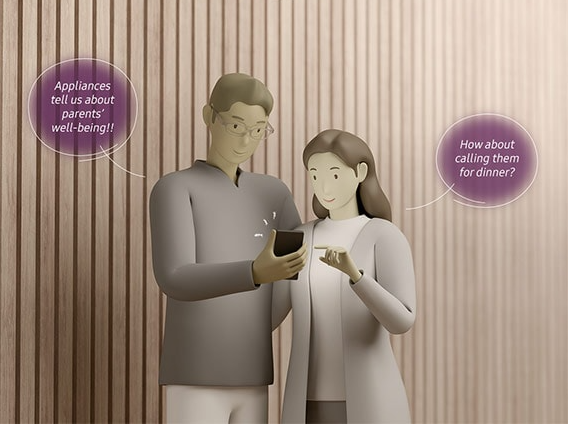
Stay updated & ensure your loved ones’ safety with Family Care
Whether you have elderly family members at-risk of falling, young children or pets who might get up to mischief, Family Care,[9] a new SmartThings service sends you and your other family members notifications if a user’s movement is not detected at the set time — or if there is no activity for a certain amount of time after the last activity.
While remotely monitoring your home, enjoy complete peace of mind knowing that your Bespoke AI appliances are tightly secured by Samsung Knox. Bespoke AI appliances launched in 2025 are all coming with Knox Matrix, [10] an enhanced security method that enables users to continuously monitor products’ security status. Some of them also include the application of Knox Vault[11], which protects sensitive user information by storing it in a separate hardware chip.
Your chores on autopilot
Return to a peaceful sanctuary after a hectic day as your AI Home completes household tasks beforehand.
SmartThings Away Mode helps you control appliances when you’re not at home
Intelligently schedule daily to-dos like cleaning the house when you are not around with SmartThings’ Away Mode[12]. Forgot to switch off your Bespoke Al WindFree™ Air Conditioner before leaving the house? The SmartThings App[13] detects when you’re not within a present distance of your home through your smartphone’s GPS[14] and automatically switches off the air conditioner, ensuring you save energy and prevent unwanted costs.
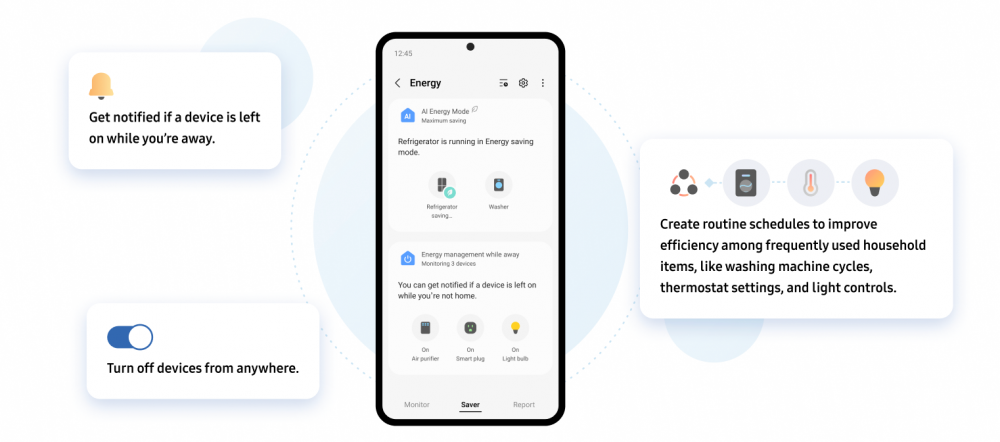
AI Energy Mode makes it easy for users to take action with our energy-saving tips and automations features
An AI Home delivers convenience, care and savings in every daily routine. Whether you own a Bespoke AI Front Load Washer, a Bespoke AI refrigerator or other Bespoke AI range appliances, optimise your energy consumption by activating AI Energy Mode[15] through the SmartThings app, and monitor, track and reduce your energy consumption for better cost savings, starting today.
[1] Bixby availability may vary depending on the country and is only available for certain Bespoke appliances. Launch date may differ according to region and country. To activate Bixby, a Samsung Account is required. Up to six accounts can be registered per device. To increase the accuracy of identifying each voice, it is recommended for you to register your voice in quiet surroundings. Voice ID is done based on the tone of voice used during registration process. Any change or modification to your voice may lead to misidentification.
[2]Bixby only recognises certain accents and dialects of English (UK), English (US), English (India), French (France), German (Germany), Italian (Italy), Korean (South Korea), Mandarin Chinese (China), Spanish (Spain), Portuguese (Brazil) and Spanish (Latin America). Other supported languages may be added in the future. Not all accents, dialects, and expressions are recognised, and actual performance may vary depending on pronunciation, voice level, and the surrounding environment.
[3] AI Home display refers to the 7″ or 9″ LCD screen on the product. Does not mean all services available on the AI Home are AI or generate information or outcome using AI. Certain functions accessible through the AI Home utilise AI-based algorithms, which can be updated periodically to improve accuracy. AI-based algorithms may generate incomplete or incorrect information.
[4] A Wi-Fi connection and a Samsung account are required. All products must be connected to SmartThings. Only 3rd party devices that are compatible with SmartThings can be registered.
[5]Each user must register for a Samsung Account on screen appliances in advance. Voice ID should be registered either on the refrigerator, or Galaxy mobile devices and then transferred to the refrigerator. (Limited to Galaxy S24 and subsequent models where Voice ID can be registered.) Voice ID will be available later to the 2025 AI Home models through updates. Availability may vary by market.
[6] To use calendar feature, users need to either register their schedule directly on the refrigerator or link their mobile phone calendar in advance. Only Google or Microsoft calendars saved under a Google or Microsoft account can be synced with the Bespoke AI Refrigerator with AI Family Hub. (Refrigerators with AI Home support Google Calendar only.)
[7] Available on models launched in 2025
[8] Devices and appliances must be connected in advance, using the same Samsung account information.
[9] Appliance must support Wi-Fi and connect to SmartThings to activate service. Users can activate the service on the SmartThings.
[10] Trust Chain Dashboard is applied to all Wi-Fi enabled appliances with 7-inch or 9-inch AI Home, and AI Family Hub™ screen launching in 2025.
[11] Knox Vault is applied to Bespoke AI Jet Bot Steam Ultra and appliances with 7-inch or 9-inch AI Home, and AI Family Hub™ screen launching in 2025, except Bespoke AI Oven.
[12] Applied products: Air Conditioner, Air Purifier, Hood, TV, Lights, Switches.
[13] Available on Android and iOS devices. A Wi-Fi connection and a Samsung account are required.
[14] This function may be affected by the GPS conditions.
[15] Only available for smart appliances that are compatible with SmartThings. The SmartThings App is available on Android and iOS devices. A Wi-Fi connection and a Samsung account are required.
Products > Home Appliances
For any issues related to customer service, please go to samsung.com/support for assistance.
For media inquiries, please contact samsungsg@infom.asia.


