From Selfies to Travel, Concerts to Editing: How to Get the Most Out of Galaxy Z Fold8 Ultra Camera
21-10-2026
From Capturing Yourself & Travel Memories to Filming Concerts, Editing Content & Scanning Documents, Galaxy Camera Features Help Users Capture Stand-Out Moments
We capture countless moments every day with our smartphone cameras – taking photos of ourselves, saving memories of delicious food and breath-taking scenery while traveling, filming our favourite artists at concerts and recording documents and information we need for work.
But sometimes, the scene we see with our own eyes does not translate exactly into a photo. Indoors, mixed lighting can make skin tones appear different from real life, while the colours of a clear sky may not come through as expected. In low-light conditions, capturing the desired scene can also prove challenging. In dark concert venues or when shooting at night,
camera shake and noise can be a concern, while filming on the move during a trip requires users to continuously pay attention to the horizon and composition.
Galaxy Z Fold8 Ultra is Designed to Reduce these Everyday Shooting Challenges
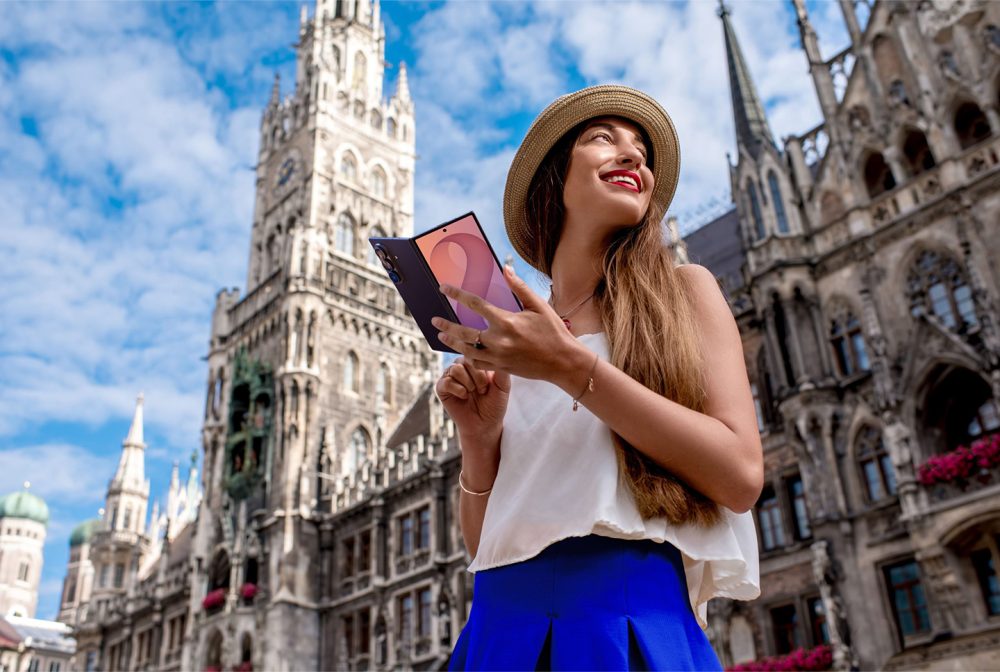
Powered by lens and image sensors, a high-performance AP and artificial intelligence (AI) based ProVisual Engine, Galaxy Z Fold8 Ultra analyses light, distance, movement and subjects within a scene. Combined with the foldable form factor, these technologies provide greater flexibility in how users capture and review their shots.
What matters is not memorising every camera feature but knowing how to use the right feature for each situation. Whether capturing themselves, photographing scenery while traveling or recording action-filled moments such as concerts and vlogs, users can choose the features that best fit the moment.
Capture Yourself More Naturally and Clearly
From profile photos to selfies for social media, one of the most common subjects people capture with their cameras is themselves
- More Natural Indoor Selfies with AI ISP – Powered by AI ISP1 (Image Signal Processing), Galaxy takes the face, surrounding scene and lighting conditions into account to help produce clearer, more natural-looking skin tones, even in complex lighting environments.1 AI-powered image processing improves perceived resolution. This helps users capture natural-looking selfies in a variety of environments, including indoor lighting without the need for complicated settings.
- Create a More Natural Sense of Depth in Portraits – In portrait photography, AI does more than simply separate a person from the background. Galaxy considers the distance between the subject and background, their positions within the scene and even how light spreads based on the focal plane to create a natural background blur effect similar to one captured with a large-aperture lens.
By expanding the Virtual Aperture engine, previously available in Expert RAW, to Portrait mode; Galaxy can render bokeh2 and points of light more precisely according to distance. This helps keep the subject clear while rendering the background naturally in selfies and portraits – allowing users to focus on their intended shot.
From Delicious Food to Travel Scenery, Capture What You See in Vivid Detail
From expansive landscapes to food, flowers and small souvenirs, a day of travel can involve photographing many different subjects in a short amount of time. Galaxy Z Fold8 Ultra features a 200MP Wide Camera and a newly added 50MP Ultra-Wide Camera, enabling users to capture everything from sweeping scenery to the fine textures of nearby subjects.
- Go Wider and Get Closer with the 50MP Ultra-Wide Camera – The 50MP Ultra-Wide Camera can capture expansive landscapes, interiors and group photos as well as close-up shots that bring out the textures of food, flowers and small objects. Even when users move closer to a subject, the camera can capture fine textures with high-precision macro photography. This allows users to move from capturing expansive scenery at a distance to getting close to a subject and preserving its fine details.3
- Create Detailed 24MP Images with AI ISP – For users who want to zoom in on travel photos or preserve richer details in scenery, 24MP shooting provides another option. Galaxy combines 12MP and 50MP images to generate a 24MP image that balances brightness and clarity while retaining detail. Users can add the 24MP shooting option to Photo mode through the high-resolution settings in Camera Assistant, making it easy to use in everyday shooting without entering a separate professional shooting mode.3
- Capture High-Contrast Scenery With 200MP HDR – For scenes with significant differences in brightness, such as a bright sky and dark buildings or a bright view outside a window and a darker indoor scene, users can take advantage of 200MP HDR photography. The 200MP Wide Camera on Galaxy Z Fold8 Ultra supports HDR capture in 200MP mode, helping preserve a wider range of detail and colour information in scenes that contain both bright and dark areas.3
- Capture the Night with Nightography – When traveling after sunset or attending a concert in a dark venue, users can turn to Nightography. The high-performance AP analyses and optimises light, movement and noise in low-light environments – helping users capture subjects and the atmosphere of the moment more brightly and clearly even in the dark.3
From Concerts to Travel Vlogs, Capture Moving Moments with Greater Ease
When a photo is not enough to capture the full moment, users naturally turn to video. At a concert, however, keeping a specific person centred in the frame can be difficult.
Likewise, maintaining a level horizon and reducing shake while walking and filming during a trip can require significant effort. The Galaxy Z series uses AI and its foldable form factor to assist with tasks that would otherwise require manual input from the person behind the camera.
- Keep the Focus on Your Favourite Person with My FanCam – My FanCam4 uses AI in the Video Editor to automatically track a person selected by the user and edit the video around that subject. Users can also choose their preferred video aspect ratio, making it easier to create content centred on the subject they want to capture, even in dynamic environments such as concerts and sporting events.
- Stay Level While Moving with Super Steady5 Horizontal Lock – Super Steady Horizontal Lock helps maintain a level frame even when the smartphone moves or rotates during recording. The feature continuously maintains the stable horizon even through 360-degree rotation, helping users create more stable footage when walking through a travel destination or recording scenes with significant movement.
- Capture Both the Subject & Yourself with Dual Recording – Dual Recording uses the front and rear cameras simultaneously to capture both the subject and the person behind the camera. On Galaxy Z Fold8 Ultra, users can view both camera feeds in real time across the Cover and Main Displays; enabling the person filming and the subject to create the scene together when traveling or recording a vlog. By capturing both the person filming and the atmosphere of the scene in the same frame, Dual Recording can also help create more dynamic content for sharing on social media.
Go Beyond the Shot and Make Photos and Videos Your Own
A great photo or video does not end when the shutter button is pressed. Users may want to remove an unwanted object that appeared in a travel photo, adjust the composition or add colours to a video that better reflect how the moment felt. Galaxy connects these post-capture processes into the broader camera experience.
- Make Photos Your Own with Photo Assist6 – Powered by generative AI, Photo Assist helps users edit captured photos according to their creative intent.
- Erase removes unwanted objects from a photo for a cleaner composition.
- Move repositions selected objects or adjusts the tilt of an image to recompose the shot.
- Create uses text to edit an image in the desired way.
- Style applies a new visual style to an entire photo or people’s faces.
Even when the original shot is not perfect, users can remove unnecessary elements, rework the composition or introduce new forms of expression to turn a captured moment into content that feels uniquely their own.
- Give Every day Videos a Cinematic Look with Samsung Log and Cine LUTs – For users who want greater control over the colour and mood of their videos, Samsung Log offers more creative flexibility. Log recording captures a wider range of detail and colour information in darker areas, expanding the expressive range of the footage. After shooting, users can apply Cine LUTs (Cinematic Look-Up Tables) to restore footage to a desired colour profile/continue editing it.
Alongside a standard colour option, Galaxy provides four Cine LUTs – Blockbuster, Teen Drama, Romance and Thriller; allowing users to give the same footage a different look and mood depending on the genre they want to evoke. The APV (Advanced Professional Video) codec preserves a broad range of detail in high-resolution video, supporting more precise editing after recording.
Capture Everyday Life With Galaxy AI Camera
Users do not need to know every camera feature to take a great photo. The goal of the Galaxy AI Camera is to help users capture themselves naturally indoors, preserve both expansive scenery and small details while traveling, record action-filled moments such as concerts and vlogs more steadily; and turn their shots into content that feels uniquely their own through post-capture editing. During this photo outing, users can experience first-hand how these features make a difference throughout the actual shooting process.
- Camera Feature results may vary depending on light condition/shooting conditions including multiple subjects, being out of focus/moving subjects. ↩︎
- Bokeh refers to the optical effect in which out-of-focus areas appear softly blurred or points of light are rendered as rounded highlights. ↩︎
- Camera Feature results may vary depending on light condition and/or shooting conditions including multiple subjects, being out of focus or moving subjects ↩︎
- My FanCam feature requires a Samsung Account login. Availability may vary by video. Not supported if there is no subject to track. Accuracy of results is not guaranteed. ↩︎
- Super Steady results may vary depending on editing method and/or shooting conditions ↩︎
- Photo Assist may require a network connection and Samsung Account login. Service availability may vary by country, language or device model. Photo Assist may result in a resized photo. A visible watermark is overlaid on the image output upon saving in order to indicate that the image is generated by AI. The accuracy and reliability of the generated output is not guaranteed. ↩︎


