Healthier Living: How AI-Powered Home Appliances Can Support Everyday Wellbeing


|
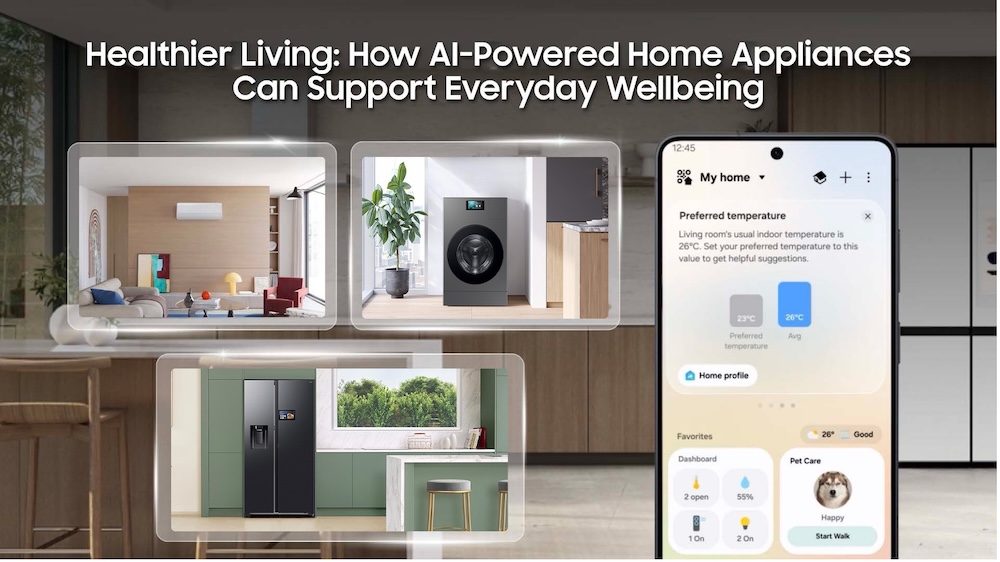
Samsung Bespoke AI appliances work together through SmartThings to support comfort, food management and household care throughout the day.
Healthy living is often associated with choices about what we eat and how we exercise. However, wellbeing can also be shaped by the environments and routines we return to every day. Besides our diet and fitness, our health can be affected by our quality of sleep and how much effort – both mental and physical – is spent on everyday household chores.
That makes the home an important part of the wider wellness picture. AI-powered solutions can change how we manage daily tasks – from refrigerators that suggest healthy recipes, to automated laundry cycles that can help reduce both mental and physical effort. With intelligent innovations that can seamlessly support everyday routines around rest, eating, and household care, our everyday lives can be made easier.
Creating a More Comfortable Environment For Rest Through Intelligent Cooling
A good night’s sleep hinges on comfort to help us fall asleep and more importantly, stay asleep. Samsung’s Bespoke AI WindFree™ Air Conditioner is designed to make cooling feel gentler. With WindFree™ Cooling, air is dispersed through 23,000 micro air holes[1], helping to maintain a comfortable indoor environment without unpleasant cold drafts.
Getting quality rest is an important priority in the region, with 66% of respondents in a Samsung Health App survey[2] indicating that they are actively working on improving their sleep. During warm and humid nights common in Singapore, the temperature that feels right at bedtime may not remain comfortable for the hours that follow as we go through different stages of the sleep cycle. With the Bespoke AI WindFree™ Air Conditioner, the cooling experience can be personalised when the air conditioner is connected to a compatible Galaxy Watch or Galaxy Ring through SmartThings[3].
When a connected wearable detects that the user has fallen asleep, WindFree™ Wearable Good Sleep mode can automatically activate WindFree™ cooling and adapt to body signals to make temperature adjustments. This can help to reduce nighttime awakenings, enabling users to wake up feeling refreshed and rejuvenated[4].
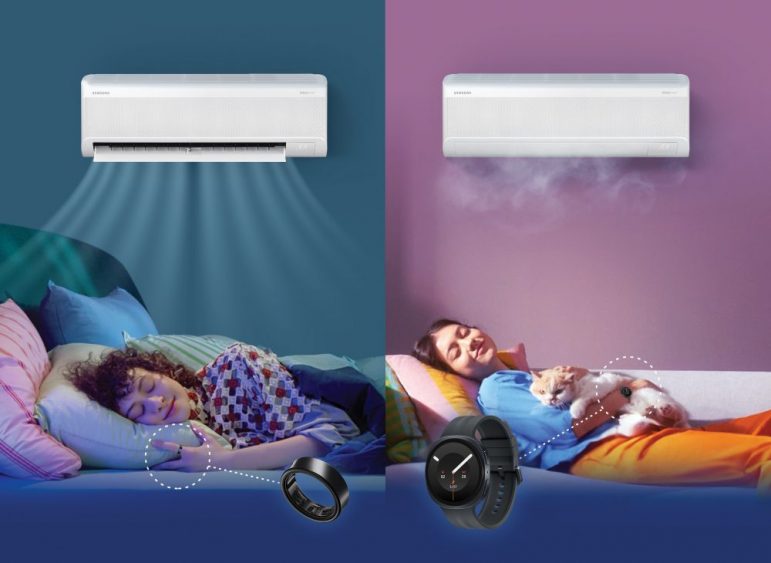
WindFree™ Wearable Good Sleep connects compatible Galaxy wearables and a Bespoke AI WindFree™ Air Conditioner through SmartThings to adjust cooling while the user sleeps.
Supporting Healthier Eating Habits Through Smarter Food Management
Planning healthier meals often starts with knowing what is already in the kitchen, what needs to be used first and what can be easily prepared.
With SmartThings Food, you can easily check a food list[5] to see if you have what you need via the SmartThings app[6] – no more guessing and ending up with items you don’t actually need. And if you’re home and stuck with no ideas for what to cook, the AI Food Manager can make the decision for you, by recommending recipes based on what’s already available in your fridge. This reduces the mental load of meal prep and makes the process more efficient. What’s for Today is a new feature available on select models – depending on the user selection, the function can offer menu recommendations based on either a random suggestion or available refrigerator contents, turning the daily question of what to cook into a more engaging and gamified experience.
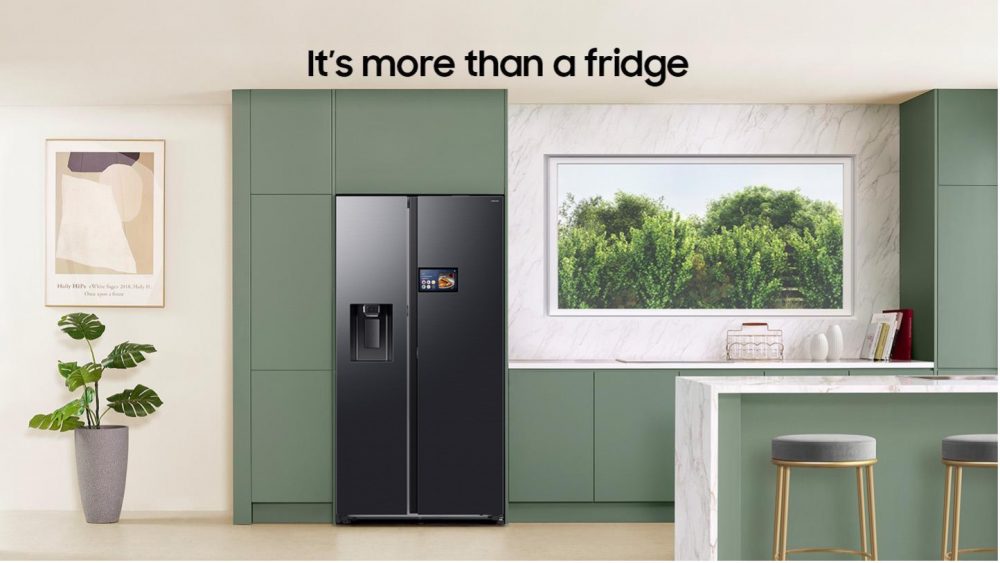
SmartThings makes it easier for you to plan your meals, track expiration dates, and discover new recipes based on your dietary preferences and existing ingredients.
In addition, side-by-side refrigerators with the 9-inch Family Hub display can serve as a central control hub for connected Samsung smart appliances, allowing users to control appliances directly from the refrigerator display.[7] Supported by Bixby, verbal cues provide an additional hands-free way to interact with the refrigerator while cooking or preparing meals.
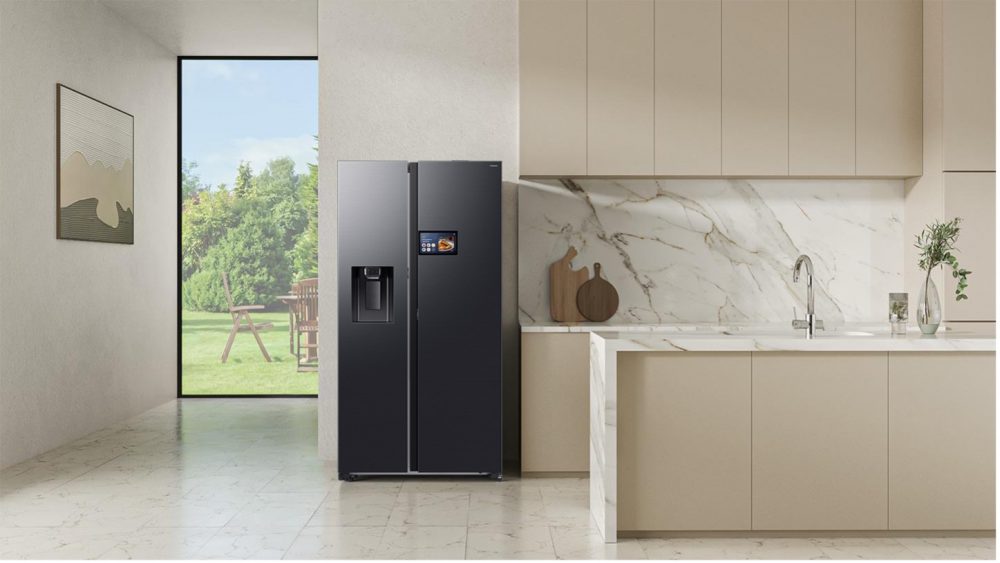
Side-by-side refrigerators with the 9-inch Family Hub display can serve as a central control hub for connected Samsung smart appliances
The refrigerator’s role is not to decide what a healthy meal should look like for every household. Instead, it makes information readily accessible, enabling you to make easier decisions about what to eat.
Simplifying Laundry Routines for Greater Wellbeing
Living well at home is shaped not only by resting and eating well, but also by how well you can manage daily life. Laundry can involve a long chain of small tasks – from choosing settings and measuring detergent amounts, to keeping track of when the cycle ends and moving wet clothes for drying. Minimising steps in this tiresome routine can help lighten the mental load of everyday household care, freeing up time for more rest or quality moments with loved ones.
Samsung’s latest Bespoke AI laundry solutions are designed to make washing more convenient and effortless. AI Wash+ uses multiple sensors to detect load weight and five different fabric types[8], automatically dispense the right amount of water and detergent, and continuously monitor soil levels during the wash cycle. If needed, it can also adjust detergent use and washing time accordingly to deliver efficient[9] and thorough cleaning performance.
The Bespoke AI Laundry Combo brings washing and drying into one appliance. Clothes can move from washing to drying without being transferred between separate machines, reducing interruptions and adding yet another task to your day.
Meanwhile, the 7-inch Smart Screen offers a central view to check on your wash cycle and access controls, while the Bixby voice assistant support conversational voice control.
Together, these features can help reduce the manual steps and lighten the mental load of managing your laundry.
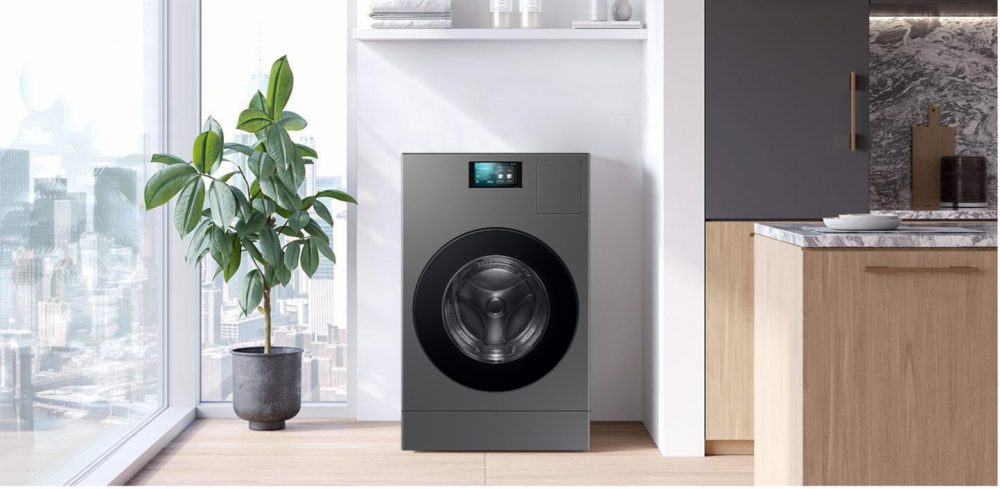
The Bespoke AI Laundry Combo brings washing and drying into one appliance, while AI Wash+ helps optimise care for each supported load with less manual input.
Bringing Wellness Together Through a Connected Home Ecosystem
A truly connected home consists of more than just individual appliances. Through SmartThings, Samsung connects its Bespoke AI appliances and compatible devices in an integrated ecosystem, delivering seamless experiences across the home to help you easily live better.
Try SmartThings at https://virtual.smartthings.com/?id=1003059
| Frequently Asked Questions
Q. How does ‘WindFree™ Wearable Good Sleep’ mode work? It connects the air conditioner to compatible Galaxy wearables, such as the Galaxy Watch or Galaxy Ring, through SmartThings. When the wearable detects that you have fallen asleep, it automatically activates WindFree™ cooling throughout the night to create the ideal climate for a deep and pleasant sleep.
Q. How can I better manage my weekly groceries? With SmartThings Food, you can easily check a food list [10] to see if you have what you need via the SmartThings app[11]. This can help you keep track of available ingredients and access recipe or meal-planning support.
Q. How can I depend on Samsung’s Bespoke AI laundry solutions for my weekly laundry routine? AI-assisted cycles and all-in-one washing and drying can reduce repeated decisions and manual steps. This helps reduce the time and attention needed for laundry, making it easier to keep clothes and bedding clean.
|
[1] WindFree™ Cooling gently disperses air through 23,000 micro air holes across the front panel to help you stay cool without the unpleasant sensation of a strong cold draft.
[2] Samsung Health App Survey Sep 2025, N=5,795, 7 markets: SG, MY, NZ, PH, TH, ID, VN
[3] Pair your Bespoke AI WindFree™ air conditioner with a Galaxy Watch or Galaxy Ring via SmartThings to activate ‘WindFree™ Wearable Good Sleep’ mode automatically, ensuring ideal climate conditions while you sleep. Feature is available when linking a Samsung mobile device equipped with One UI version 4.0 or later, and a wearable device that supports Wear OS: Galaxy Watch 4 or later, Fit 3 or later, Galaxy Ring.
[4] Applies to 2026 models onwards. Download the Samsung SmartThings App on the wearable device and connect the air conditioner to your home Wi-Fi. You can set it in the Samsung Watch App’s ‘Sleep well with smart devices’ or Settings > Mode and routine > Sleep menu, and you must wear the device while sleeping. SmartThings is optimised for Samsung smartphones and Galaxy Watches, and some functions may be limited when used on smartphones and watches from other manufacturers. When your connected Galaxy wearables detect you are asleep, the ‘WindFree™ Wearable Good Sleep’ mode turns on WindFree™ cooling and adjusts the cooling performance to match your sleep patterns for an ideal sleeping environment.
[5] The user may need to manually check and adjust the list to ensure its accuracy.
[6] Available on Android and iOS devices. Wi-Fi connection and Samsung account are required. Both devices must be signed in with the same Samsung account.
[7] The 9” smart display serves as a central control hub to connect Samsung smart appliances along with supported third party devices through SmartThings without the need for a separate hub device.
[8] Based on an advanced AI-created algorithm. It may not detect certain fabrics or accurately identify them when a load includes a mixture of different fabric types. To prevent wear, wash like fabrics together.
[9] Based on an AI-created algorithm and internal testing using the AI Wash+ cycle on an 2kg load. A turbidity sensor operates for all weights, while fabric sensing operates for 2kg and under. Actual results may vary depending on individual use.
[10] The user may need to manually check and adjust the list to ensure its accuracy.
[11] Available on Android and iOS devices. Wi-Fi connection and Samsung account are required. Both devices must be signed in with the same Samsung account.
Insights > Editorials
Products > Home Appliances
For any issues related to customer service, please go to samsung.com/support for assistance.
For media inquiries, please contact samsungsg@infom.asia.


