Samsung Begins Official Rollout of One UI 8 to Galaxy Devices


Samsung Electronics Co., Ltd. today announced the official rollout of One UI 8 — introducing advanced multimodal AI capabilities, a UX optimised for different device form factors and personalised, proactive suggestions to make everyday life smarter and more convenient. Starting this week with the Galaxy S25 series, One UI 8 will also reach the Galaxy S24 series, Galaxy Z Fold6, Galaxy Z Flip6, Galaxy S24 FE and additional eligible models later this year.[1]
Personalised Suggestions with Enhanced Security[2]
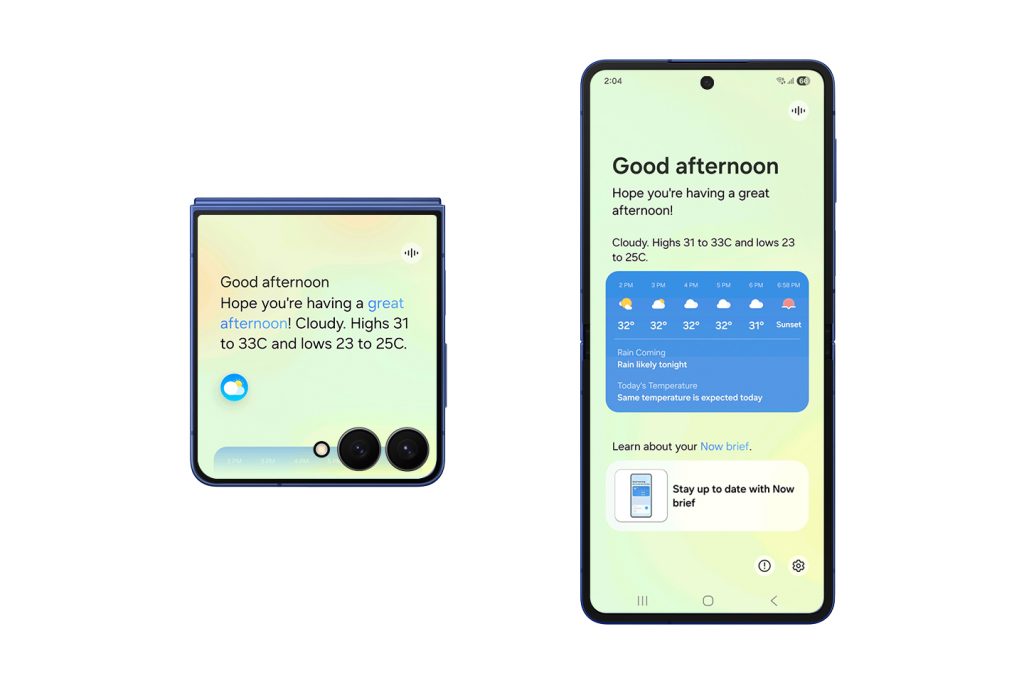
One UI 8 recognises the user’s context, offering personalised, proactive suggestions that support their unique daily routines. As Galaxy AI[3] becomes more intelligent, so does its commitment to protecting private data. One UI 8 combines advanced personalisation tools with top-tier security features, helping anticipate user needs while helping keeping information safe.
- Now Bar[4] shows real-time app activity and media player progress directly on Galaxy Z Flip’s FlexWindow, and is also now integrated with even more third-party apps.
- Now Brief[5] provides even more personalised daily updates including traffic, important reminders and Samsung Moments, which allows users to reflect on their daily routines. They can also get personalised suggestions and recommendations, such as music and video picks based on subscriptions and interests. In addition, personalised health insights from Galaxy Watch are also easily accessible.
- Knox Enhanced Encrypted Protection (KEEP)[6] is a new security architecture designed to safeguard the next generation of AI experiences used by Galaxy’s Personal Data Engine (PDE).[7] KEEP creates encrypted, app-specific storage environments within the device, ensuring each app can only access its own sensitive information.
- Knox Matrix can take security a step further by automatically signing devices out of the Samsung Account if flagged for serious risks[8]. It sends notifications across connected Galaxy devices and gives additional guidance on how to protect data.
Intelligent Multimodality: AI That Works the Way the User Does
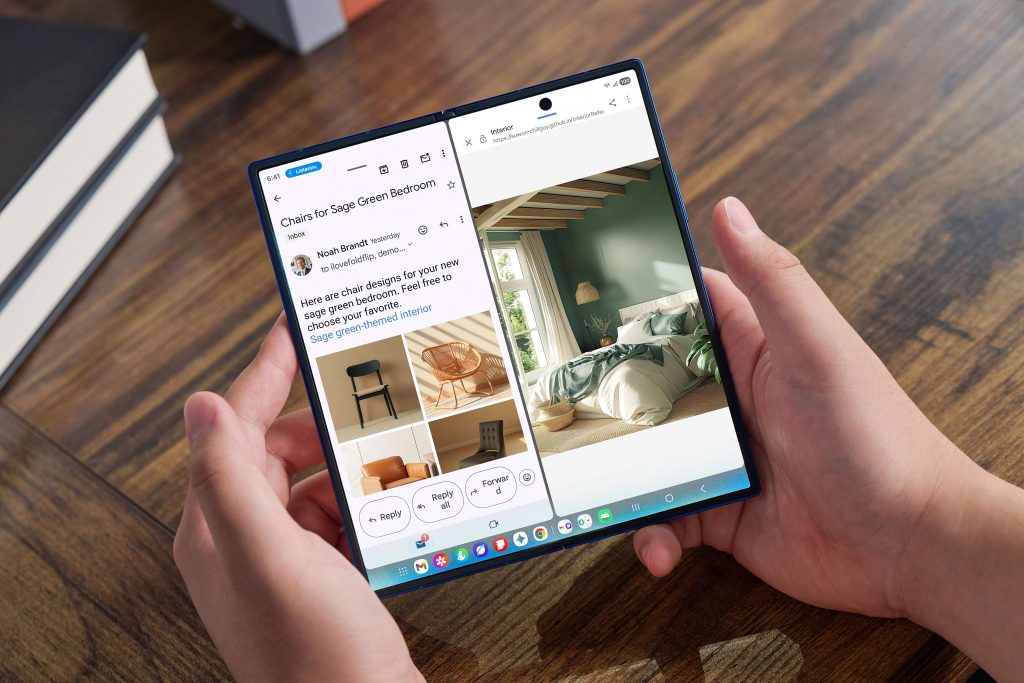
Powered by multimodal AI designed to deliver experiences tailored to user needs, One UI 8 transforms the way users interact with Galaxy devices. By combining visual, auditory and contextual intelligence, it makes everyday tasks intuitive and effortless.
- Gemini Live[9] allows for natural, seamless communication with AI that understands what the user is seeing or watching in real-time, without the need for switching between apps.
- Circle to Search with Google[10] gives in-the-moment gaming help when the user circles anything on the screen during game-play. It provides more information about characters and strategies to help the user navigate to the exact spot in the game, with helpful links and videos from across the web to explore further. With Circle to Search’s improved translation capabilities, users can see translated text in real-time as they scroll and interact with the screen[11]. From news articles to social media posts, they will see instant, on-screen translations of the underlying text in their preferred language.
UX Optimised for Multiple Form Factors
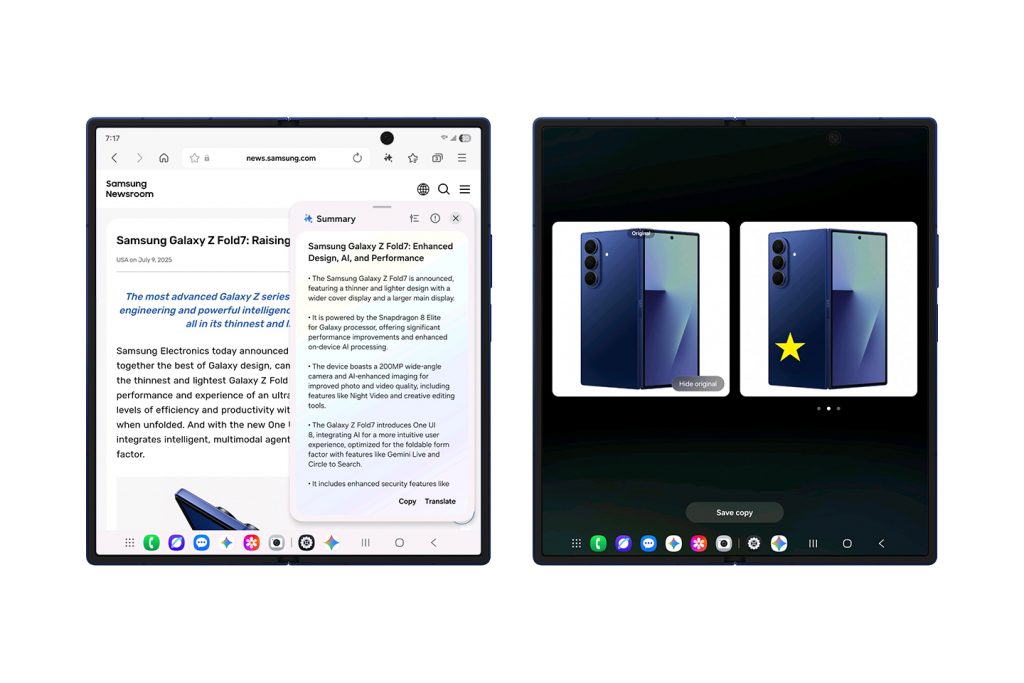
One UI 8 redefines versatility with UX optimised across the Galaxy product portfolio. Designed to adapt to the unique form factors of Galaxy smartphones and tablets, One UI 8 ensures seamless functionality while boosting productivity and efficiency.
- AI Results View displays results from AI features in a separate Split View or Floating View, keeping their original content visible and unobstructed.
- Thanks to Galaxy AI Optimised for Large Screens, Multi Window lets users drag and drop AI-generated content — including images and text — directly into their workflow. Tools like Drawing Assist[12] and Writing Assist[13] unlock an even smoother creative process, as users can move ideas and visuals around more easily than ever before.
- Gemini Live is now available directly on Flip’s FlexWindow for hands-free voice search, acting as a personal assistant right on the cover screen.[14]
- Audio Eraser[15] proactively detects and removes unwanted background noise, like wind or traffic, with a single tap on a new toggle in video apps and audio apps.
- With advanced customisation even for FlexWindow, users can easily create a wallpaper by receiving recommendations and auto-curated wallpapers from the Gallery.[16] Emojis and background colors are also customisable for FlexWindow Emojis wallpaper[17].
One UI 8 also provides AI-powered tools like Portrait Studio[18], which can capture the vibrant expressions of pets and then generate artistic, studio-like pet portraits. Users can also enjoy seamless communication in noisy environments with Call Captions — which instantly converts voices into text during calls — as well as keyboard inputs when using Interpreter[19], which allows users to translate ideas by typing.
[1] Official rollout of One UI 8 will apply to the following Galaxy devices this year: Galaxy S25 series, Galaxy S24 series, Galaxy Z Fold6, Galaxy Z Flip6, Galaxy S24 FE, Galaxy S23 series, Galaxy Z Fold5, Galaxy Z Flip5, Galaxy S23 FE, Galaxy S22 series, Galaxy Z Fold4, Galaxy Z Flip4, Galaxy S21 FE, Galaxy Tab S10 series, Galaxy Tab S10 FE, Galaxy Tab S10 Lite, Galaxy Tab S9 series, Galaxy Tab S9 FE, Galaxy Tab S8 series, Galaxy A56 5G, Galaxy A36 5G, Galaxy A26 5G, Galaxy A17 5G, Galaxy A17, Galaxy A07, Galaxy A06 5G, Galaxy A55 5G, Galaxy A35 5G, Galaxy A25 5G, Galaxy A16 5G, Galaxy A16, Galaxy A15 5G, Galaxy A06, Galaxy A54 5G, Galaxy A34 5G, Galaxy A73 5G, Galaxy A53 5G and Galaxy A33 5G.
[2] When compared with One UI 7
[3] Galaxy AI features are currently free of charge, with any specific plans for premium AI services to be decided in close coordination with our partners. There are currently no plans to charge for Galaxy AI features, however different terms may apply to other AI features provided by third parties, at the end of 2025.
[4] Now Bar features require Samsung Account login and may require a network connection. Service availability may vary by country, language, device model, or apps.
[5] Now Brief feature requires Samsung Account login. Service availability may vary by country, language, device model and apps. Some features may require a network connection. Modes and Routines need to be enabled to use Personal Data Engine for context-based Routines suggestions. User needs to consent to access permissions such as photos, videos, audio files, and calendar events. May not display moments depending upon exposure policy. Events schedule notification is supported with calendar apps that utilize Android calendar database and available if Samsung Calendar is installed. Notifications for coupons only available for coupons added to Samsung Wallet with expiration date.
[6] Available on Galaxy smartphones and tablets with One UI 8 or later.
[7] The Personal Data Engine functions when the Personal Data Intelligence menu is on. Analysed data will be deleted once the Personal Data Intelligence menu is turned off.
[8] Available on Galaxy smartphones and tablets with One UI 8 or later. Availability may vary by model and/or market.
[9] Gemini is a trademark of Google LLC. Gemini Live feature requires internet connection and Google Account login. Compatible with certain features and certain accounts. Available on select devices and select countries, languages, and to users 18+.
[10] Circle to Search is a trademark of Google LLC. Requires internet connection. Mobile data fees may apply. Circle to search feature must be enabled. May not work on all visual or audio elements. Users may need to update Android or Google app to the latest version. Results may vary depending on visual or audio matches. Accuracy of results is not guaranteed. Works on compatible apps and surfaces, and with ambient music only. Will not identify music coming through headphones or if phone volume is off. Google SafeSearch filter applies.
[11] Available on Galaxy smartphones and tablets with One UI 8 or later. Availability may vary by country and device model.
[12] Drawing assist feature requires a network connection and Samsung Account login. A visible watermark is overlaid on the image output upon saving in order to indicate that the image is generated by AI. The accuracy and reliability of the generated output is not guaranteed.
[13] Writing Assist requires a network connection and Samsung Account login. Must meet length requirements to activate feature. Service availability may vary by language. Accuracy of results is not guaranteed.
[14] Gemini Live on FlexWindow will be available on Galaxy Z Flip7, Z Flip6, and Z Flip5. Google Gemini requires a network connection and is provided by Google. Gemini is a trademark of Google LLC. Photo Ambient Wallpaper must be enabled for FlexWindow customisation. Certain applications may not support FlexWindow widgets.
[15] Results may vary per video depending on how sounds present in the video. Samsung Account login required. Six types of sound can be detected; voices, music, wind, nature, crowds and noise. Actual sound detection may vary depending on audio source, and the condition of the video. Compatible with common video/audio formats accessible in Gallery, Samsung Notes, Video Player, Voice Recorder and Call transcription. Accuracy of results is not guaranteed.
[16] Supported on FlexWindow as well as main screen. Availability may vary depending on models. FlexWindow customization is available on Galaxy Z Flip7, Z Flip6, and Z Flip5.
[17] Photo Ambient Wallpaper must be enabled for FlexWindow customisation. Certain applications may not support FlexWindow widgets.
[18] Requires Samsung Account, Wi-Fi connection or mobile data. Portrait Studio may generate unexpected results. Feature activated when it recognises a face in the image. May not work if the person’s entire face cannot be seen clearly. Editing with Portrait Studio results in a resized photo up to 9MP. A visible watermark is overlaid on the image output upon saving in order to indicate that it is generated by AI. The accuracy and reliability of the generated output is not guaranteed.
[19] Samsung Account required. Currently limited to select languages only. See website for full list of languages. Language package must be downloaded prior to use. Translation might not be accurate.
Products > Mobile & wearables
Press Resources > Press Releases
For any issues related to customer service, please go to Samsung.com/au/support for assistance.
For media inquiries, please contact mediateam@samsung.com.


