The Art of Effortless Productivity: How Galaxy AI can be Your Smart, Productivity Partner


In today’s fast-paced world, balancing a packed work schedule or intense study sessions often means juggling countless tasks and navigating unexpected challenges. That said, we all know true productivity isn’t simply about putting in more hours—it’s about doing things smarter so you can focus on what matters most.
In this second of a three-part series on how Galaxy AI[1] transforms everyday life, find out how Galaxy AI steps in as your intuitive productivity ally, empowering you to tackle every task with ease and efficiency, so you can accomplish more with less stress.
Save Time with Seamless Workflows
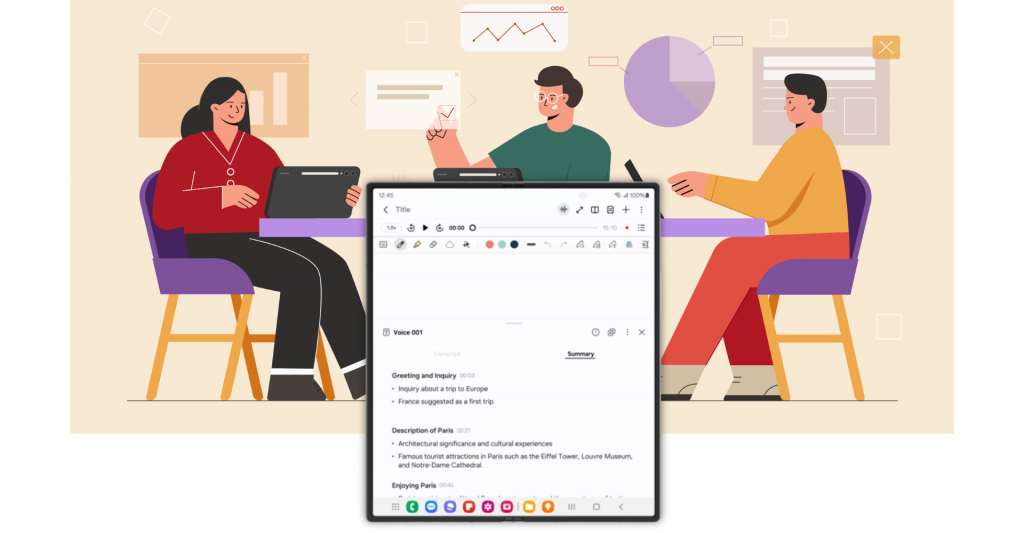
Turn your recordings into smart summaries with Transcript Assist.[2]
Be it the workplace, classroom or even when planning an upcoming trip with friends, manually jotting down notes from the discussion or transcribing meetings can be incredibly tedious and exhausting, often eating into the few precious moments meant for productivity or creativity.
The good news is you can now bid farewell to painstakingly noting down each word of a conversation by using Transcript Assist[3], which efficiently transcribes recordings and organises them into notes, producing efficient summaries. Together with Galaxy AI, you can also get suggested reminders and schedules based on the contents of your recording[4], so you and the person you are talking to never miss a beat.
Teams can also enjoy seamless workflows by leveraging Note Assist[5]. The feature helpfully distils the essence of your notes into actionable insights, together with a condensed summary of all the key information. In addition, it can translate the notes into other languages, and reformat it to one’s desired style.
Always Stay on Task
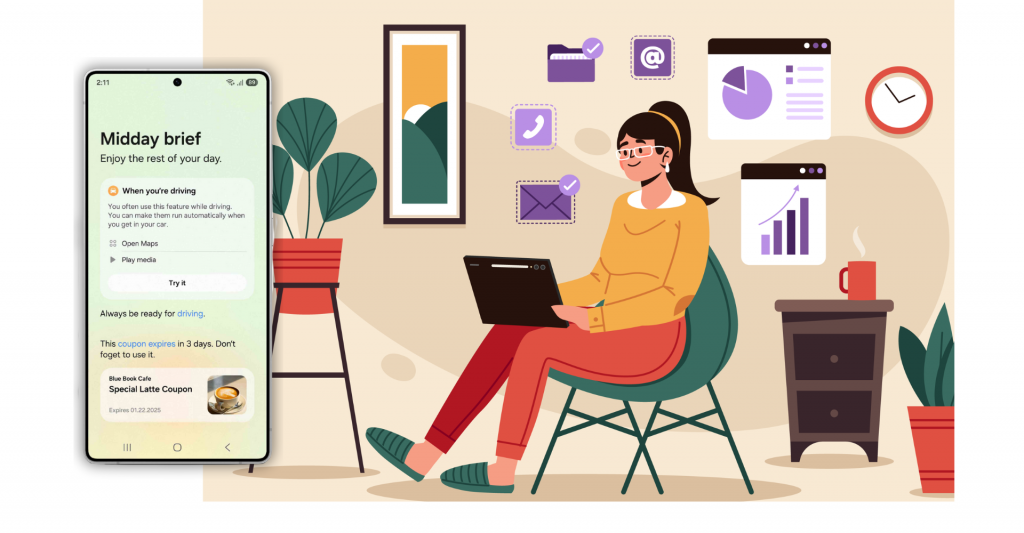
Receive a personalised rundown of your day from Now Brief, keeping you on track all afternoon long.
We’ve all been there: After wrapping up a busy morning at work, you’re feeling slightly overwhelmed by the never-ending to-do list and the endless notifications and reminders only add to the anxiety.
Now imagine looking down at your smartphone and seeing a concise and contextual briefing instead, tailored to your location, schedule and needs. This is what Galaxy AI’s Now Brief[6] offers. With just a quick glance, you can get relevant insights such as the latest weather update and your upcoming calendar events – so you can cut through the noise, stay focused on what truly matters, and make smarter decisions.
Get Answers You Need, Instantly
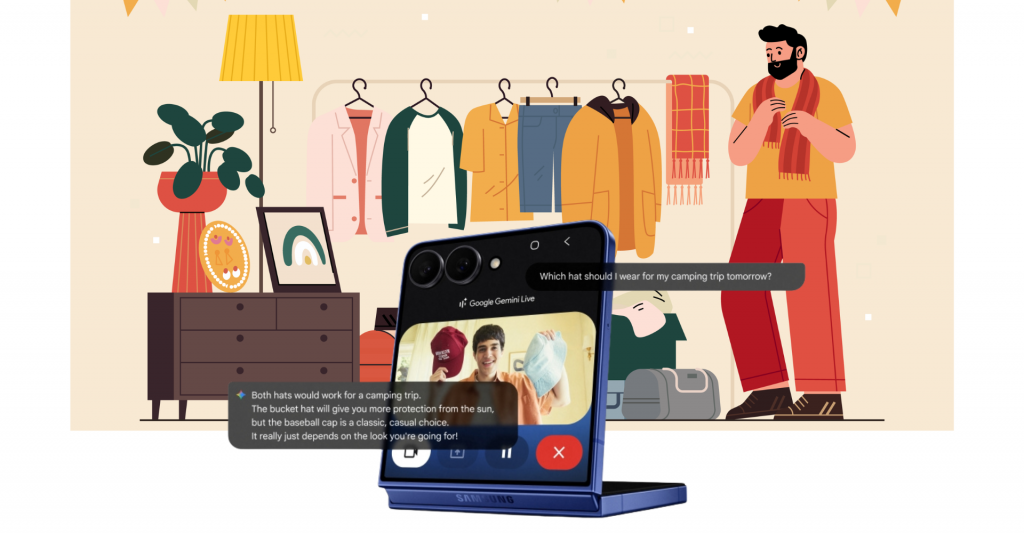
From outfit choices to everyday decisions, Gemini Live makes daily tasks easier.
The question of “What will I wear tomorrow?” is one that we face daily – and sometimes, this can be distracting or even difficult when one’s mind is preoccupied with more urgent tasks at hand.
Gemini Live[7] can now make those everyday decisions like this easier. By simply pointing the camera towards their wardrobe and clothing, users can get suggestions on how to categorise items and optimise space. Alternatively, they can also share their screen while browsing online retailers to receive personalised style advice. With the ability to see what the user sees and respond in real time, your Galaxy smartphone feels like a trusted friend who’s always ready to help.
All set to kick off the art of getting things done the smart way? Harness the capabilities and convenience of AI, with the power of foldable displays on the Galaxy Z Fold7 which debuts the all-new One UI 8 on Android 16[8], delivering an intuitive and immersive way to interact with Galaxy AI on its expansive screen. Or discover the Galaxy Z Flip7’s intuitive, one-handed experience with features like Gemini Live and Now Brief, now available directly on the FlexWindow.[9]
With Galaxy AI by your side, daily tasks, communication, and more, become effortless as intuitive, smart companions empower you to work smarter, boosting true productivity while simplifying your day.
[1] Galaxy AI features are currently free of charge, with any specific plans for premium AI services to be decided in close coordination with our partners. There are currently no plans to charge for Galaxy AI features, however different terms may apply to other AI features provided by third parties.
[2] You must be logged in to your Samsung account to use the Summary feature. Due to the nature of AI, results and quality may vary each time.
[3] Transcription and Summary features for Transcript Assist require a network connection and Samsung Account login. Features for Transcript Assist only available on the pre-installed Samsung Voice Recorder app or files recorded using the pre-installed Samsung Phone app, Samsung Notes app or Samsung Interpreter app. Voice recording feature in the pre-installed Samsung Phone app may not be supported in some countries. Audio files must be under 3 hours in duration to be processed. Summarising feature for Transcript Assist can be activated when a certain number of characters is met. Service availability may vary by language. Accuracy of results is not guaranteed.
[4] Transcription and Summary features for Transcript Assist require a network connection and Samsung Account login. Features for Transcript Assist only available on the pre-installed Samsung Voice Recorder app or files recorded using the pre-installed Samsung Phone app, Samsung Notes app or Samsung Interpreter app. Voice recording feature in the pre-installed Samsung Phone app may not be supported in some countries. Audio files must be under 3 hours in duration to be processed. Summarising feature for Transcript Assist can be activated when a certain number of characters is met. Service availability may vary by language. Accuracy of results is not guaranteed.
[5] Samsung Account and Wi-Fi or mobile data required. Feature must be enabled with latest version of Samsung Notes. May not work on all content pasted or written content. The Auto format function has a limit on the number of characters.
[6] Now Brief feature requires Samsung Account login. Service availability may vary by country, language, device model and apps. Some features may require a network connection. Modes and Routines need to be enabled to use Personal Data Engine for context-based Routines suggestions. User needs to consent to access permissions such as photos, videos, audio files, and calendar events. May not display moments depending upon exposure policy. The description of photos provided by moments may not align with the user’s intent. Events schedule notification is supported with calendar apps that utilize Android calendar database and available if Samsung Calendar is installed. Notifications for coupons only available for coupons added to Samsung Wallet with expiration date.
[7] Gemini is a trademark of Google LLC. Gemini Live feature requires internet connection and Google Account login. Compatible with certain features and certain accounts. Available on select devices and select countries, languages, and to users 18+. Features may differ depending on subscription and results may vary. Set up may be required for certain functions or apps. Accuracy of results is not guaranteed.
[8] Official rollout of One UI 8 will apply to the following Galaxy devices this year: Galaxy S25 series, Galaxy S24 series, Galaxy Z Fold6, Galaxy Z Flip6, Galaxy S24 FE, Galaxy S23 series, Galaxy Z Fold5, Galaxy Z Flip5, Galaxy S23 FE, Galaxy S22 series, Galaxy Z Fold4, Galaxy Z Flip4, Galaxy S21 FE, Galaxy Tab S10 series, Galaxy Tab S10 FE, Galaxy Tab S10 Lite, Galaxy Tab S9 series, Galaxy Tab S9 FE, Galaxy Tab S8 series, Galaxy A56 5G, Galaxy A36 5G, Galaxy A26 5G, Galaxy A17 5G, Galaxy A17, Galaxy A07, Galaxy A06 5G, Galaxy A55 5G, Galaxy A35 5G, Galaxy A25 5G, Galaxy A16 5G, Galaxy A16, Galaxy A15 5G, Galaxy A06, Galaxy A54 5G, Galaxy A34 5G, Galaxy A73 5G, Galaxy A53 5G and Galaxy A33 5G.
[9] Certain applications may not support FlexWindow widgets.
Products > Mobile & wearables
Press Resources > Press Releases
For any issues related to customer service, please go to Samsung.com/au/support for assistance.
For media inquiries, please contact mediateam@samsung.com.


