The Art of the “Do-Over”: Crafting the Best Images and Visuals with Galaxy AI


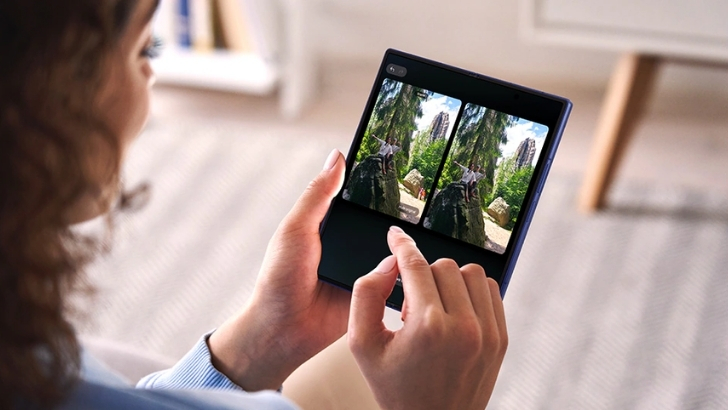
In the rhythm of daily life, moments come and go in the blink of an eye — often leaving one with the desire to capture the beauty, emotions and essence of these experiences in a snapshot to reminisce and look back on in the future.
In this first of a three-part series on how Galaxy AI[1] transforms everyday life, discover how Galaxy’s advanced camera experience integrates with intelligent processing for stunning outputs, transforming ordinary shots into lasting masterpieces.
Whether you’re exploring the outdoors, at a family gathering or simply taking quick snaps to share with friends online, Galaxy AI is your creative companion that helps you seize every opportunity to enhance your photos effortlessly and add that much-needed touch of magic.
Perfect Your Photos
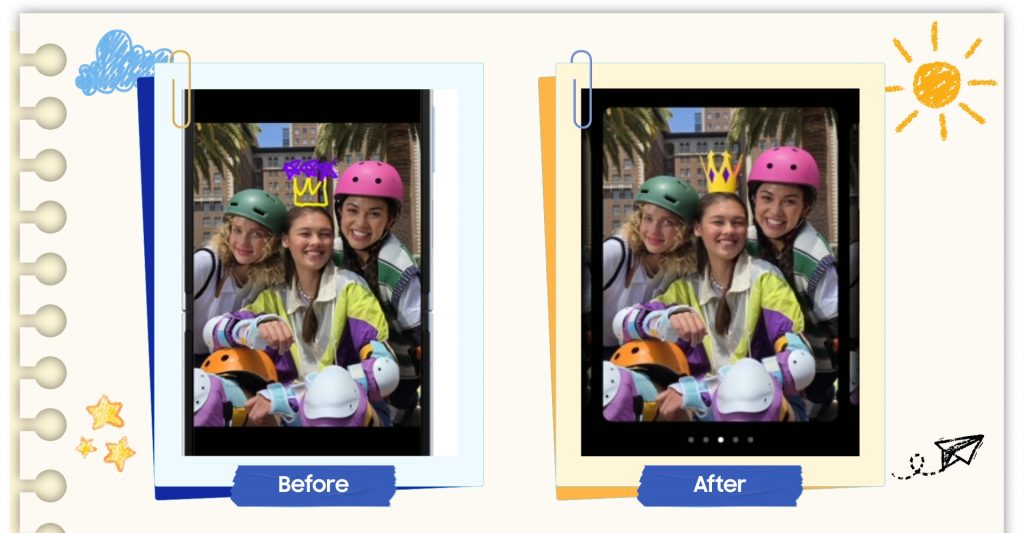
Add in creative elements with Drawing assist
When you’re flipping through vacation photos with friends, there’s always that one great shot which captured the moment in all its glory, encapsulating the fun and excitement with your favorite group of people. And when you want to do something special and gift them a picture momento from one of your shared adventures, why not add a personal touch to make the photo extra fun – like sketching in a crown to celebrate them.
With Galaxy AI’s Drawing Assist[2] that brings ideas to life through sketches, text or image prompts, you can add in creative elements like crowns, balloons and more, with the option to choose from different styles like Watercolor, Illustrations, Sketch, Pop Art, and 3D Cartoon.
Remove the Clutter, Focus on What Matters
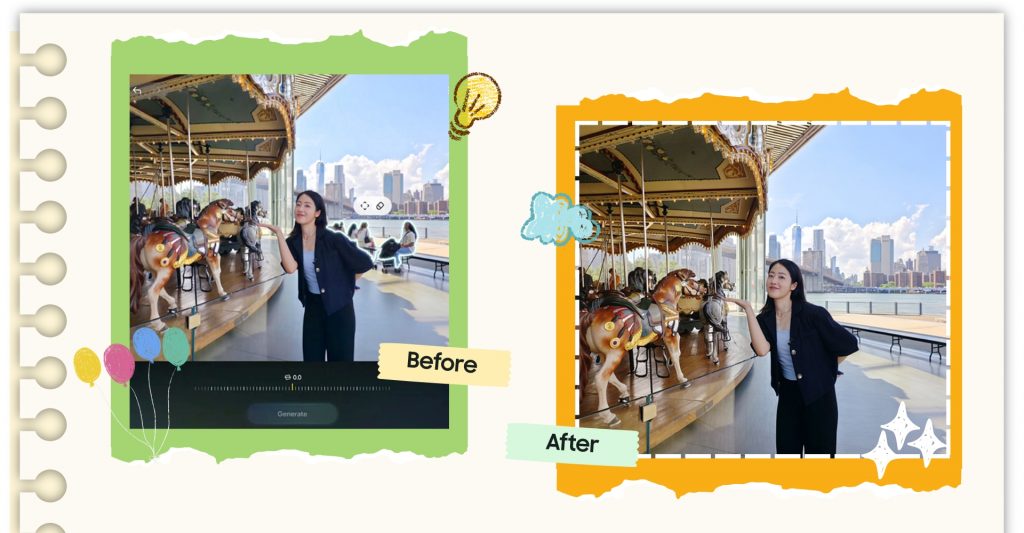
Move, erase or enlarge objects and let Generative Edit rebuild the background seamlessly
Ever captured a beautiful moment with a loved one then realised the shot was marred by a distracting element like passersby, or some unsightly mess that draws the eye away from what truly matters? Editing this to perfection might seem daunting especially if you have ever been frustrated by tools that erase unwanted objects but leave you with a blurry, unnatural mess.
Enter Photo Assist[3] which helps you move, erase or enlarge objects. You can also adjust angles and fill in backgrounds with AI-powered precision thanks to Generative Edit[4] which analyses the image and regenerates it accordingly. This means that when you remove an element, Generative Edit can rebuild the background seamlessly, ensuring the edited image looks so natural you can hardly tell it has been modified.
The all-new Suggest Erases feature also makes editing smarter and simpler by proactively suggesting elements to be removed with the tap of a button – for example, identifying passers-by, so you never miss the chance to refine your favorite shots.
Harness Limitless Creativity
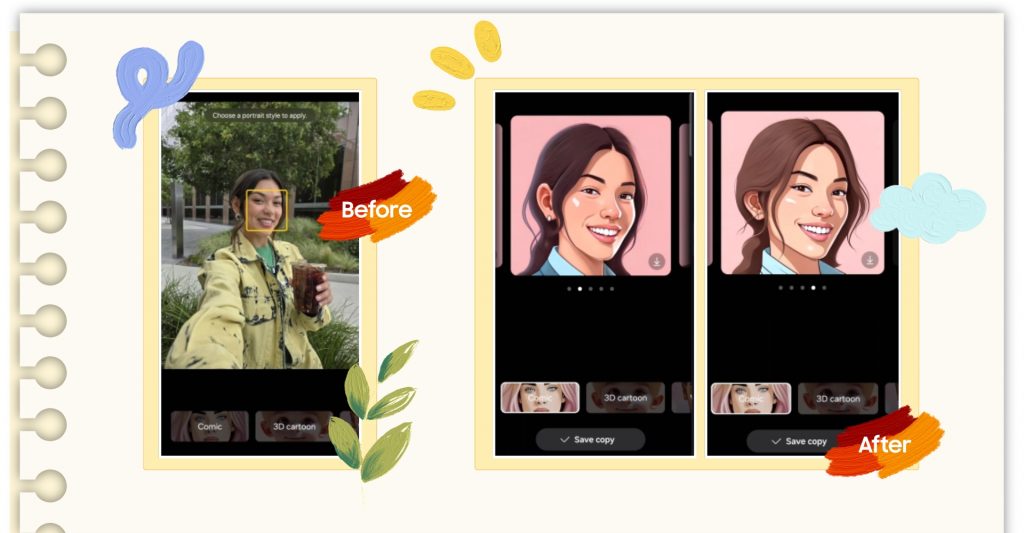
Transform your portraits using AI generated styles with Portrait Studio
Looking for a way to jazz up your profile image on social media? Whether it’s a boring headshot or images of your pets, easily edit and enhance the shot with Portrait Studio[5]. With this feature, you can choose from styles like artistic painting, 3D cartoons, fisheye or professional-quality portrait to create a frame-worthy masterpiece with one quick tap.
Ready to take on the art of the do-over? Check out the recently launched Galaxy Z Fold7 which allows you to leverage its large, unfolded screen to curate your next masterpiece with Side-by-Side Editing and Show Original that presents real-time comparison of original and edited versions, or the Galaxy Z Flip7, a pocket-sized selfie studio[6] that enables you to capture crisp and detailed selfies right from the FlexWindow which can then be further enhanced with Galaxy AI.
Your journey to transform photos and videos into next level content starts with Galaxy AI, where studio-quality enhancements can all be done in the palm of your hand, no extra tools required.
[1] Galaxy AI features are currently free of charge, with any specific plans for premium AI services to be decided in close coordination with our partners. There are currently no plans to charge for Galaxy AI features, however different terms may apply to other AI features provided by third parties, at the end of 2025.
[2] Drawing assist feature requires a network connection and Samsung Account login. A visible watermark is overlaid on the image output upon saving in order to indicate that the image is generated by AI. The accuracy and reliability of the generated output is not guaranteed.
[3] Samsung Account may be required to use certain AI Photo Assist features. Edit Suggestion is compatible with JPG, PNG. GIF and MP4 formats. Edit results may vary depending on the photography or filming condition. Images generated by the Live Effect feature will be saved in MP4 format. Editing with Generative Edit results in a resized photo up to 12MP. Editing with Portrait Studio results in a resized photo up to 9MP. A visible watermark is overlaid on the image output upon saving in order to indicate that the image is generated by AI. Accuracy of results is not guaranteed.
[4] Generative Edit feature for Photo Assist requires a network connection and Samsung Account login. Editing with Generative Edit may result in a resized photo. A visible watermark is overlaid on the image output upon saving in order to indicate that the image is generated by AI. The accuracy and reliability of the generated output is not guaranteed.
[5] Requires Samsung Account, Wi-Fi connection or mobile data. Portrait Stuido may generate unexpected results. Feature activated when it recognises a face in the image. May not work if the person’s entire face cannot be seen clearly. Editing with Portrait Studio results in a resized photo up to 9MP. A visible watermark is overlaid on the image output upon saving in order to indicate that it is generated by AI. The accuracy and reliability of the generated output is not guaranteed.
[6] Results may vary depending on light condition and/or shooting conditions including multiple subjects, being out of focus or moving subjects.
Products > Mobile & wearables
Press Resources > Press Releases
For any issues related to customer service, please go to Samsung.com/au/support for assistance.
For media inquiries, please contact mediateam@samsung.com.


