The State of Sleep in Southeast Asia & Oceania


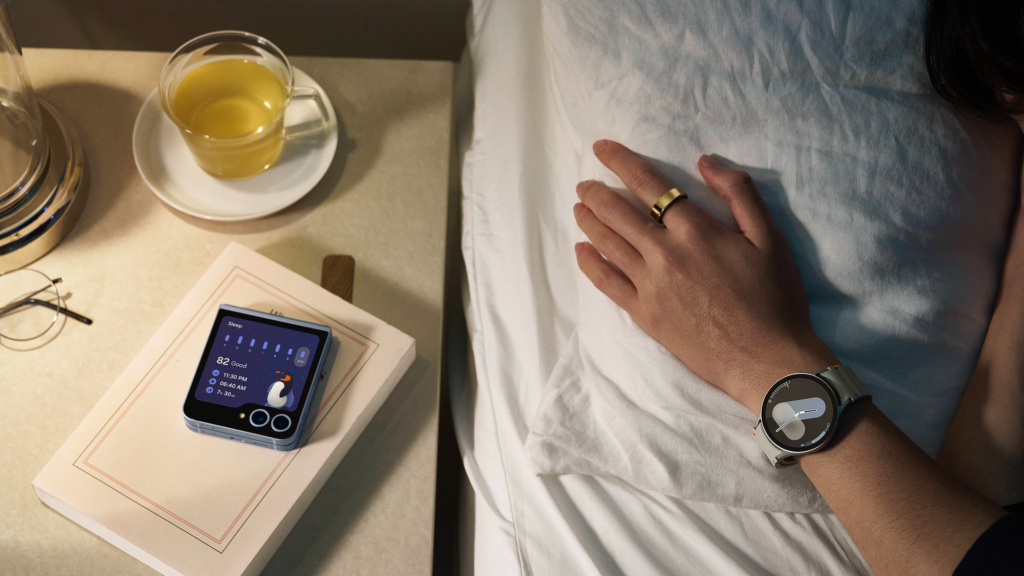
Across Australia, sleep is emerging as a critical—yet often overlooked—pillar of health and well-being frequently sacrificed in favour of the demands of modern lifestyles today.
Casting a lens on this reality, the Samsung SEAO (Southeast Asia and Oceania) Ecosystem Health Study[1] sought to analyse the general lifestyle and sentiments towards health and fitness, as well as general wellness habits—including sleep, fitness, and lifestyle choices. While adults in Australia rank health as their third highest daily priority, trailing finances and family according to the study, many still struggle to achieve the recommended seven to nine hours of sleep.[2] An average person in SEAO sleeps for just 6 hours and 51 minutes every night and stand to miss out on benefits that they rank as important reasons to getting sufficient shut-eye – such as improved immunity (21%), maintaining good health (17%), and staying mentally agile (16%).
Want to sleep better and feel these benefits? Here are three practical steps to address common sleep concerns using Galaxy devices like the Galaxy Watch8 series and Galaxy Ring.
Step 1: Establish a consistent bedtime routine
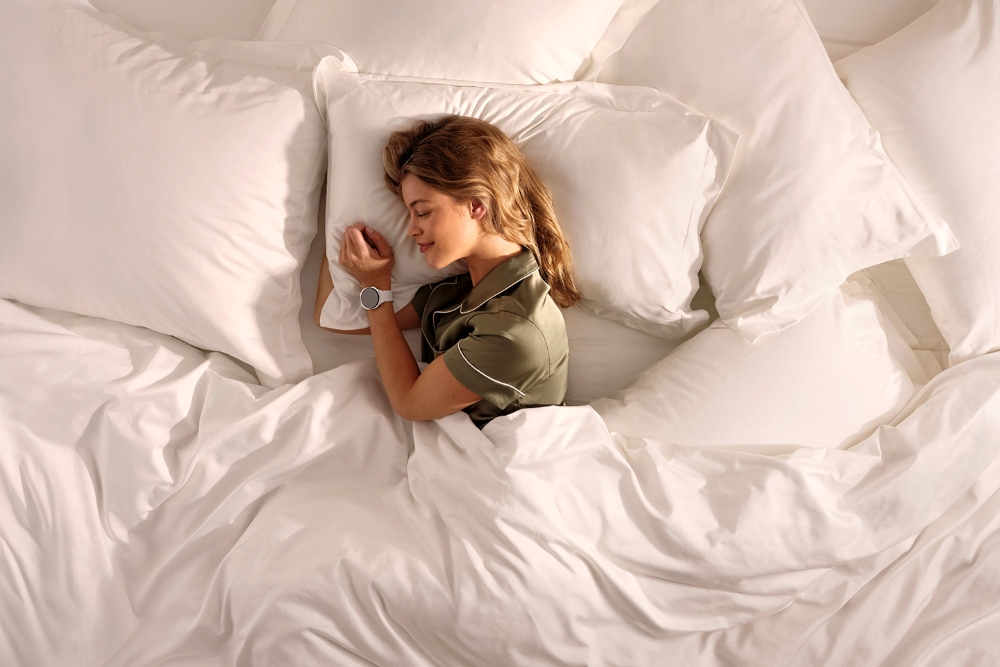
Galaxy Watch8, built to suit diverse lifestyles with advanced capabilities—setting a new standard for style and personalised health experiences.
Establishing a consistent bedtime routine is the primary concern for consumers in Australia (25%) citing an “inability to switch off” as a further obstacle to a good night’s rest.
We all know that going device-free is easier said than done, with many relying on smartphones as their alarm. Enter the Galaxy Watch8 series and Galaxy Ring, super comfortable sleep companions that even allow you to dismiss alarms by just pinching your fingers!
Beyond putting aside one’s smartphone for the evening, winding down also includes setting up a peaceful environment that is conducive for sleep. Custom routines on the SmartThings app[3] cue your connected devices automatically, turning off your lights and TV at bedtime for instance.
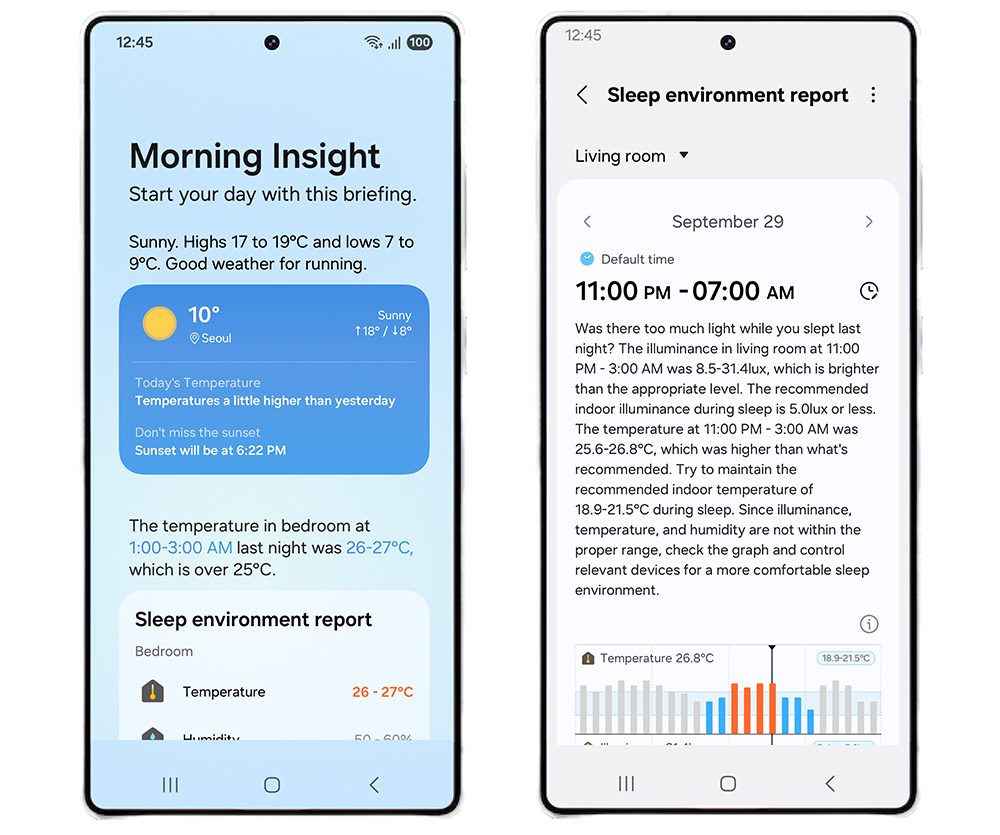
(Left) A sleep environment summary card displayed in Galaxy Now Briefing, (Right) a detailed sleep environment report
Personalising your sleeping conditions doesn’t stop there. Sleep environment reports[4] from Samsung Health app provide detailed insights into key factors — such as temperature, humidity. When connected to your Galaxy devices, other appliances like Samsung air conditioners can work together to ensure you have a pleasant sleep through adjusting the temperature with “Good Sleep” mode[5] that finds the optimal temperature at each sleep stage[6] for a top-notch sleeping environment.
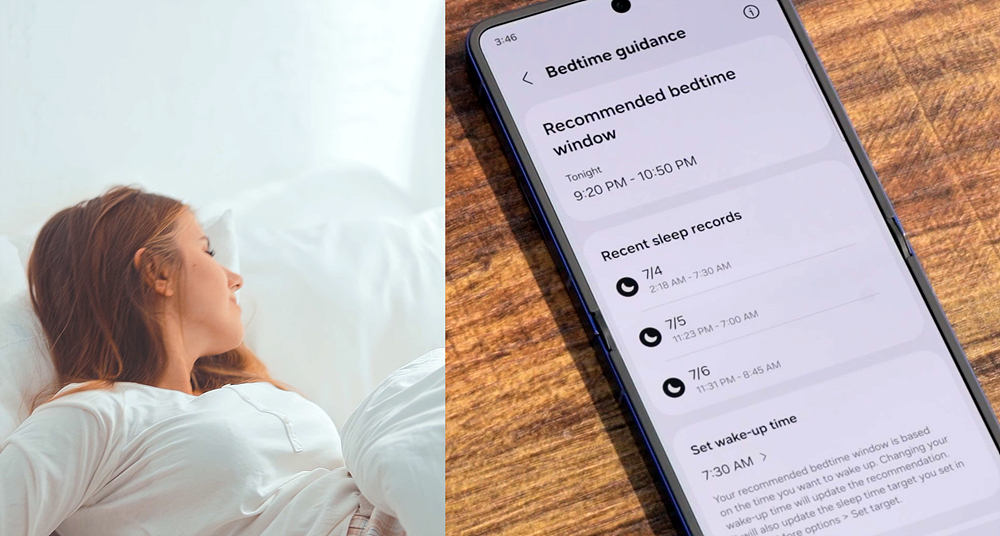
Bedtime Guidance provides personalised recommendations based on the user’s sleep data from the past three days.
Adding another layer of support, Galaxy Watch8’s Bedtime Guidance[7] analyses sleep patterns then suggests an optimal bedtime based on your previous statistics, so you can reset your sleep schedule and wake up refreshed.
For those concerned about long-term sleep health, the Galaxy Watch8 series also detects signs of moderate sleep apnea.[8] The Galaxy Ring complements this with a powerful sleep AI algorithm and detailed sleep tracking[9] to monitor movement during sleep, heart and respiratory rate, and snoring—making it easy to build better sleep habits over time.
Step 2: Maintain your energy throughout the day
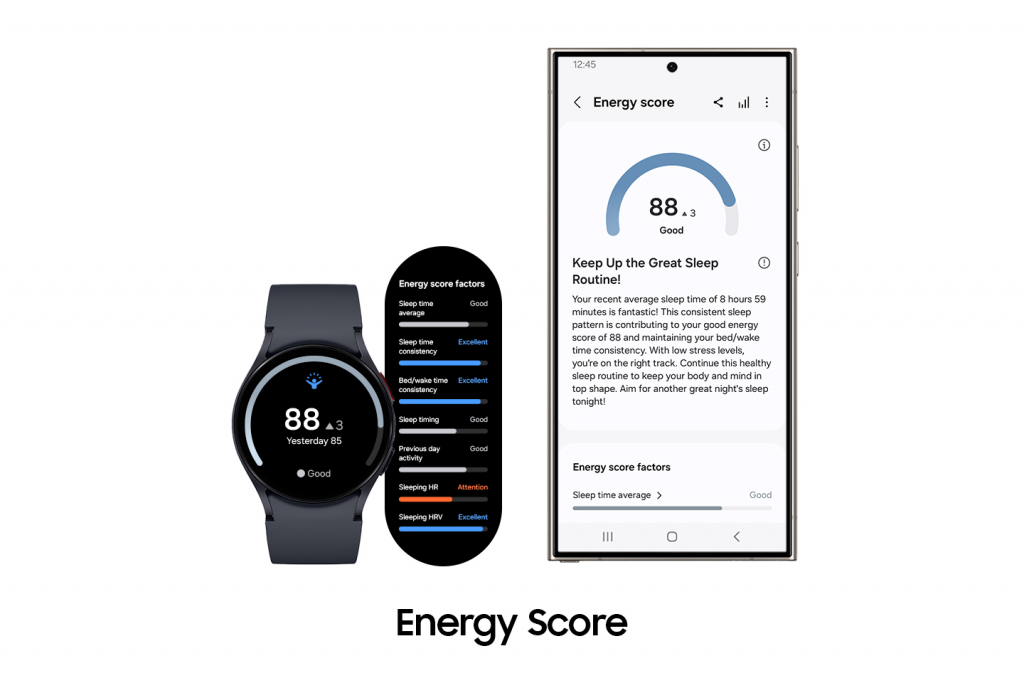
Energy Score on the Galaxy Watch8 and Galaxy S25 Ultra
The next most concerning aspect of sleep in Australia is whether one can maintain one’s energy levels throughout the day (19%). We are all familiar with the feeling of having apparently slept well the night before yet but still experiencing fatigue during the day, with the duration of sleep not translating into the desired energy levels across work, study or play. When you pick up your smartphone in the morning or simply check your Galaxy Watch throughout the day, a glimpse of your Energy Score[10] tells you all you need to know.
Energy Score, an indicator of your condition based on 7 key sleep and activity metrics
Energy Score indicates a daily measurement of your physical and mental energy and readiness, based on sleep, activity, and heart rate data, to help you find a healthy balance in the day ahead. Measuring from 0 to 100, a low score guides you to take things easy, while a high score helps gives you the confidence to push your limits.
Step 3: Ensure a comfortable night’s rest
After proactively harnessing the short-term benefits of a good night’s sleep, such as better energy throughout the day, the next biggest concern is to simply have a comfortable sleep (19%).
That’s why the Galaxy Watch8 series goes beyond sleep tracking with features like the Antioxidant Index[11], a first-of-its-kind Samsung smartwatch capability that measures your carotenoid level in just five seconds, giving you another layer of insight to build a long-term wellness routine.
As you take the steps to make adjustments to your sleep, Galaxy’s Sleep Coaching Program[12] helps tracks your progress, analyses your accumulated sleep pattern data and provides you insights with suggestions for better sleep such as meditating before bed, for example.
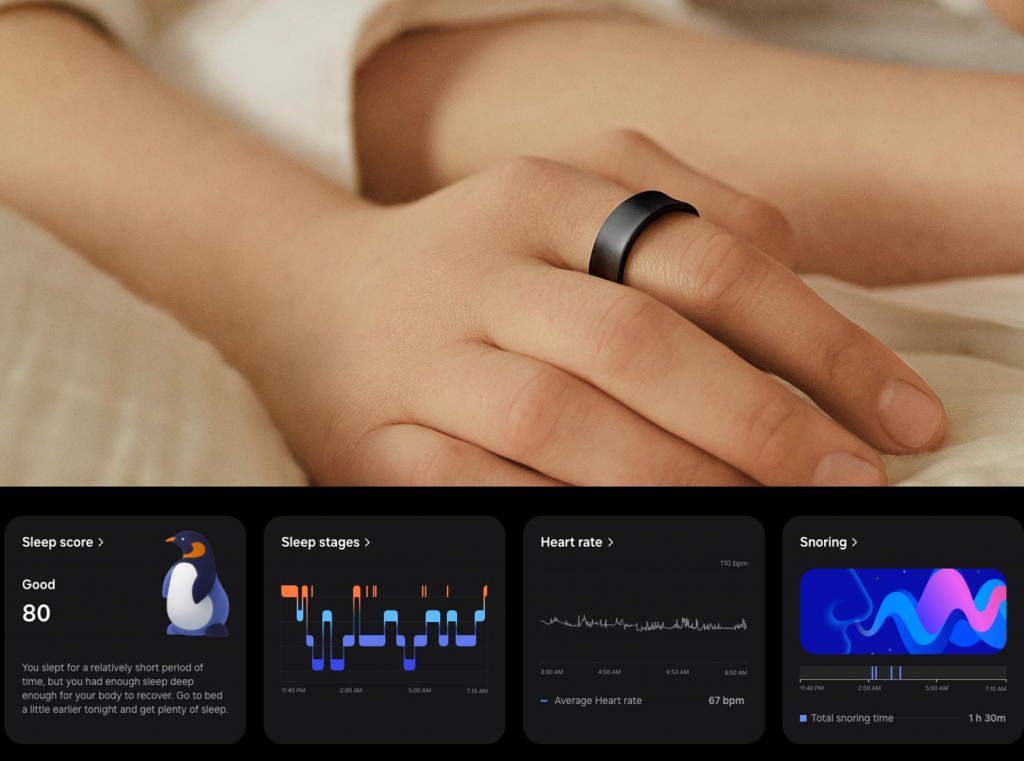
To get clued into how to make your sleep more comfortable, Galaxy Ring is your go-to wearable that sits comfortably on your finger whilst tracking overall sleep including sleep stages, sleep patterns, movement during sleep, overnight skin temperature, Heart Rate (HR) and Heart Rate Variance (HRV) and providing Sleep Coaching program to improve your sleep habits, when you wake up[13]. First time users get to test their ideal ring size with the Galaxy Ring sizing kit before confirming their purchase.[14]
Whether you’re a student, parent, or working professional, the need for restorative rest is both universal and profoundly personal. Try out these three steps today and make the change to your everyday sleep for better productivity, energy and overall well-being!
[1] The Samsung SEAO Ecosystem Health Study was conducted in December 2024 via online surveys, with 18,168 respondents (of which 3,098 were wearable users), aged 18 – 59 years old, in Australia, Indonesia, Malaysia, New Zealand, Singapore, Thailand, Philippines and Vietnam.
[2] National Sleep Foundation: How Much Sleep Do You Really Need?
[3] Must download SmartThings/Wearable/Samsung Health apps available on Android and iOS devices. A Wi-Fi connection and a Samsung account are required. Devices must be signed in with the same Samsung account. Possible through models above Galaxy Watch4 series and Galaxy Ring and features may vary depending on region.
[4] The Sleep environment report feature is available on Samsung Galaxy smartphones running One UI 7.0 or later and Samsung Health version 6.29 or later. Availability may expand in the future. For more information on compatible devices that can measure sleep environments, refer to the Sleep condition report under the “How to Use” section in the SmartThings app.
[5] Available for Room Air Conditioners – AR**B******, AR**C******, AR**D******, AR**F****** with Wi-Fi. Requires mobile phones above Galaxy S22, and wearable devices above Galaxy Watch4 series or Galaxy Ring. Features may vary depending on region.
Must download SmartThings/Wearable/Samsung Health apps available on Android and iOS devices. A Wi-Fi connection and a Samsung account are required. Devices must be signed in with the same Samsung account. Possible through models above Galaxy Watch4 series and Galaxy Ring and features may vary depending on region.
[6] Setting routines based on sleep conditions may not be supported in certain countries. This feature is available on Samsung Galaxy smartphones with One UI 7.0 or Samsung Health version 6.29 or later, with plans for future expansion. A connected device capable of detecting sleep and wakefulness — such as Galaxy Watch4/5/6/7, Galaxy Watch Ultra, Galaxy Fit3 and Galaxy Ring — is required. For more information, refer to the “Accessories” section in the sleep tab of the Samsung Health app.
[7] Bedtime Guidance is available on Android phone (Android 11 and above) and requires Samsung Health app (v6.30.2 or later). Bedtime Guidance based on 3 days of sleep analysis of user’s circadian rhythm and sleep pressure. Bedtime Guidance Feature does not act as a medical/therapeutic device. It is solely intended for fitness and wellness purposes only and is not intended for use in the diagnosis of disease or other conditions; or in the cure, mitigation, treatment or prevention of disease. Samsung recommends that you consult with your doctor or physician before participating in any exercise program.
[8]Sleep Apnea feature is currently available in some selected countries only. Sleep Apnea feature requires at least 2 days of sleep data within a span of 10 days (the two days do not necessarily have to be consecutive, but must be recorded within those 10 days).The Sleep Apnea Feature is intended to detect signs of moderate to severe obstructive sleep apnea in the form of significant breathing disruptions in adult users 22 years and older, by tracking sleep twice over a ten-day monitoring period. It is intended for on-demand use. This feature is not intended for users who have previously been diagnosed with sleep apnea. This feature is not intended for use in the screening, diagnosis, treatment or management of sleep apnea and users should not use this feature to replace traditional methods of diagnosis and treatment by a qualified clinician. If a pattern of breathing disturbances is identified by this feature, or you experience any other symptoms of sleep apnea or any other breathing disturbance, consult a doctor. The absence of a notification does not exclude the presence sleep apnea. ALWAYS FOLLOW THE INSTRUCTIONS FOR USE. IF SYMPTOMS PERSIST, WORSEN OR CHANGE UNEXPECTEDLY, TALK TO A HEALTHCARE PROFESSIONAL.
[9] Sleep Tracking requires sleep data of at least 7 days (including 1 workday and 1 day off). Sleep Tracking feature does not act as a medical/therapeutic device. It is solely intended for fitness and wellness purposes only and is not intended for use in the diagnosis of disease or other conditions; or in the cure, mitigation, treatment or prevention of disease. Samsung recommends that you consult with your doctor or physician before participating in any exercise program.
[10] Energy Score is available on Android phones (Android 11 or above) and requires Samsung Health app (v6.27 or above). Samsung Account login required. Service availability may vary by country, region, language. To check the Energy Score, the health data tracked from Samsung Galaxy Watch must be synchronised with the Samsung Health app. Needs at least the previous day’s activity data and sleep, and heart rate data during sleep. Energy Score does not act as a medical/therapeutic device. It is solely intended for fitness and wellness purposes only and is not intended for use in the diagnosis of disease or other conditions; or in the cure, mitigation, treatment or prevention of disease. Samsung recommends that you consult with your doctor or physician before participating in any exercise program.
[11] *Antioxidant Index available on Android phones (Android 10 or above) and requires the Samsung Health app (v6.30.2 or above). Samsung account login required.
* Antioxidant Index measures carotenoid levels.
*To measure, place the center of your finger on the sensor at the back of the Watch and hold it for 5 seconds. While antioxidant index can be measured using any finger, the thumb is recommended for the most accurate result.
*Repeated measurement due to uneven skin texture may lead to inaccurate results.
*Antioxidant Index is for fitness and wellness only. Not intended for use in detection, diagnosis or treatment of any medical condition. Please consult a medical professional for advice if you’re concerned about your antioxidant level.
[12] Available on Samsung Health app v.6.24 or above and must be paired with Samsung Galaxy smartphones with Android OS 11 and above. Samsung account login required. Requires sleep data of at least 7 days (including 1 workday and 1 day off). Sleep Coaching feature does not act as a medical/therapeutic device. It is solely intended for fitness and wellness purposes only and is not intended for use in the diagnosis of disease or other conditions; or in the cure, mitigation, treatment or prevention of disease. Samsung recommends that you consult with your doctor or physician before participating in any exercise program.
[13] Sleep tracking features are intended for general wellness and fitness purposes only. Not intended for use in detection, diagnosis, treatment of any medical condition or sleep disorder. The measurements are for your personal reference only. Please consult a medical professional for advice. Sleep Coaching requires sleep data of at least 7 days, including 2 days off.
[14] Availability of Galaxy Ring sizes and colours may vary by country/region. Galaxy Ring sizes are based on US standard sizes (US 5 – US 15). One Sizing Kit is available free of charge upon purchasing the Galaxy Ring. Only one Sizing Kit is provided per order number. Sample rings included in the Galaxy Ring Sizing Kit are inoperable and for measuring ring size only. Wearing the sample ring for at least 24 hours is recommended to allow sufficient time for your finger to adapt to the fit of the Galaxy Ring.
TAGSBedtime GuidanceEnergy ScoreGalaxy RingGalaxy S25 UltraGalaxy Watch8 seriesSamsung Health appSmartThings app
Products > Mobile & wearables
Press Resources > Press Releases
For any issues related to customer service, please go to Samsung.com/au/support for assistance.
For media inquiries, please contact mediateam@samsung.com.


