Why TV Still Holds a Special Place in the Multi-Screen World


Entertainment is no longer confined to a single place. Today’s viewing journeys unfold across different screens, moments and contexts.
A show may begin with a clip, a trailer shared in a group chat, or a recommendation that arrives mid-scroll. This is not fragmentation. It is how modern viewing works. The more interesting question is not how many screens we use, but what each screen does best, and why despite the plethora of display options made available to consumers, the TV continues to hold a special place in how people experience entertainment at home.
According to Samsung’s 2025 Southeast Asia and Oceania (SEAO) TV Awareness Survey[1], 65% of the region’s consumers watch TV daily. It’s clear that even as viewing journeys happen across more screens, TV remains part of the everyday rhythm in many households.
From Discovery to Presence
Mobile plays an important role in the viewing journey. It is always within reach, making it suitable for discovery, quick viewing, social sharing, and entertainment on the go.
At the same time, some viewing moments are especially suited for the big screen as TV brings scale, comfort and shared presence to entertainment experiences at home.
For instance, watching a live sports match on the big screen can bring the excitement from the stadium into living rooms. With features like AI Soccer Mode[2], sound and picture are optimised so viewers can enjoy every single bit of the gameday action from the comfort of their homes. This is why close to 40% of SEAO Smart TV users mirror, cast or stream from their phone to the TV1, showing how consumers value the flexibility of mobile viewing while appreciating the big screen experience.
Rather than choosing between screens, consumers are moving fluidly across them. Mobile devices offer mobility and immediacy, while TV brings scale, comfort, and presence.
A Smarter Way to Navigate Entertainment
Modern viewing no longer begins only when someone turns on the TV. It often starts elsewhere, before making its way there. The role of the Smart TV is to make that transition feel seamless, intuitive and coherent.
That is why the interface matters as much as the display. Viewers should be able to move easily between entertainment, apps and experiences.
Samsung’s One UI Tizen[3] reflects this shift by making everyday entertainment smoother to navigate. Viewers can easily access apps, customise the home screen, stream content, and enjoy gaming through built-in smart features, creating a TV experience that feels intuitive, personal and connected. With up to seven years of OS upgrades[4], our TVs are kept up to date with security enhancements and performance improvements.
Furthermore, Samsung Smart TVs support the way people move between screens. They allow users to conveniently mirror mobile content on the TV, use Multi View to watch TV and mobile content at the same time, display personal photos, and use the phone as a remote control.
Where the Moment Comes to Life
Once the journey reaches the TV, the screen determines how the moment lands. This is where pictures, sound and intelligence work together.
Features[5] such as Glare Free, HDR10+, and Object Tracking Sound+ (OTS+) help shape how entertainment feels on the big screen. For instance, whether with daylight or indoor lighting, our certified Glare-free technology reduces reflections, so that viewing experiences stay clear and comfortable. Meanwhile, HDR10+ uncovers delicate details across deep shadows to vibrant highlights, bringing greater dimension and immersion to each scene. Additionally, OTS+ helps sound follow on-screen movement for a more immersive audio experience.
Samsung Vision AI[6] adds another layer by enabling the TV experience to adapt more intelligently to content and environment. Through AI Customisation Mode, AI Optimised Mode and AI Sound Controller, the TV can enhance visual detail, fine-tune audio and adjust settings to better match what viewers are watching and where they are watching it.
As a result, films feel cinematic, with light, shadow and colour carrying depth. Live matches feel immediate, as motion and sound bring the room closer to the action. Gaming feels immersive when the screen keeps pace with every moment. At its best, TV quietly enhances the experience, helping viewers stay immersed in the content and the moment.
On Samsung 2026 TV models[7] supporting Vision AI Companion[8], users can easily pull up related information and content recommendations, activate AI-powered picture and sound enhancements, and access AI apps and features directly on the TV with a click of the AI button or long-press of the Home button on the remote control.
The journey does not have to end when viewing stops. Samsung’s The Frame extends the role of TV beyond entertainment by allowing the screen to remain an integral part of the room when not in use.
The Frame can display renowned pieces that transform the screen into a personal gallery, reflecting individual tastes and complementing the style of the home. Through the Samsung Art Store[9], users can access more than 5,000 selections from world-famous artists and institutions, with collections that continue to evolve and expand across different genres and themes.
Recent collaborations include the partnership with the San Francisco Museum of Modern Art, which bring celebrated works by artists such as Diego Rivera and Piet Mondrian into the home. The Art Basel Hong Kong 2026 Collection also features works from emerging and established contemporary artists, imbuing the energy and creativity of their work into everyday living spaces.
This makes The Frame more than a screen for watching content. It becomes part of how people shape their spaces and appreciate art as another form of everyday entertainment.
The Right Screen for the Right Moment
The modern viewing journey does not depend on one screen doing everything. It is contingent on each screen playing its role at the right moment. Mobile helps the journey begin through discovery, immediacy and spontaneous moments. TV is where that journey becomes more focused, immersive and present.
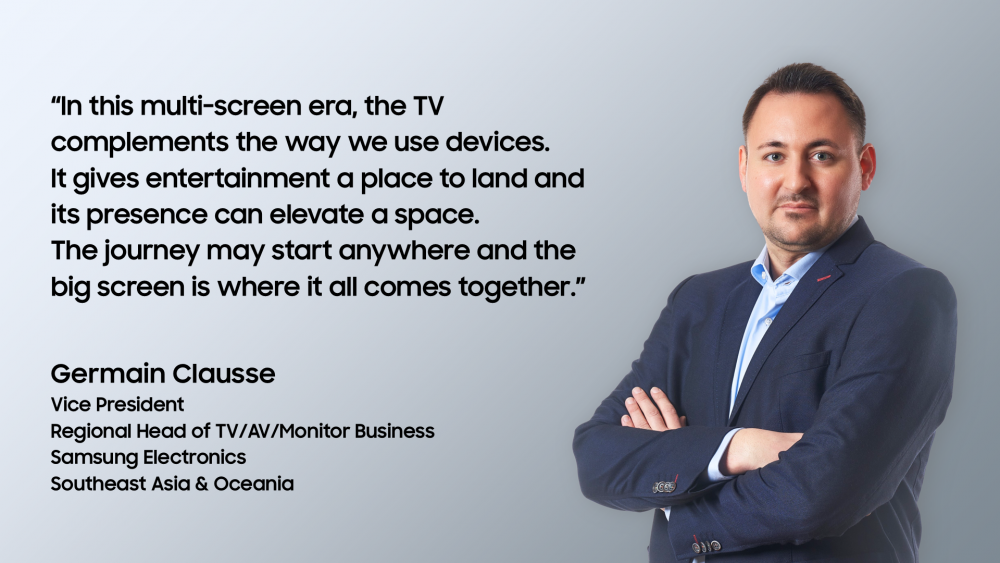
In the multi-screen era, the TV complements the way we use devices. It gives entertainment a place to land and its presence can elevate a space. The journey may start anywhere and the big screen is where it all comes together.
[1] Samsung 2025 SEAO TV Awareness Survey. N = 2,000 respondents across 8 Southeast Asia and Oceania markets. Fieldwork: November 2025
[2] AI Soccer Mode sound optimisation only available when audio is played directly through the TV, not through a separate sound device. Turn off AI Mode to use this feature. AI technology designed to detect and optimise soccer content only. Availability and performance will vary according to several factors including source content and application in use
[3] Internet connection and Samsung Account required. Data and subscription charges may apply. Apps and UI may be subject to change without notice. Agreement of the Smart Hub Terms and Conditions and Privacy Policy is required before use. Kayo & BINGE not available for use in Very Remote regions of Australia.
[4] Tizen OS upgrades will be supported for up to 7 years starting from release year, for TVs released in the year 2026.
[5]Features and availability may vary by model and region.
[6] Supported models may vary depending on the feature.
[7] The Vision AI Companion is available on 2025 TV models Q7 and above, QN60F (Only ZA/ZC), The Frame LS03F(W), Smart Monitor M7 and above, and The Movingstyle. This feature’s availability may vary by model or region.
[8] Information based on current viewing available on Samsung TV Plus channels only. Provides AI created content, with accuracy not guaranteed. Voice commands recognise English, French, Spanish, Portuguese, German, Italian, and Korean, but not all accents, dialects, and expressions are recognised. Availability of features may vary, depending on the source content and privacy settings. Requires internet connection. Available on features on 2025 Q7F and above TVs. Feature accessible by the AI button 2026 TVs, or by the Home button (long press) on the remote control without an AI button for remote controls on 2025 TVs (Q7F and above) and 2026 Crystal UHD TVs.
[9] Stream complimentary curated art or additional artworks available via subscription. Internet connection required.
Press Resources > Editorials
Products > TV & Audio
For any issues related to customer service, please go to Samsung.com/au/support for assistance.
For media inquiries, please contact mediateam@samsung.com.


