Samsung Elevates 2025 OLED TV Gaming Experience with NVIDIA G-SYNC Compatibility


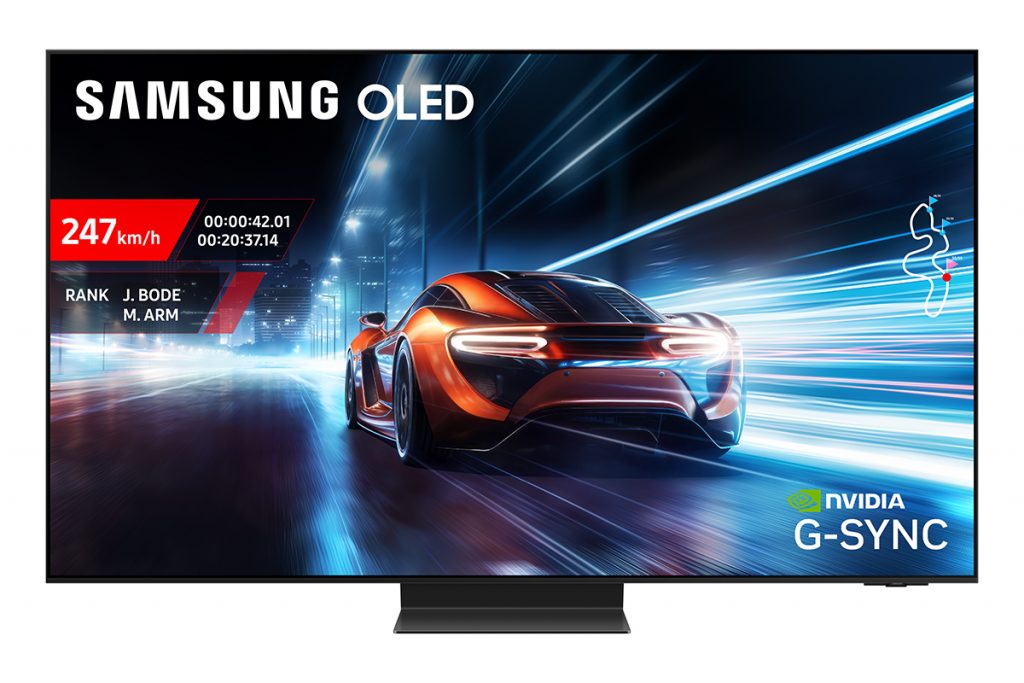
Pictured: Samsung OLED S95F is NVIDIA G-Sync compatible. Image simulated for illustrative purposes. Cables not shown.
Samsung Electronics today announced that its 2025 OLED TV lineup[1] will feature NVIDIA G-SYNC compatibility, helping to deliver ultra-smooth gameplay and low latency, to meet the needs of gaming enthusiasts worldwide.
With NVIDIA G-SYNC compatibility, Samsung’s 2025 OLED TVs synchronise the TV’s refresh rate with the GPU’s frame rate, reducing screen tearing and stuttering for a seamless and immersive gaming experience.[2] Paired with Samsung’s Motion Xcelerator technology, which supports refresh rates up to 165Hz[3], gamers can enjoy exceptionally fluid visuals and sharp clarity during fast-paced action scenes.
“With the addition of NVIDIA G-SYNC compatibility and our most advanced gaming features yet, Samsung’s 2025 OLED TVs help to deliver elite-level performance for even the most competitive players,” said Kevin Lee, Executive Vice President of the Visual Display Customer Experience Team at Samsung Electronics. “By building on our leadership in display innovation and integrating real-time AI enhancements, we’re redefining what gamers can expect from a TV – on and off the battlefield.”
Samsung’s new 2025 OLED S95F and S90F models also support AMD FreeSync Premium Pro, helping to ensure broad compatibility and adaptive sync performance across a range of GPUs. Additional core gaming features across the OLED lineup include Auto Low Latency Mode (ALLM) to minimise input lag and deliver instant response, and Samsung Gaming Hub[4], which provides instant access to console and cloud-based gaming platforms, including Xbox Game Pass and NVIDIA GeForce NOW.
To further elevate gameplay, the 2025 OLED TVs introduce AI Auto Game Mode, which intelligently analyses game genres and scene content in real time to automatically optimise picture and sound settings—eliminating the need for manual adjustments. Gamers can also take advantage of the Game Bar, a pop-up interface that allows quick access to key settings without exiting the game.
While engineered for elite gaming, Samsung’s OLED TVs also deliver a premium cinematic and connected home experience as well. Features such as AI Upscaling, OLED Glare Free Certified [5] screen technology, and SmartThings[6] integration ensure immersive visuals and effortless control in any environment.
The NVIDIA G-SYNC compatibility feature will be available on Samsung’s flagship S95F model and will subsequently roll out to additional models in the 2025 OLED lineup.
For more information on Samsung OLED TVs, please visit www.samsung.com/au.
[1] Includes Samsung OLED S95F, OLED S85F and OLED S85F
[2] NVIDIA G-SYNC compatibility requires connection to a compatible NVIDIA graphics card and may require enabling VRR settings in both the TV and GPU driver settings. Performance may vary depending on system configuration.
[3] OLED S95F supports up to 165Hz. OLED S90F supports up to 144Hz. OLED S85F supports up to 120Hz.
[4] A controller may be required depending on the specific game being played on the Gaming Hub. Internet connection, additional gaming service subscriptions and third party apps (depending on game or service) may be required. Content services are subject to change without notice. Requires Samsung Account. Xbox Game Pass Ultimate subscription and compatible controller required. Fees apply.
[5] Available on OLED S95F only. The S95D range has been independently verified as OLED Glare Free: Reflection Glare UGR <10, Discomfort Glare UGR <22, Disability Glare UGR <34 by UL LLC (UL Solutions), Certificate Number: V647799 – 01/03/2024.
[6] Requires Samsung Account, internet connection and SmartThings enabled devices. Please visit www.samsung.com/au/apps/smartthings/ for a list of current compatible devices.
Press Resources > Press Releases
Products > TV & Audio
For any issues related to customer service, please go to Samsung.com/au/support for assistance.
For media inquiries, please contact mediateam@samsung.com.


